
Sport Club Manager
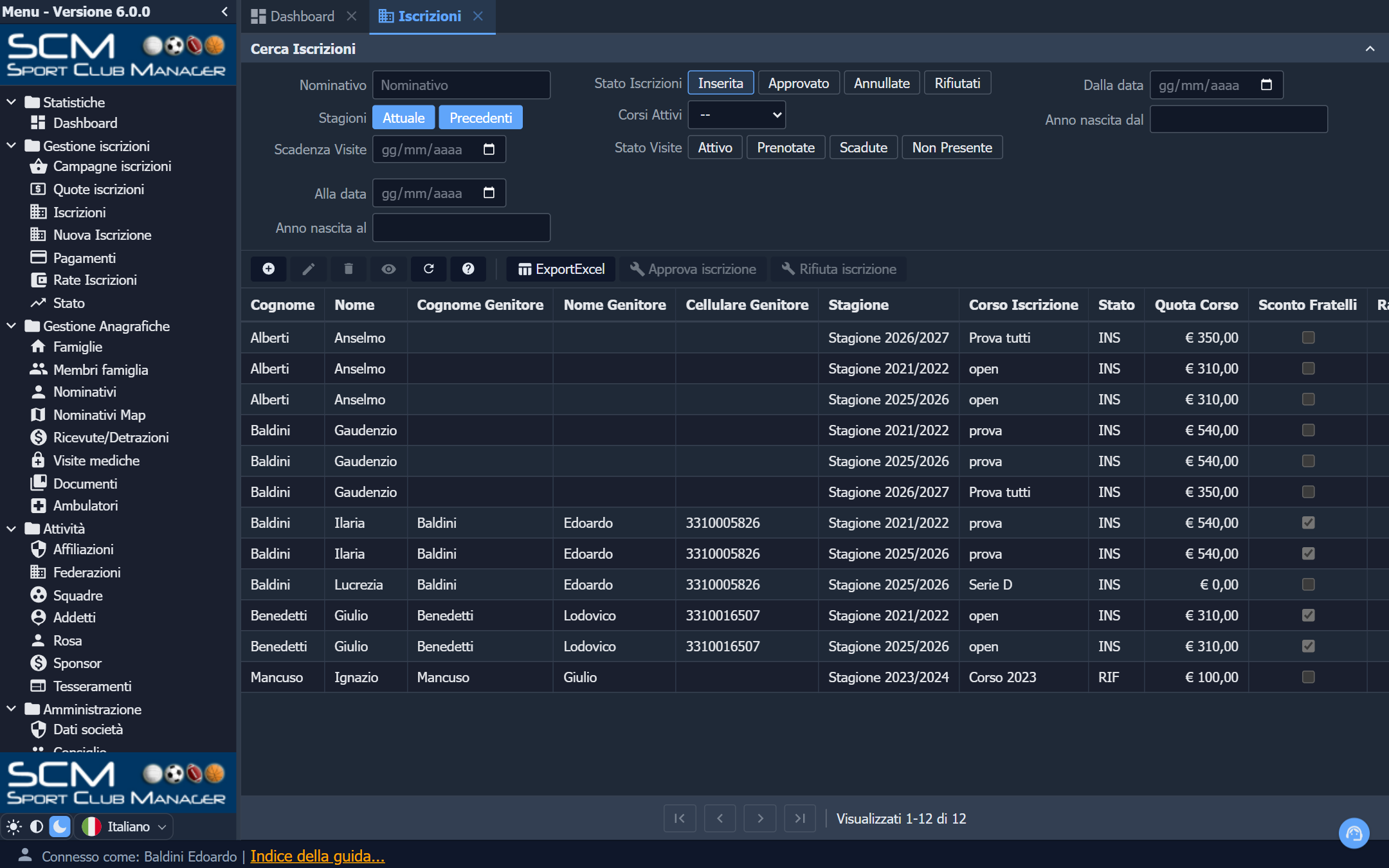
Sport Club Manager (in the live demos it is called KittoSCM) is the largest of the four example applications, and the only one that is a real application in production: several Italian amateur sports clubs — Associazioni Sportive Dilettantistiche — run it to manage their members. It ships as an example because it shows what a Kittox application looks like when it stops being a demo: 108 models, 110 views, 143 layouts over a database of 123 tables and 25 views.
If HelloKitto shows a controller at a time and TasKitto shows a small application end to end, this one answers a different question: does the metadata approach hold at this size?
Two interfaces, one metadata set
The same application serves two audiences that share nothing but the data, and the routing is done by the metadata alone — no second application, no duplicated views:
HomeView: %Auth:PROFILEID%_Home
HomeSmallView: %Auth:PROFILEID%_HomeTablet
HomeTinyView: %Auth:PROFILEID%_HomeTiles
The %Auth:PROFILEID% macro expands to the profile of the user who signed in, so ADMIN lands on ADMIN_Home and USER on USER_Home, each with its own tree menu (ADMIN_TreeMenu.yaml, USER_TreeMenu.yaml) and its own views — the ADMIN_* and USER_* prefixes are a naming convention that the routing turns into behaviour.
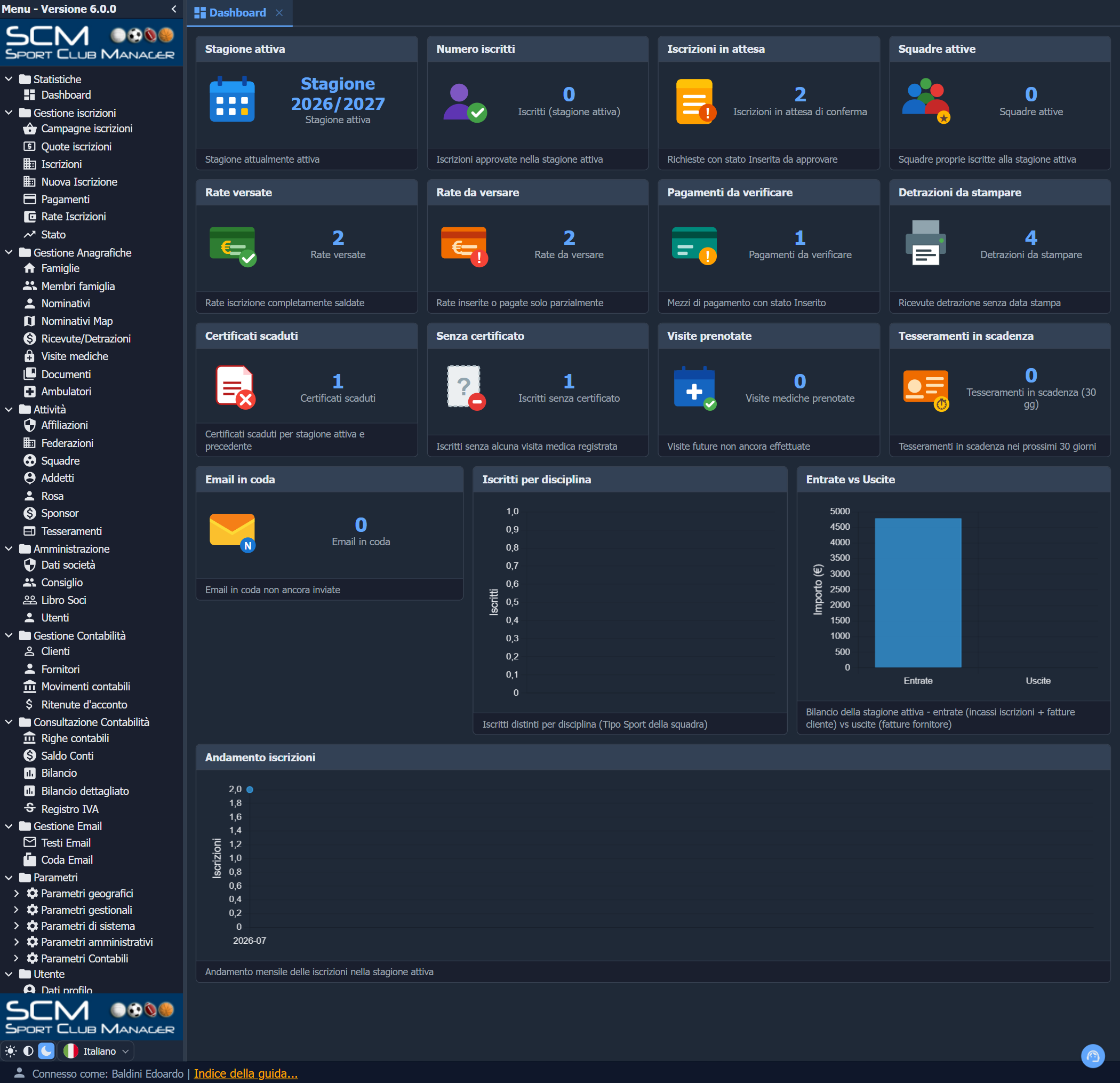
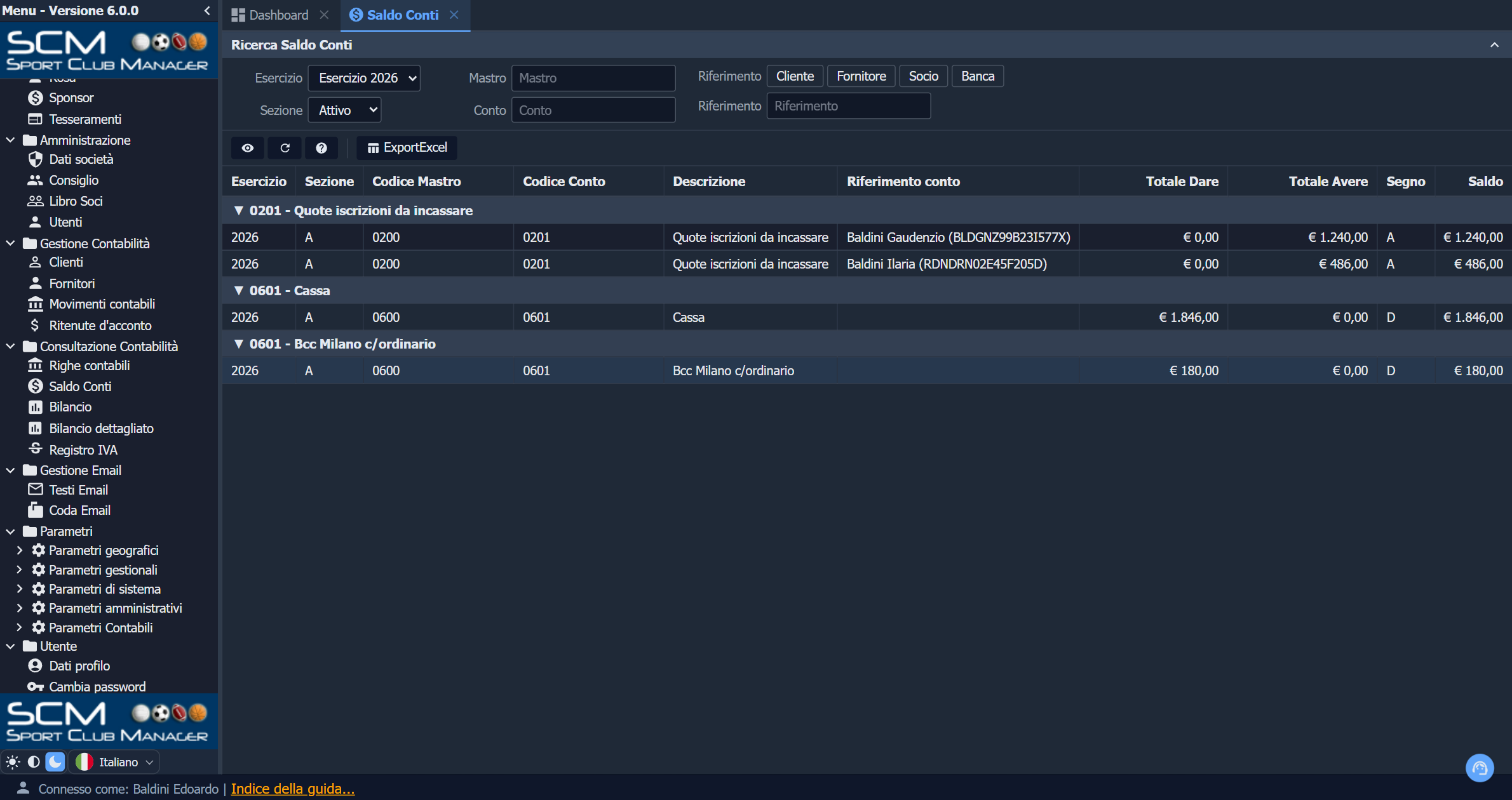
The club's staff work in a browser on a desktop: enrollment campaigns, fees and instalments, payments, medical certificates, federation registrations, the members register, the board, and a full double-entry accounting module with VAT registers and balance sheets.
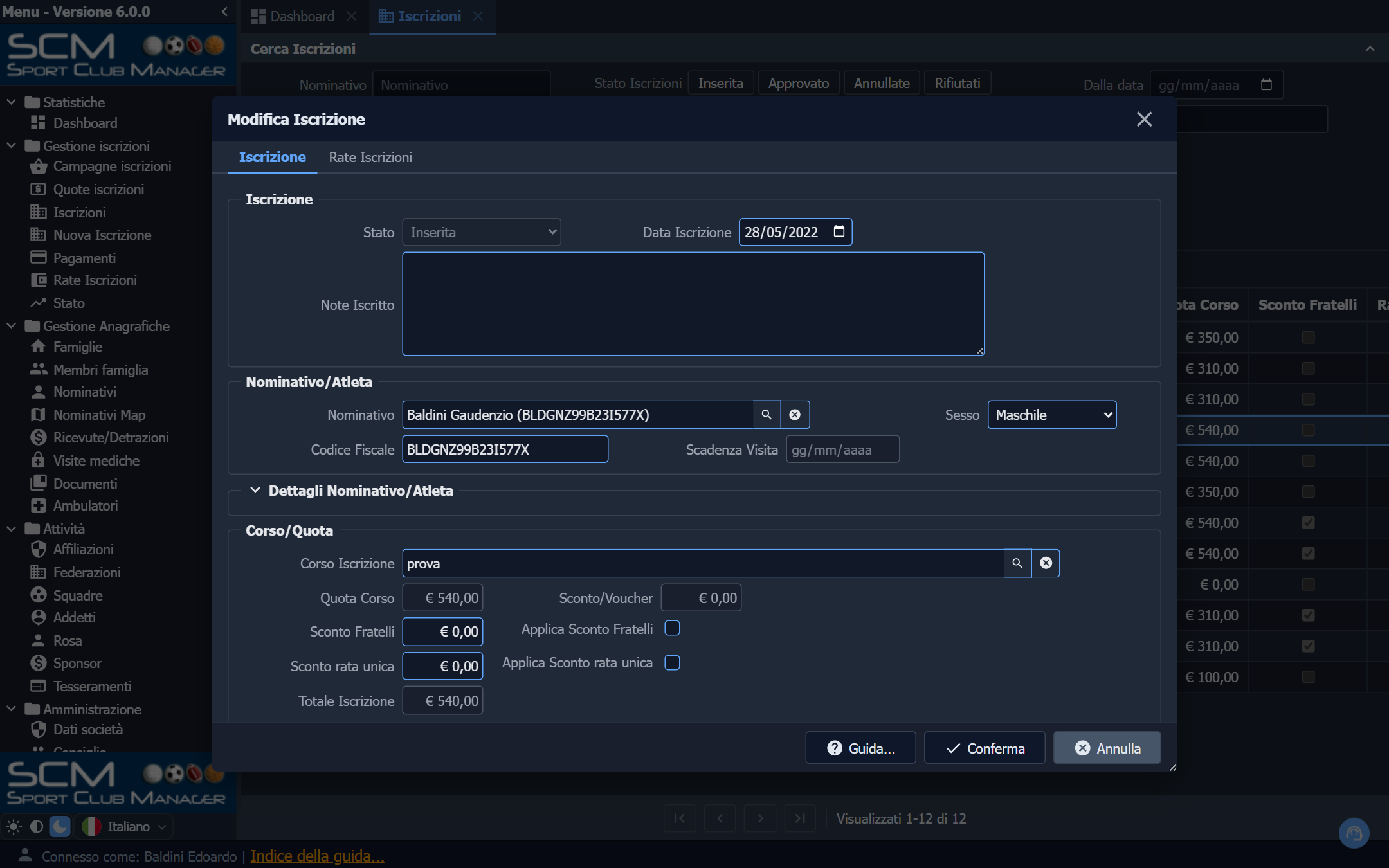
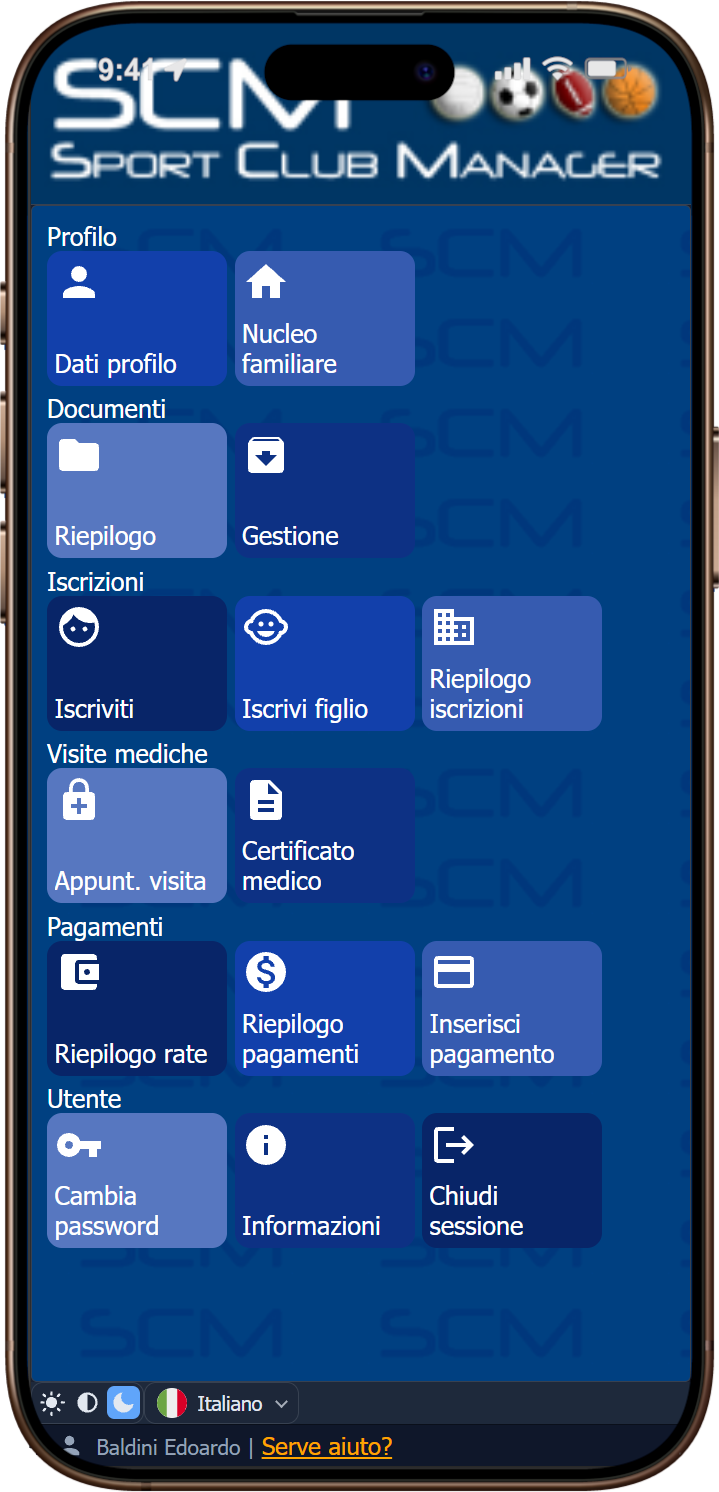
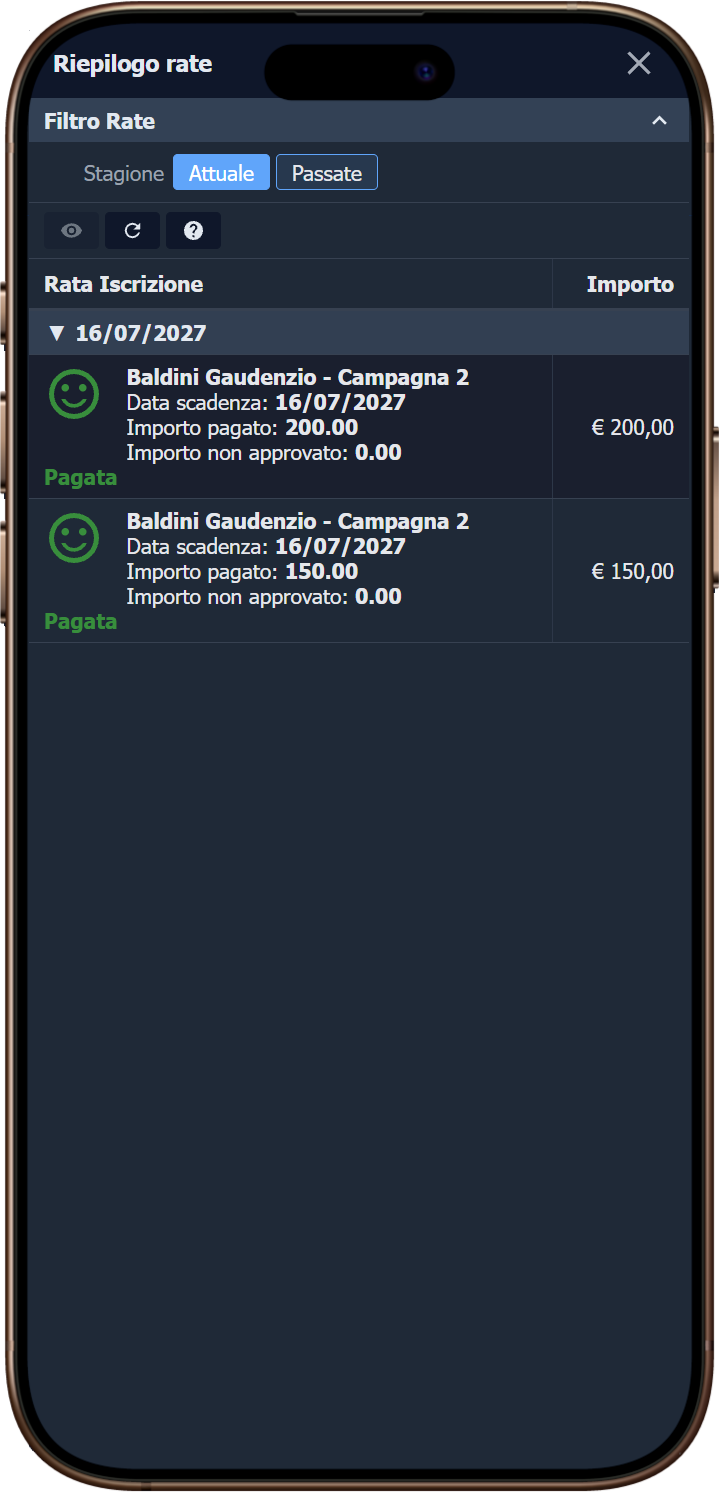
The members and their parents use a telephone: they enroll themselves or a child, see the instalments they owe, upload a medical certificate, download the tax deduction statement.
Languages
The example is shipped bilingual, English and Italian: the metadata is written in English and the Italian translation lives in Home/Locale/it/LC_MESSAGES/default.mo. The interface follows the browser (Accept-Language) on the first visit and can be changed at any time with the flag LanguageSwitcher, on the login form and at the bottom of the left menu. See Localization.
The models, views, layouts, fields and units carry English identifiers, while the tables and columns underneath stayed Italian: every model and every field declares an explicit PhysicalName, so the schema is fully decoupled from the metadata names. It is the clearest example in the repository of that separation.
Demo accounts
Every account uses the password demo1234; the passepartout is enabled as well (PassepartoutPassword: password in Config.yaml), so password gets you in as any existing user.
| User name | Who | What opens |
|---|---|---|
ADMIN | administrator | ADMIN_Home, the full management interface |
SEGRETERIA | office account, not an administrator | ADMIN_Home with fewer rights |
SYSDBA | system administrator — what the login form pre-fills | ADMIN_Home |
BLDDRD68B12C523H | a parent: three children, 22 subscriptions | USER_Home, the member interface |
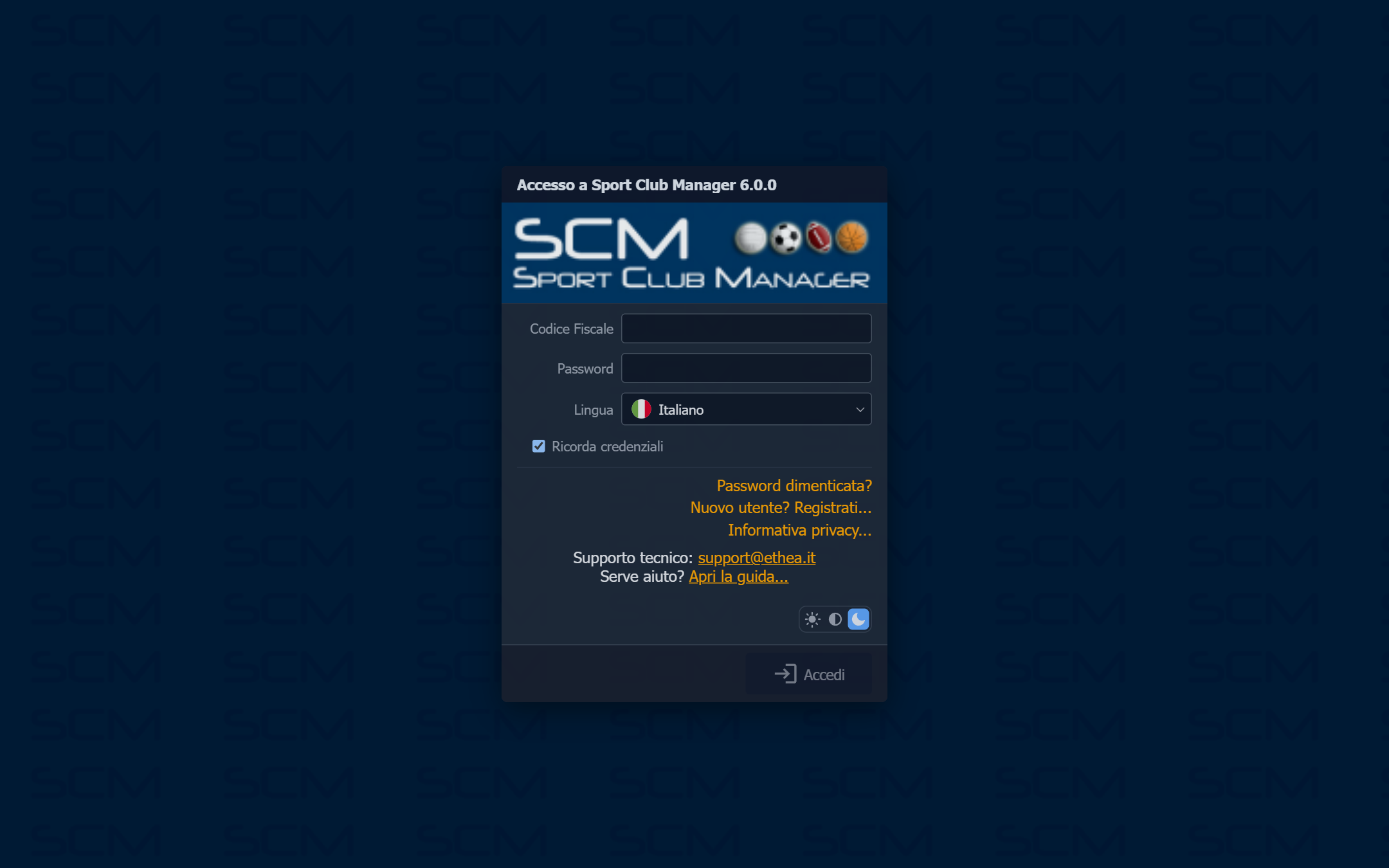
A member's user name is their tax code. That is not a demo shortcut: it is how the application asks parents to sign in, and the login view says Codice Fiscale instead of User name for that reason. Any tax code in the NOMINATIVI table works.
The features it exercises
- Profile-driven routing through
%Auth:PROFILEID%, with three home views per profile (desktop, tablet, tiles) selected by viewport. - A custom authenticator (
TSCMAuthenticator, extendingTKDBAuthenticator) with remote login, generated passwords and password reset by e-mail through theAfterResetPasswordhook. - JWT envelope over that authenticator, with the ACL snapshotted in the token, plus
AccessControl: JWTwithFallbackToDB: Trueand four roles —USER_ROLE,ADMIN_ROLE,SUPERADMIN_ROLE,SYSTEM_ROLE— read from a SQL statement inConfig.yaml. - 13 KPI views and a Dashboard, three Charts, a GoogleMap of the members' addresses, four TilePanels, two TreePanels, five GroupingLists and thirteen TemplateDataPanels.
- Master/detail all the way down: enrollments with their fees, instalments and payments; families with their members; accounting entries with their lines and VAT details.
- 13 custom tool controllers (
SCM.Tools.pas): approve or reject an enrollment or a payment, notify a medical appointment, generate receipts, print an invoice, close and reopen a financial year, duplicate a campaign. - Business rules in Delphi — 14
SCM.Rules.*units — including tax code validation and the derivation of birth date, gender and birthplace from the tax code (CheckTaxCodeFormat,CheckTaxCodeChecksum,SetRegistryDataFromTaxCode). - A double-entry accounting engine (
SCM.Accounting.pas): journal entries, VAT protocols, year-end closing, balance sheet and detailed account balance views. - PDF reports merged with the Debenu library (tax deduction statements, invoices) and Excel export on every grid, through an engine chosen at compile time — see below.
- E-mail templates and a send queue (
TESTI_EMAIL,CODA_EMAIL), with the message bodies stored as data rather than compiled in. - Theme and language switchers, and the in-app Help Chat grounded on the application's own documentation (shipped disabled — it needs an API key).
The database, and what its data is
The application runs on MS SQL Server through FireDAC, on a database named KITTOXSCM. Two scripts under Examples/SportClubManager/DB/ build it — SCM_SQLServer_DDL.sql and SCM_SQLServer_Data.sql — and neither carries a USE, so they act on the database you select.
The archive this example started from was a real club's, so the demo data is anonymised, and the script that did it (SCM_SQLServer_Anonymize.sql) ships with it. What that meant in practice is worth knowing, because it is the same problem any application of this kind faces:
- 89 people got a synthetic surname, first name, address, telephone, e-mail and IBAN — and a family shares its surname, its address and its landline, because in the archive it did.
- The tax codes were rebuilt, not blanked. The application validates their format and their check character and derives the registry data from them, so a random string would break every edit: only the six name letters and the check character are recomputed, and the date and place of birth carry over from the original, where they identify nobody once the name is gone.
- The club became A.S.D. ETHEA; the other clubs, sponsors, suppliers, customers, banks, clinics and facilities became … Demo N; photographs, logos, the mail queue, the free-text notes and the identity-document numbers are gone.
- What stayed is the shape of the data: 12,372 rows, 83 people, 37 subscriptions with their fees and instalments, a full accounting year, and the national list of Italian municipalities.
DB/README.md in the example folder has the full account of it, including the two anomalies the original archive carried and the demo keeps — subscriptions pointing at people who were never in the registry, and rows entered by users who no longer exist.
Building and running
The example ships four deployment targets, like the others:
| Mode | Project | Platform |
|---|---|---|
| Standalone (GUI or Windows service) | SportClubManager.dproj | Win64 |
| IIS (ISAPI) | SportClubManagerISAPI.dproj | Win64 |
| Apache module | mod_sportclubmanager.dproj | Win32 |
| Windows embedded (WebView2) | SportClubManagerDesktop.dproj | Win64 |
Examples\build_Examples.cmd SportClubManager Desktop ReleaseThen run Home\SportClubManager.exe and open http://localhost:2220/scm/ — the trailing slash matters. See Compiling and running the demos for the details that apply to every example.
Excel export: FlexCel or ADO
Every grid in the application offers an Excel download, and they all call one tool, SCMExcelExport. Which engine is underneath is decided when you compile, not in the metadata:
| Build | Ancestor of TSCMExcelExportTool | What it needs |
|---|---|---|
| default | TExportExcelToolController, the framework's ADO engine | the Microsoft.ACE.OLEDB.12.0 provider |
KITTOX_FLEXCEL_SUPPORT defined | TExportFlexCelToolController | FlexCel (TMS, commercial) |
The trick is that the two ancestors are interchangeable by construction — same base class, same virtual methods, same YAML nodes — so SCM.Tool.ExcelExport.pas can pick one with a directive and no view changes:
TSCMExcelExportTool = class(
{$IFDEF KITTOX_FLEXCEL_SUPPORT}
  TExportFlexCelToolController
{$ELSE}
  TExportExcelToolController
{$ENDIF}
  );
The example ships with the define off, because it cannot ship a commercial library. To build the FlexCel variant, point FLEXCEL at the folder holding the FlexCel .dcu — the projects add both the define and the library path themselves:
set FLEXCEL=D:\FlexCel\Packages\D13
Examplesuild_Examples.cmd SportClubManager All Release
Source\SCM.Defines.inc documents the other two ways (one project at a time with /p:FLEXCEL=..., or by hand from the IDE). The path may be either the platform folder or the one above it: the projects look in $(FLEXCEL) and in $(FLEXCEL)\$(Platform)\Release, so the same value serves the Win64 targets and the Win32 Apache module.
It is worth reading as a pattern rather than as a detail of this example: an optional commercial dependency, isolated in one unit that nothing else knows about, with the metadata unaware of the choice.
What the example leaves out
The production application also does Italian electronic invoicing (FatturaPA), which needs a country-specific library the example does not ship: the XML invoice tool is not part of it. Everything else is the application as the clubs use it.