
Hello Kittox
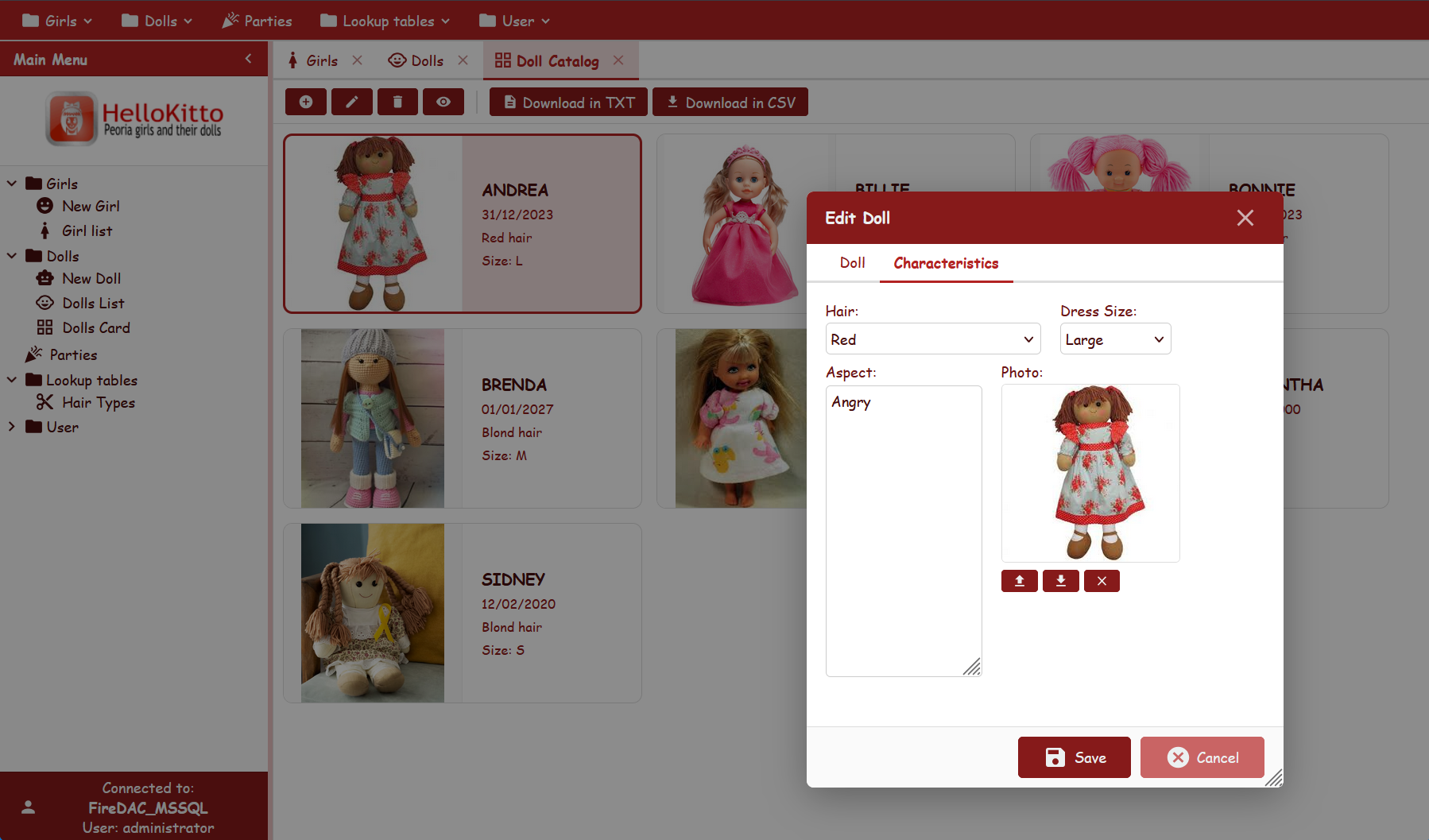
HelloKitto is a sample application that you can use to explore the Kittox way of doing things, understand the basic concepts behind the framework, get ideas and copy-paste snippets for your own experimentations.
To create your own application the recommended way is the New Project Wizard; copying and renaming an example directory like this one is a quick manual alternative.
Languages
HelloKitto is shipped translated in English, Italian, German, Spanish and Portuguese. The interface language follows the browser (Accept-Language) on the first visit and can be changed at any time with the flag LanguageSwitcher — on the login form and at the bottom of the left menu. See Localization for how the translation catalogs are built and maintained.
Live Demo
Click here to launch the Live Demo of HelloKitto — log in with UserName guest and Password password.
Prefer to run it in your own environment? See Compiling and running the demos.
Features
The features of Kittox used by HelloKitto are:
- Multiple config files:
- ConfigHelloWorld.yaml defines the smallest possible Kittox application, the classic "Hello World".
- Config.yaml is the HelloKitto application itself.
- ConfigEmbedded.yaml shows how to embed (part of) a Kittox application in an existing web page through an iframe.
- FireDAC-based database connection to SQL Server, PostgreSQL or Firebird (selectable via
DefaultDatabaseNameinConfig.yaml). - JWT authentication (
Auth: DBwith aJWT:envelope) — stateless authentication envelope: signed token in an HttpOnly cookie, no server-side session-id lookup. TheDBauthenticator stays in charge of the credential check (MD5-hashed passwords inKITTO_USERS). NoDatabaseChoices/ no environment combo on the login page: the active backend is whateverDefaultDatabaseNameresolves to. See Config_AuthJWT. - DB authentication using a standard database table and hashed passwords.
- With defaults.
- HTMX theming.
- Localization.
- Models and model relationships (references and details).
- Cascade delete —
PartydeclaresCascadeDelete: Trueon itsInvitationdetail, so deleting a party deletes its invitations with it, in the same transaction. Without that node the delete is refused with a message naming the record and counting what refers to it. See Deleting a master that has details. - Tree-based or Toolbar-based menu.
- Tree menu with three levels
- Tile menu for Smartphone and Tablet
- Custom logo through the use of an HtmlPanel controller.
- Tabbed views (TabPanel controller).
- StatusBar controller.
- Data display and editing with rules.
- List grouping with a custom javascript template.
- Party calendar — the same
Partymodel shown on a month/week/day calendar through aListwhoseCenterControlleris a CalendarPanel. See The Party calendar view below. - List filtering with multiple user filters.
- A custom form layout.
- Master/Detail display and edit forms.
- Input writing in grid
- Record coloring in grid
- Rules to Prevent Adding and Prevent Deleting records
- different kind of form views: new record in a tabpanel from menu new record from popup menu
The Party calendar view
The Parties menu folder offers the parties both as a grid (Party list, view Parties) and as a calendar (Party calendar, view PartiesCalendar). Both views read the same Party model and open the same edit form, so a party created in the grid shows up on the calendar and vice versa.
Views/PartiesCalendar.yaml is a List whose center presenter is a CalendarPanel:
Type: Data
ImageName: date_range
DisplayLabel: _(Parties Calendar)
Controller: List
  CenterController: CalendarPanel
    DefaultEventMinutes: 180
MainTable:
  Model: Party
    CalendarId: Party_Id
    CalendarStartDate: Party_DateTime
    CalendarEndDate: Party_DateTime
    CalendarTitle: Party_Name
    CalendarEventType: Party_Period
    CalendarEventNotes: Address
  EditController:
    Width: 800
    Height: 600
What the example shows:
A date and a time combined into one DateTime field. The
PARTYtable stores the date (PARTY_DATE) and the start time (PARTY_TIME) in two columns. The calendar needs a single start instant, soModels/Party.yamladds a hidden expression field that works on every supported database engine through the%DB.DATETIME_FROM%macro:yamlParty_DateTime: DateTime DisplayLabel: _(Party Date and Time) IsVisible: False Expression: %DB.DATETIME_FROM({Q}PARTY_DATE, {Q}PARTY_TIME)%IsVisible: Falsekeeps the field out of the grid and of the form, where date and time are still edited separately.Events without an end. A party has no end time, so
CalendarStartDateandCalendarEndDateboth map toParty_DateTime.DefaultEventMinutes: 180on theCalendarPaneltells the calendar to draw every party as a three-hour block in the week and day views (the default would be one hour).Color by period.
CalendarEventType: Party_Periodmaps the computed period of the party (past, today, future...) so each period gets its own color.Different content per view. In the month view every event shows the time and the party name. In the week and day views the block's position already tells the time, so the event shows the party name and, as notes, its address (
CalendarEventNotes: Address).Full CRUD from the calendar. Clicking an empty slot adds a party, double-clicking an event edits it with the standard
Partyform, invitations included. See CalendarPanel for the complete list of options.
Deployment modes
HelloKitto includes Delphi projects for all four deployment modes. All projects are in Examples/HelloKitto/Projects/:
| Project | Mode | Output |
|---|---|---|
HelloKitto.dpr | Standalone (GUI / Windows Service) | Home/HelloKitto.exe |
HelloKittoDesktop.dpr | Desktop Embedded (WebView2) | Home/HelloKittoDesktop.exe |
HelloKittoISAPI.dpr | ISAPI (IIS) | Home/HelloKittoISAPI.dll |
mod_hellokitto.dpr | Apache Module | Home/mod_hellokitto.dll |
All projects share the same Source/ directory (UseKitto.pas, Controllers.pas, Rules.pas) and the same Home/Metadata/ configuration. See the Deployment guide for step-by-step instructions for each mode.
Testing
In order to use HelloKitto you need to create the database using the scripts or backup files provided in the Examples/HelloKitto/DB directory, and edit Config.yaml so it points to your database and uses the correct authentication credentials.
Database scripts
The DB folder contains everything you need to recreate the HelloKitto sample database on Microsoft SQL Server, PostgreSQL, Firebird or Oracle. All four dialects share the same logical schema (tables KITTO_USERS, HAIR, GIRL, DOLL, PARTY, INVITATION) and the same sample data (2 users, 6 hair colors, 8 girls, 8 dolls, 26 parties, 35 invitations). Boolean columns (KITTO_USERS.IS_ACTIVE, MUST_CHANGE_PASSWORD, INVITATION.ACCEPTED) use the native types of each engine: BIT on SQL Server, BOOLEAN on Firebird 3.0+ and PostgreSQL, and NUMBER(1) (0/1) on Oracle.
Doll images
The SQL scripts do not insert the doll pictures into the DOLL BLOB column — the sample data leaves it empty. The doll images are shipped separately as files in Examples/HelloKitto/Docs/Images (one per doll, e.g. Andrea.jpg, Samantha.png). Load them into the records from the Doll form's picture field if you want the images stored in the database.
| File | Engine | Purpose |
|---|---|---|
HelloKitto_SQLServer_DDL.sql | MS SQL Server | Tables, foreign keys, primary key constraints |
HelloKitto_SQLServer_Data.sql | MS SQL Server | INSERT script with the sample data (girls, dolls, hairs, parties, invitations, Kitto users) |
HelloKitto_PostgreSQL_DDL.sql | PostgreSQL | hellokitto schema, tables, constraints. kitto_users.is_active, kitto_users.must_change_password and invitation.accepted declared as native boolean; doll.picture is bytea |
HelloKitto_PostgreSQL_Data.sql | PostgreSQL | Sample data (boolean values use TRUE/FALSE literals) |
HelloKitto_Firebird_DDL.sql | Firebird 3.0+ | Tables + FKs translated to Firebird dialect; native BOOLEAN for the same columns the PostgreSQL DDL declares as boolean. Verified on Firebird 5.0 64-bit |
HelloKitto_Firebird_Data.sql | Firebird | Same sample data as the SQL Server script (TRUE/FALSE literals for the native BOOLEAN columns) |
HelloKitto_Oracle_DDL.sql | Oracle 19c | Tables + FKs. Booleans map to NUMBER(1) with a CHECK (col IN (0,1)); PARTY.PICTURE is BLOB; PARTY_TIME (a time on the other engines) is stored in a DATE. Identifiers are unquoted (upper case) |
HelloKitto_Oracle_Data.sql | Oracle | Same sample data; booleans as 1/0, dates/times wrapped in TO_DATE(...) with an explicit format mask |
Creating the database on SQL Server
- Create an empty database (for example
HelloKitto) on your SQL Server instance. - Run
HelloKitto_SQLServer_DDL.sqlagainst the new database to create the schema. - Run
HelloKitto_SQLServer_Data.sqlto load the sample data. - Update
Home/Metadata/Config.yamlso theDatabasesnode points to your SQL Server instance and adjust authentication credentials (see Config_Databases). HelloKitto ships with aFireDAC_MSSQLblock ready to use.
Creating the database on PostgreSQL
- Create an empty database (for example
hellokitto) on your PostgreSQL server, owned by a role of your choice (the example useskittox_admin). - Run
HelloKitto_PostgreSQL_DDL.sqlagainst the new database to create thehellokittoschema, the tables and the foreign keys. - Run
HelloKitto_PostgreSQL_Data.sqlto load the sample data. - In
Home/Metadata/Config.yamlsetDefaultDatabaseName: FireDAC_PostgreSQLand update theFireDAC_PostgreSQLblock with your server, role and password. Make sure theSchemaparameter matches the schema you created (default:hellokitto) — this controls thesearch_pathset for every connection. See the PostgreSQL Schema andsearch_pathsection.
Each dialect uses its native boolean representation for IS_ACTIVE, MUST_CHANGE_PASSWORD and INVITATION.ACCEPTED: BIT on SQL Server, BOOLEAN on Firebird 3.0+ and PostgreSQL, and NUMBER(1) (0/1) on Oracle. The standard DB authenticator and the YAML SQL fragments in HelloKitto's models work cross-dialect via the %DB.TRUE% / %DB.FALSE% and %DB.DATEDIFF macros — switching DefaultDatabaseName between SQL Server, PostgreSQL, Firebird and Oracle requires no other YAML change.
Creating the database on Firebird
- On Firebird 3.0+ (HelloKitto is verified on Firebird 5.0 64-bit), create an empty database file via
isqlor your preferred tool, e.g.:create database 'D:\FirebirdDatabases\HELLOKITTO.FDB' user 'SYSDBA' password 'masterkey' default character set utf8; - (Optional) Add an alias to
databases.confso the connection string isHELLOKITTOinstead of the full path. - Run
HelloKitto_Firebird_DDL.sqlon the new database (isql -i HelloKitto_Firebird_DDL.sql) to create the tables, FKs and constraints. - Run
HelloKitto_Firebird_Data.sqlto load the sample data. - In
Home/Metadata/Config.yamlsetDefaultDatabaseName: FireDAC_Firebirdand update theFireDAC_Firebirdblock with your alias / path and credentials.
The pure-JS Firebird drivers used by some MCP servers and admin tools require WireCrypt = Disabled in firebird.conf (Firebird 3.0+ defaults to Required) and AuthServer = Srp, Srp256, Legacy_Auth + UserManager = Srp, Legacy_UserManager for username/password authentication.
Creating the database on Oracle
- Create (or reuse) an Oracle 19c schema/user that will own the objects; connect as that user.
AL32UTF8is the recommended database character set. - Run
HelloKitto_Oracle_DDL.sqlto create the tables and foreign keys. - Run
HelloKitto_Oracle_Data.sqlto load the sample data. - In
Home/Metadata/Config.yamladd aFireDAC_Oracledatabase block pointing to your service/credentials and setDefaultDatabaseNameto it. Oracle support requires theFireDAC.Phys.Oracledriver — enable theORACLE_SUPPORTdefine when compiling (see Config_Databases).
The Oracle scripts follow the framework's Oracle dialect (
TEFOracleDBEngineType):NUMBER(1)booleans expanded by%DB.TRUE%/%DB.FALSE%,TO_DATE(...)literals, and unquoted upper-case identifiers.
Use the metadata of HelloKitto as both example and study material. You can find more details about the features in this wiki or in the Kittox Reference.