
KEmployee
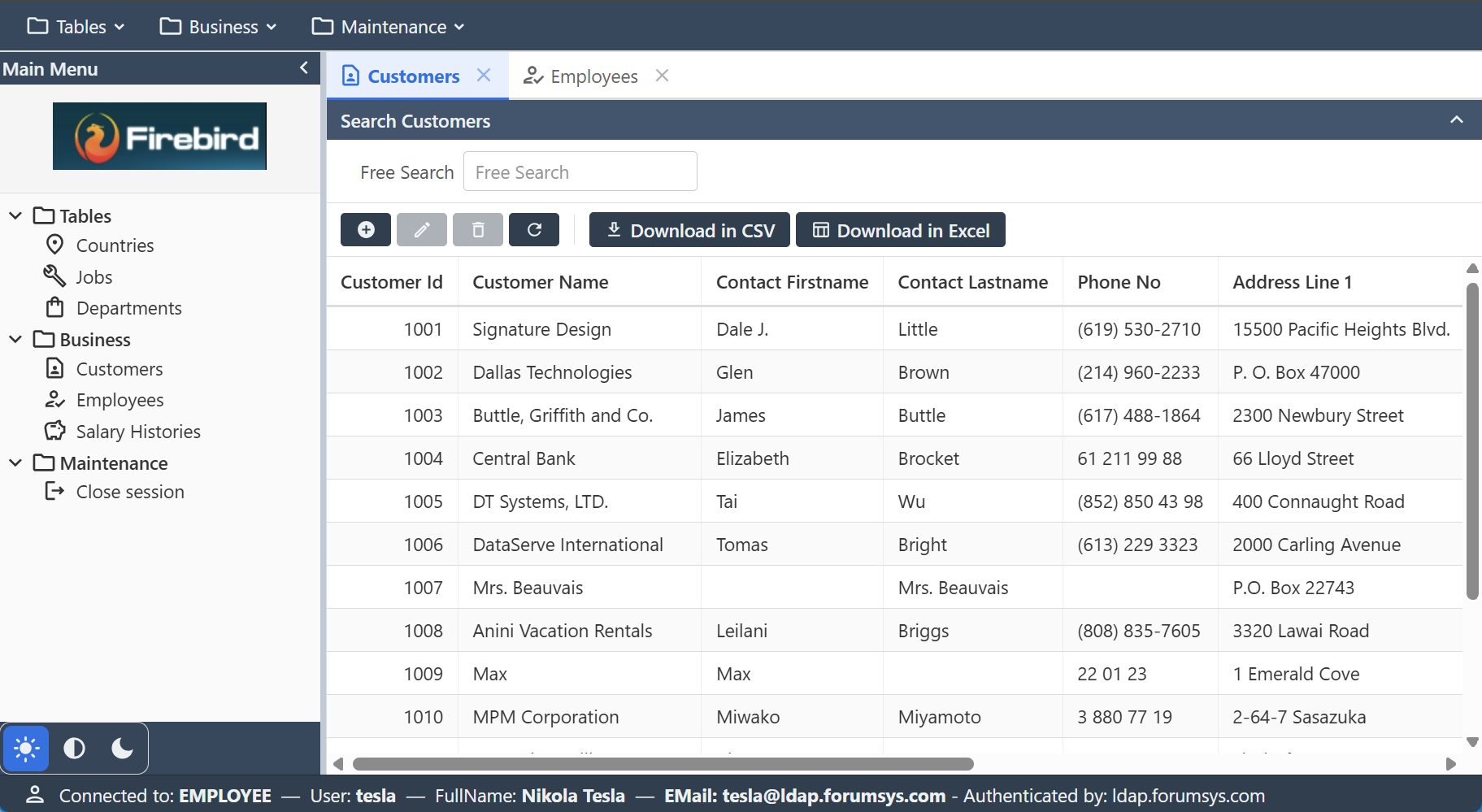
KEmployee is a sample application that manages a database of a few tables modeling a simple Employee - Customers - Sales application. Use it together with the other example applications to explore Kittox and its features, or as a starting point for your own applications.
To create your own application the recommended way is the New Project Wizard; copying and renaming an example directory like this one is a quick manual alternative.
Live Demo
Click here to launch the Live Demo of KEmployee — it is an LDAP authentication demo: log in with a directory account such as tesla, einstein, newton, euler, gauss, euclid, riemann or nobel, all with Password password.
Prefer to run it in your own environment? See Compiling and running the demos.
Features
The features of Kittox used by KEmployee are:
- Firebird database (the
EMPLOYEE.FDBsample database that ships with Firebird 3.0+ — verified on Firebird 5.0) - neptune theme
- reference with multi-fields key
- lookup window using a view
- JWT authentication over an LDAP / Active Directory backend (
Auth: LDAPwith aJWT:envelope) — a stateless JWT envelope (the token lives in an HttpOnly cookie) over the LDAP authenticator (Kitto.Auth.LDAP). Credentials are validated by a simple bind against a directory — no local user table — and the account's full name and e-mail are read from the directory into the auth data (shown in the status bar via%Auth:FULL_NAME%/%Auth:EMAIL_ADDRESS%). KEmployee proves the JWT envelope is agnostic with respect to the credential store: file, DB, OSDB, LDAP/AD or custom, they all take aJWT:sub-block the same way. Single database, noDatabaseChoices, no environment combo on the login. See Config_AuthJWT. - LDAP demo accounts (public forumsys test directory,
ldap.forumsys.com):tesla,einstein,newton,euler,gauss,euclid,riemann,nobel— all with passwordpassword. For a real deployment point theLDAPauthenticator at your own Active Directory (DOMAIN\userlogin, simplified to just the user name viaDefaultDomain).
Deployment modes
KEmployee includes Delphi projects for all four deployment modes. All projects are in Examples/KEmployee/Projects/:
| Project | Mode | Output |
|---|---|---|
KEmployee.dpr | Standalone (GUI / Windows Service) | Home/KEmployee.exe |
KEmployeeDesktop.dpr | Desktop Embedded (WebView2) | Home/KEmployeeDesktop.exe |
KEmployeeISAPI.dpr | ISAPI (IIS) | Home/KEmployeeISAPI.dll |
mod_kemployee.dpr | Apache Module | Home/mod_kemployee.dll |
All projects share the same Source/ directory (UseKitto.pas, Rules.pas) and the same Home/Metadata/ configuration. See the Deployment guide for step-by-step instructions for each mode.
Testing
In order to use KEmployee you need to create the database using the scripts or backup files provided in the DB directory, and edit Config.yaml so it points to your database and uses the correct authentication credentials.
Use the metadata of KEmployee as both example and study material. You can find more details about the features in this wiki or in the Kittox Reference.