
TasKitto
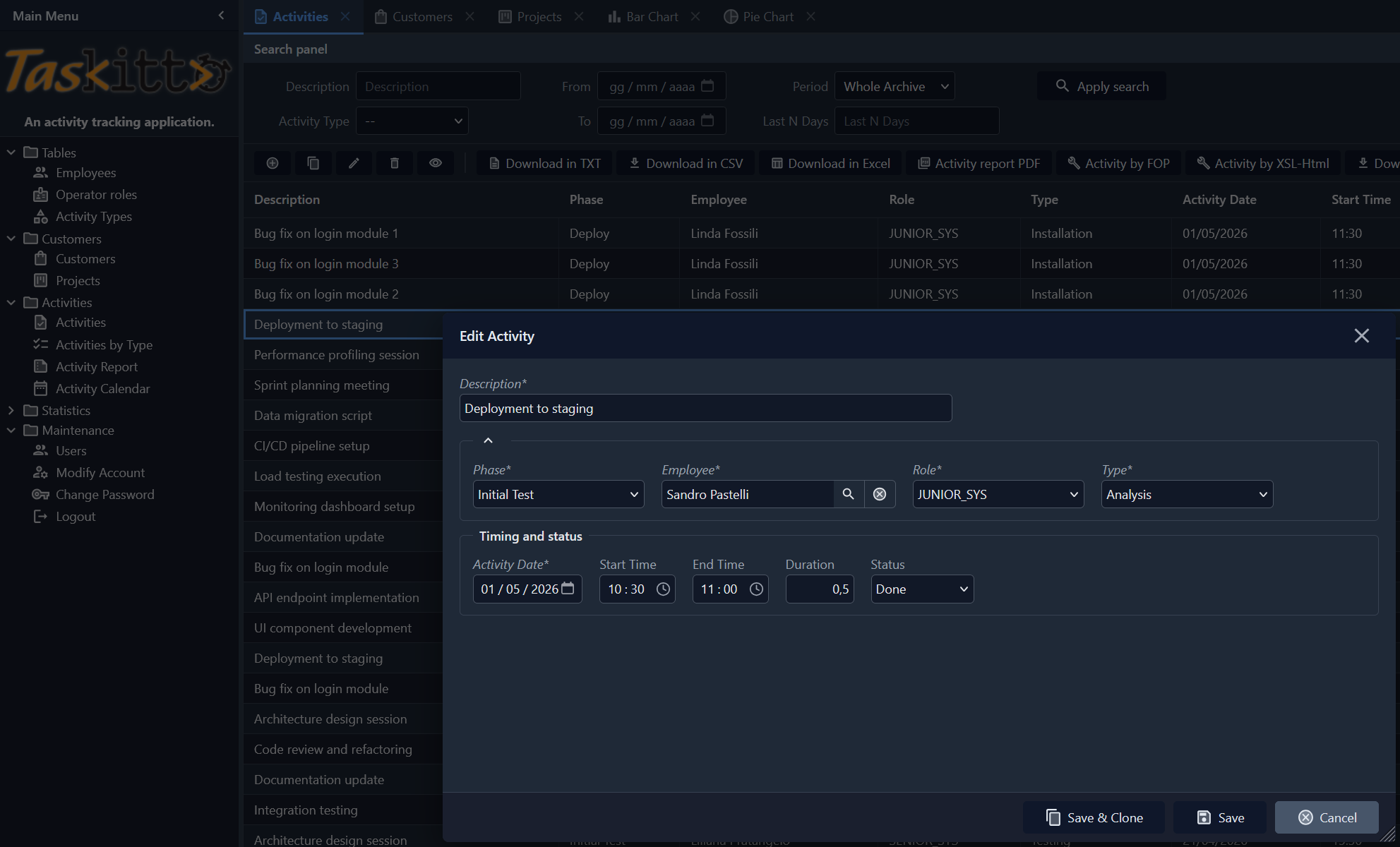
TasKitto is a sample application that manages a database of a few tables modeling a simple task tracking application. Use it together with the other example applications to explore Kittox and its features, or as a starting point for your own applications.
Copying and renaming the application directory and the project within is the fastest way to create a new application.
Live Demo
Click here to launch Live Demo of TasKitto
Use UserName: "guest" and Password "password" to enter demo!
Features
The features of Kittox used by TasKitto are:
- Multiple config files:
- Config.yaml is the TasKitto application itself.
- ConfigMini.yaml uses a different menu and strips down some elements to create a GUI usable on smartphones.
- DBExpress-based database connection to Firebird.
- ADO-based database connection to SQL Server - no changes needed.
- DB authentication using a standard database table and clear passwords.
- With passepartout option enabled.
- HTMX theming.
- Models and model relationships (references and details).
- Tree-based or Toolbar-based menu.
- Custom logo through the use of an HtmlPanel controller.
- Tabbed views (TabPanel controller).
- StatusBar controller.
- Data display and editing with rules.
- List grouping with a custom javascript template.
- List filtering with multiple user filters.
- Custom form layouts.
- Lookups on dynamic and fixed lists of values.
- Master/Detail display and edit forms.
- Grid cells coloring
- Download Tools:
- Excel
- Txt
- CSV
- Reporting Tools:
- PDF using Debenu Quick PDF
- PDF using FOP
- HTML using XSL-transformation
- Charts:
- Pie Chart
- Bar Chart
- Calendar: interactive activity calendar with month/week/day views and color-coded event types
- Data update: usage of a Form view)
Activities List
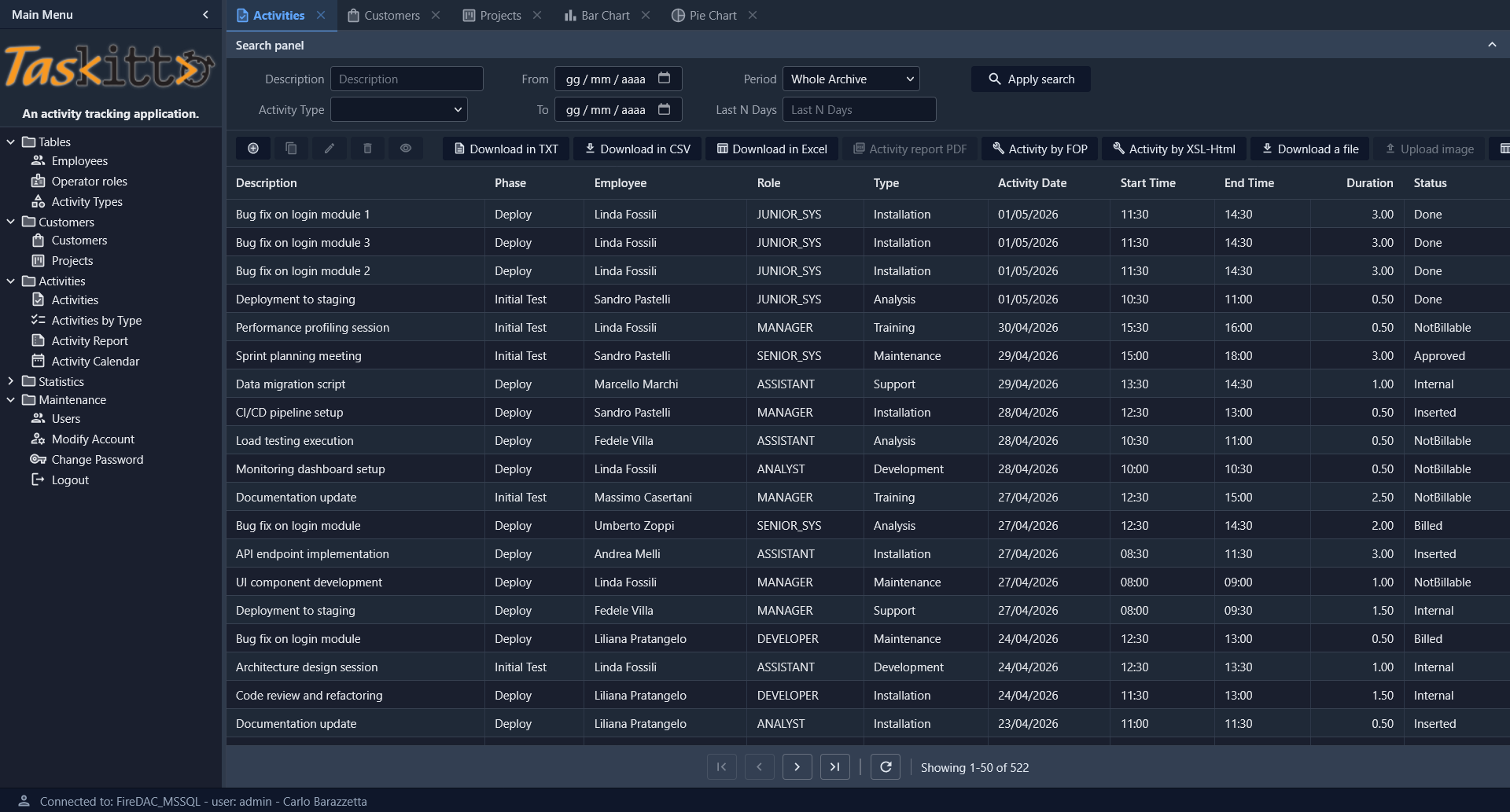
The Activities view shows a full-featured List with search panel (filters by description, date range, activity type, period), toolbar with multiple export tools (TXT, CSV, Excel), reporting tools (PDF via FOP, HTML via XSL), and file upload capability.
Charts
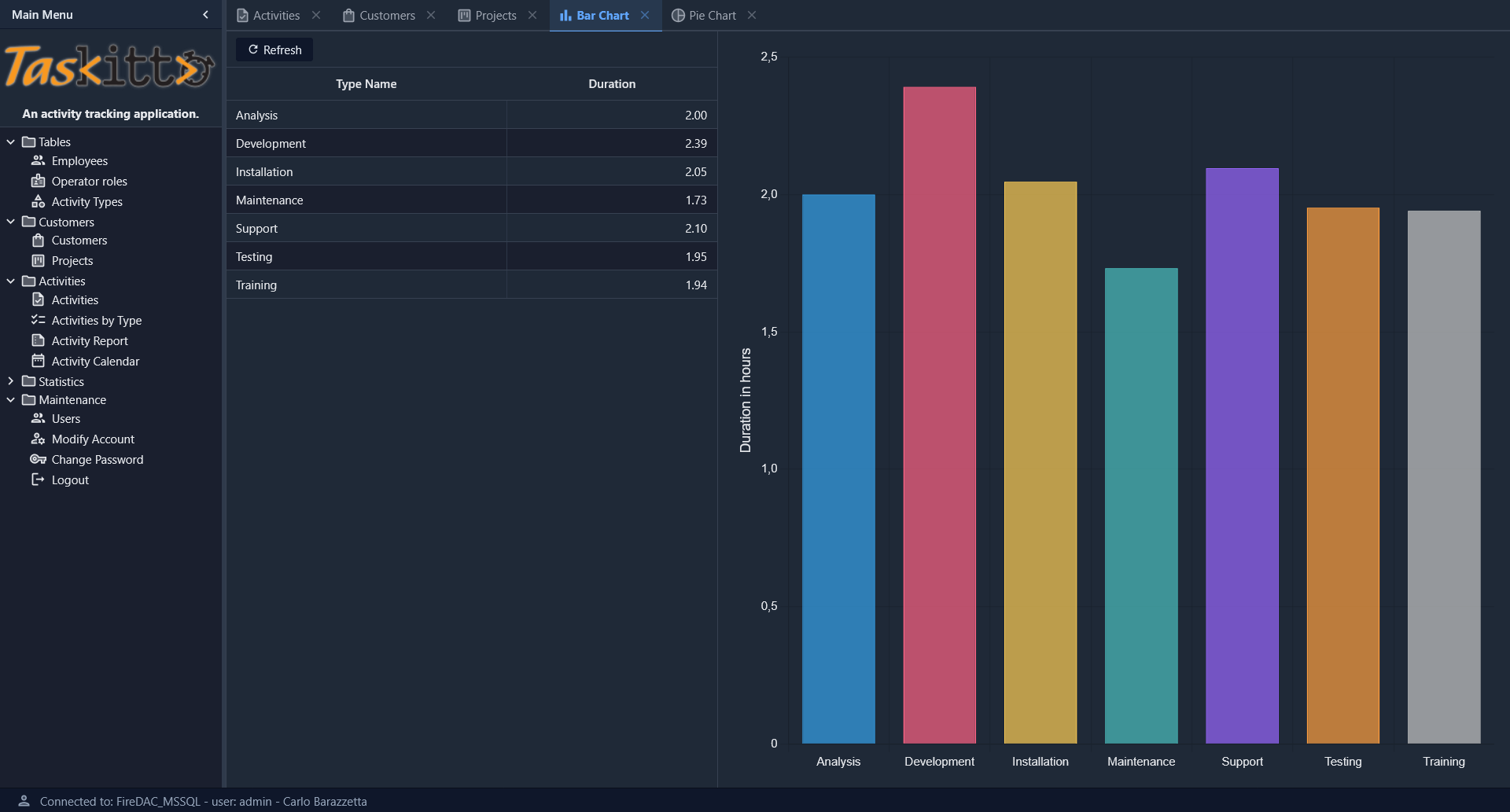
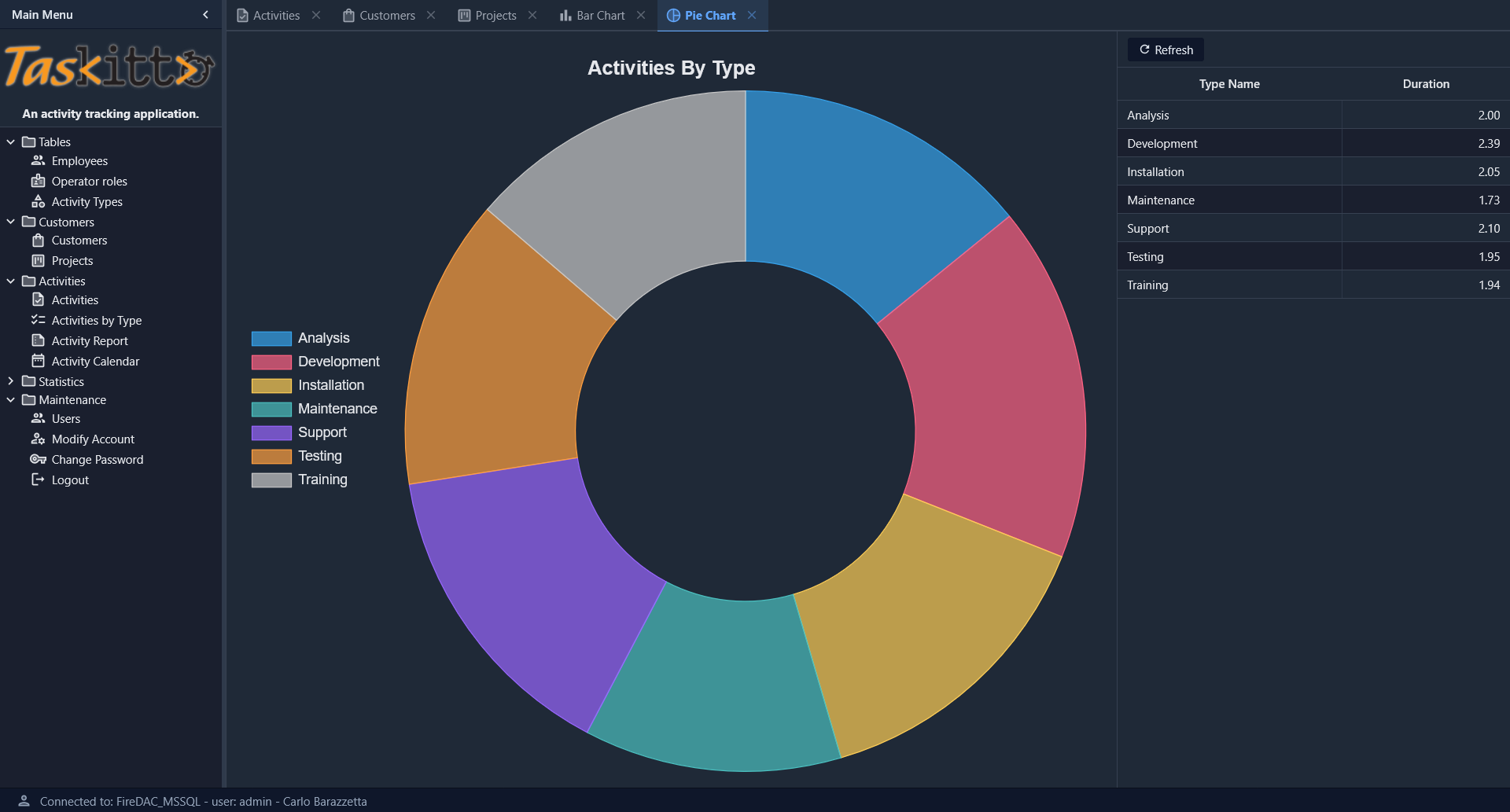
TasKitto includes two chart views built with the ChartPanel controller, both displaying activity duration grouped by type.
Bar Chart
The Bar Chart view uses a WestController: GridPanel to display the data grid on the left, with the bar chart on the right showing duration in hours per activity type.
Pie Chart
The Pie Chart view uses a doughnut chart (with Donut: 50) and an EastController: GridPanel to show the data grid on the right. A left-docked legend identifies each activity type by color.
Activity Dashboard
The Activity Dashboard demonstrates the Dashboard controller with KPI cards, bar/pie charts, and a daily trend line chart, all arranged in a responsive FlexPanel grid.
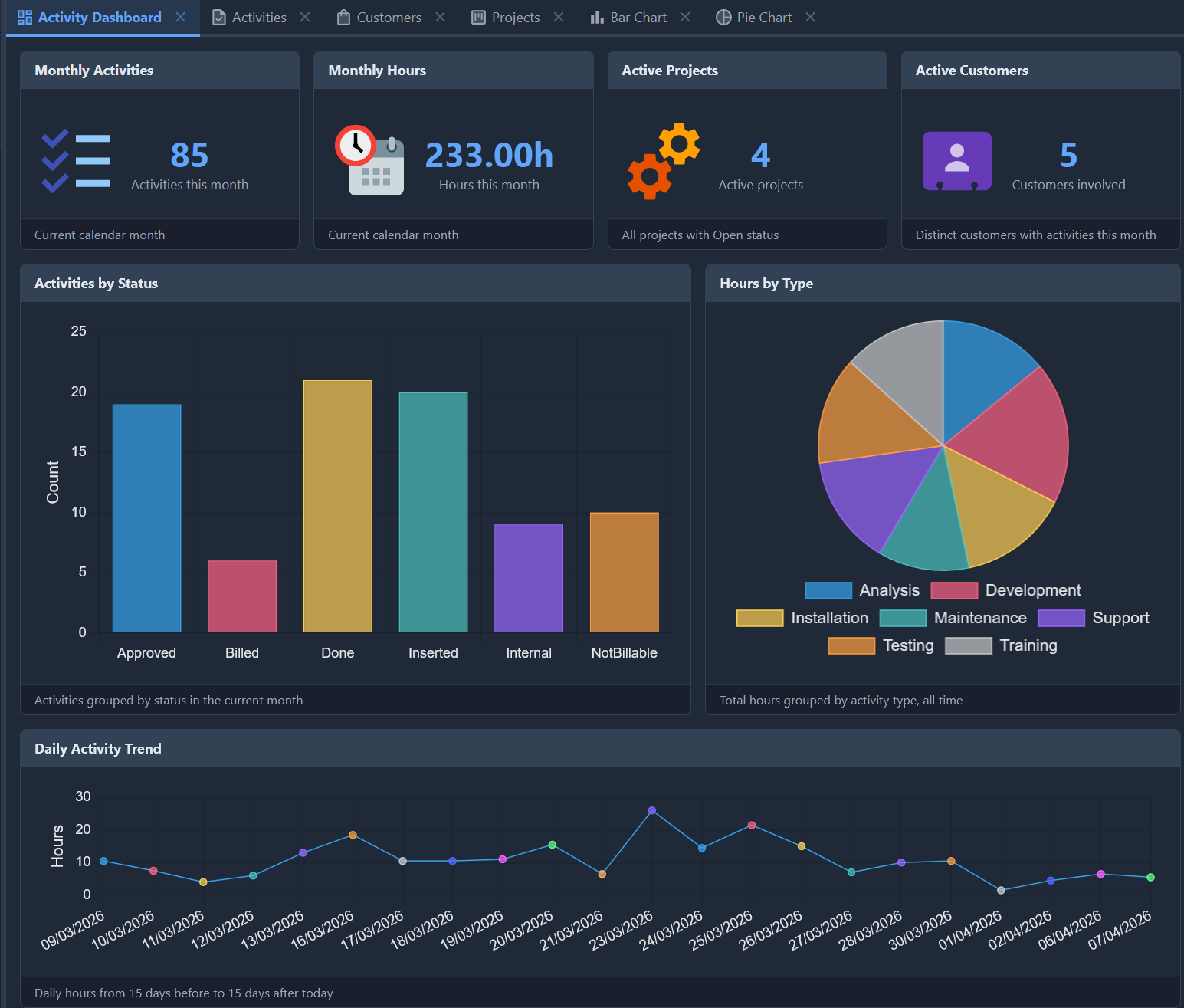
The dashboard includes:
- 4 KPI cards in the first row (
MaxColumns: 4): Monthly Activities, Hours, Active Projects, and Customers — each rendered with a TemplateDataPanel and a custom HTML template using{_ICON}for the Material Design icon - 2 chart views in the second row: a bar chart showing activities grouped by status, and a pie chart showing hours by activity type
- 1 line chart spanning the full width: daily activity hours over a 30-day range centered on today
The KPI data comes from three SQL views (VW_KPI_MONTHLY, VW_ACTIVITY_BY_STATUS, VW_ACTIVITY_DAILY_RANGE) that aggregate data from the ACTIVITY table.
The Dashboard is the first entry in the Statistics menu folder.
Activity Calendar
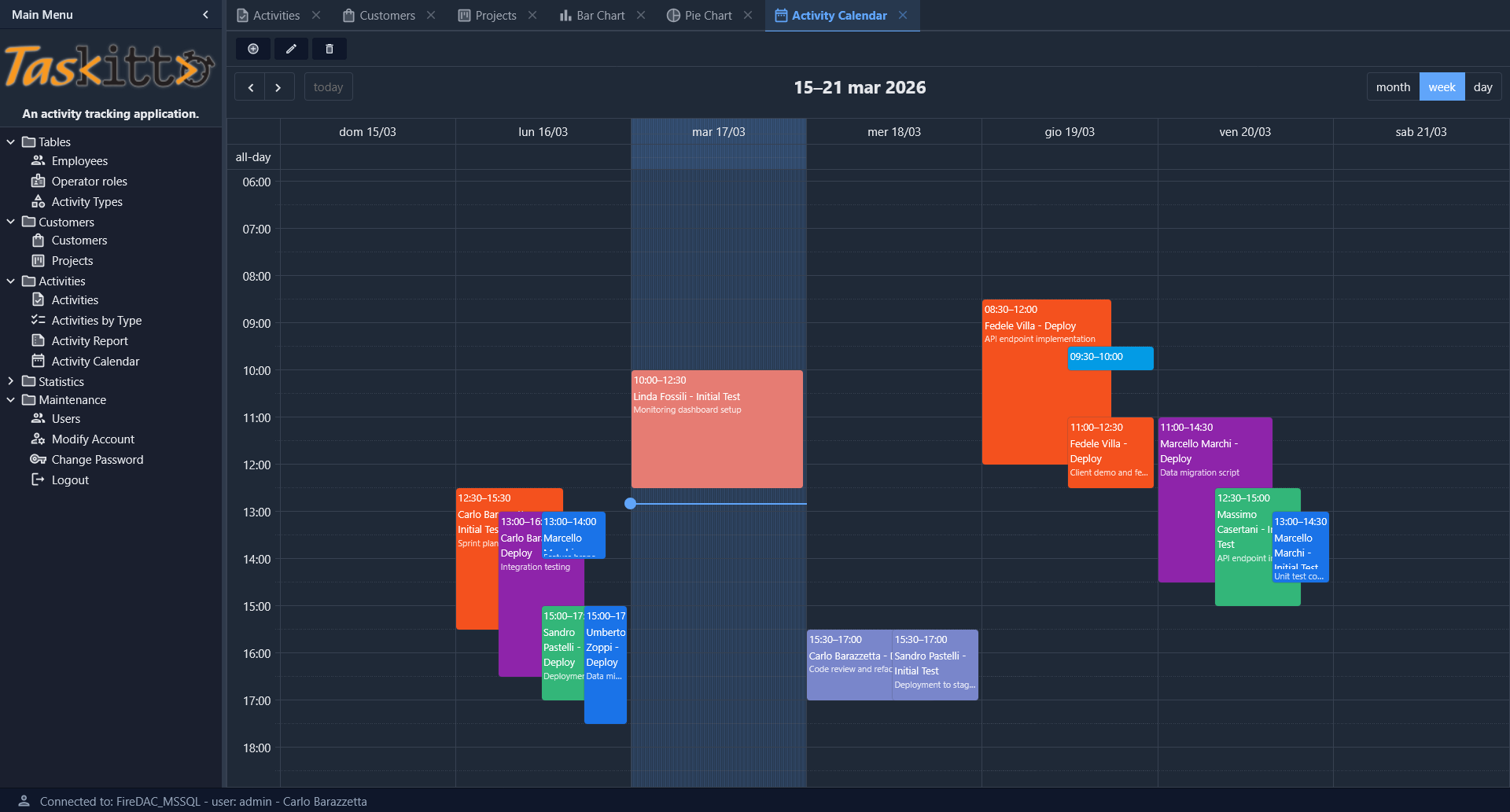
The Activity Calendar view provides an interactive weekly calendar (with month and day views) powered by EventCalendar. Events are color-coded by activity type and display employee name, phase, and description. Navigation controls allow browsing between weeks, and a toolbar provides view, edit, and delete actions on selected events.
Deployment modes
TasKitto includes Delphi projects for all four deployment modes. All projects are in Examples/TasKitto/Projects/:
| Project | Mode | Output |
|---|---|---|
TasKitto.dpr | Standalone (GUI / Windows Service) | Home/TasKitto.exe |
TasKittoDesktop.dpr | Desktop Embedded (WebView2) | Home/TasKittoDesktop.exe |
TasKittoISAPI.dpr | ISAPI (IIS) | Home/TasKittoISAPI.dll |
mod_taskitto.dpr | Apache Module | Home/mod_taskitto.dll |
All projects share the same Source/ directory (UseKitto.pas, Rules.pas, Auth.pas) and the same Home/Metadata/ configuration. See the Deployment guide for step-by-step instructions for each mode.
Testing
In order to use TasKitto you need to create the database using the scripts or backup files provided in the DB directory, and edit Config.yaml so it points to your database and uses the correct authentication credentials.
Use the metadata of TasKitto as both example and study material. You can find more details about the features in this wiki or in the Kittox Reference.