
KEmployee
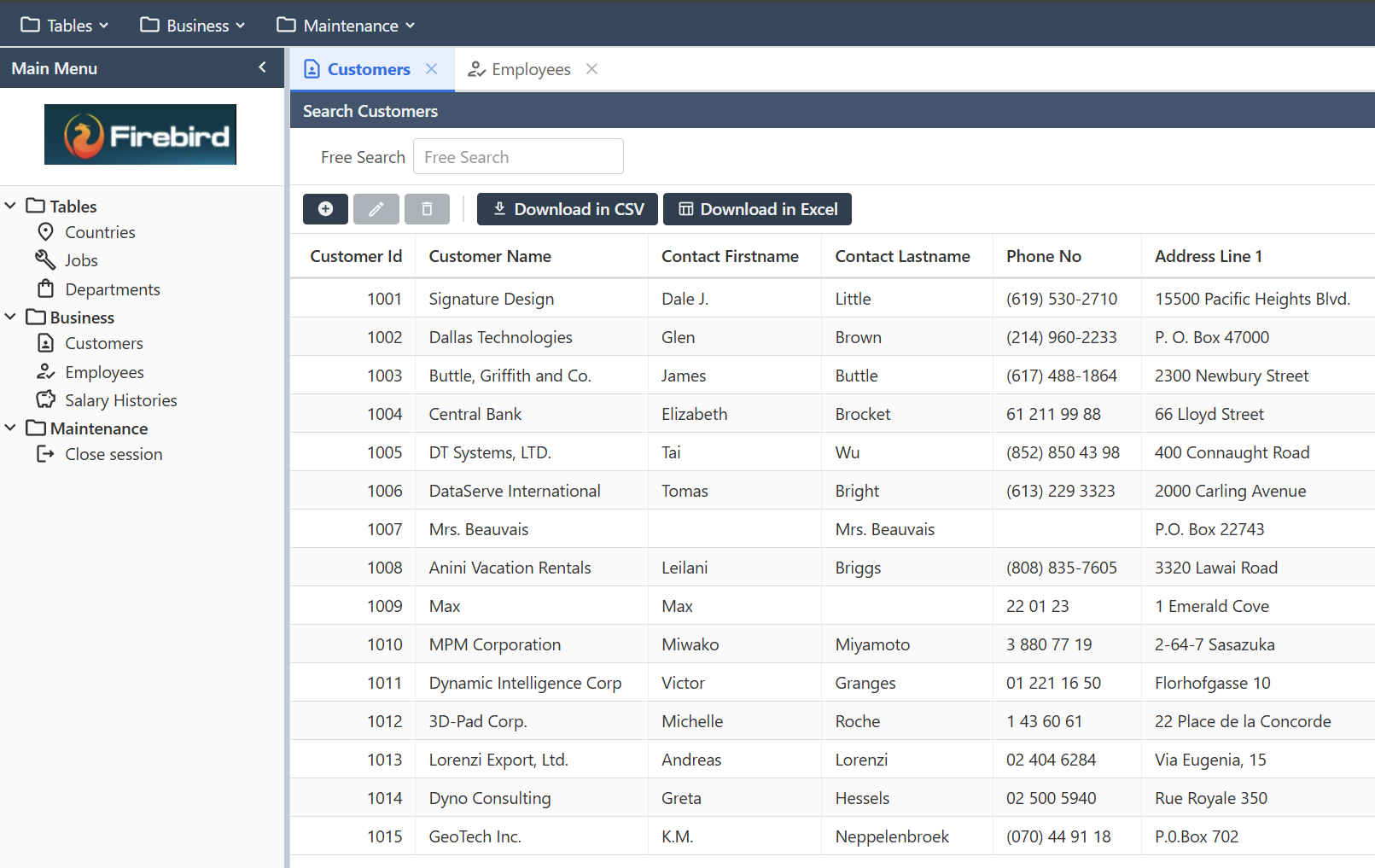
KEmployee is a sample application that manages a database of a few tables modeling a simple Employee - Customers - Sales application. Use it together with the other example applications to explore Kittox and its features, or as a starting point for your own applications.
Copying and renaming the application directory and the project within is the fastest way to create a new application.
Live Demo
Click here to launch Live Demo of KEmployee
Use UserName: "guest" and Password "password" to enter demo!
Features
The features of Kittox used by KEmployee are:
- Firebird database (Employee.fdb)
- neptune theme
- reference with multi-fields key
- lookup window using a view
- file authentication
Deployment modes
KEmployee includes Delphi projects for all four deployment modes. All projects are in Examples/KEmployee/Projects/:
| Project | Mode | Output |
|---|---|---|
KEmployee.dpr | Standalone (GUI / Windows Service) | Home/KEmployee.exe |
KEmployeeDesktop.dpr | Desktop Embedded (WebView2) | Home/KEmployeeDesktop.exe |
KEmployeeISAPI.dpr | ISAPI (IIS) | Home/KEmployeeISAPI.dll |
mod_kemployee.dpr | Apache Module | Home/mod_kemployee.dll |
All projects share the same Source/ directory (UseKitto.pas, Rules.pas) and the same Home/Metadata/ configuration. See the Deployment guide for step-by-step instructions for each mode.
Testing
In order to use KEmployee you need to create the database using the scripts or backup files provided in the DB directory, and edit Config.yaml so it points to your database and uses the correct authentication credentials.
Use the metadata of KEmployee as both example and study material. You can find more details about the features in this wiki or in the Kittox Reference.