
Markdown Editor and Shell Extensions Features
Markdown Text Editor
A powerful and lightweight Text editor to prepare the files for documentation.
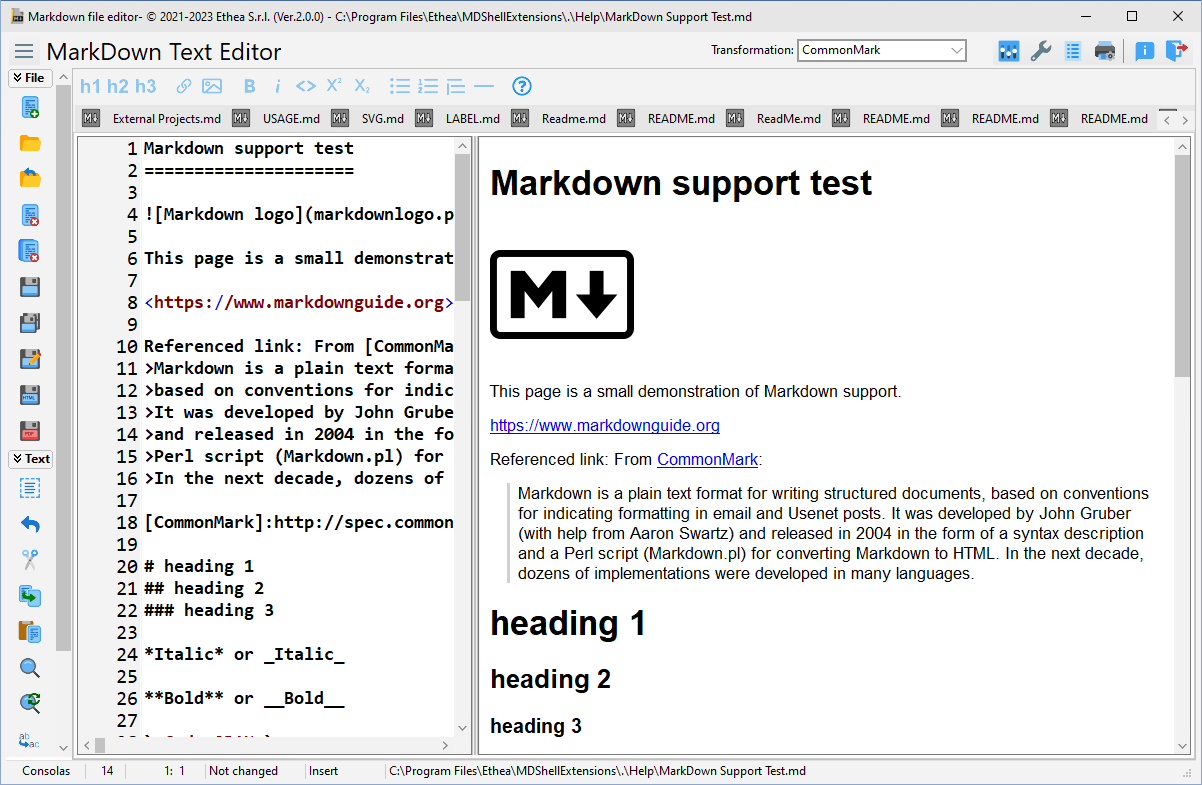
Instant Preview of Markdown file during the editing of the file, with Microsoft Edge WebView2: math formulas (KaTeX), mermaid diagrams and GitHub alerts are drawn as on GitHub (the internal HTML viewer is used when WebView2 is not available or is disabled in the Settings), also without an Internet connection: KaTeX and mermaid.js are installed with the editor
Uses the latest, empowered version of the Markdown Processor (2.1), compliant with CommonMark 0.31.2 and GitHub Flavored Markdown: the default dialect is GitHub
Videos in the documents (
.mp4,.webm...), written as an image of the video file:(see Videos), played by the preview with WebView2Syntax highlighting of fenced code blocks by language (like GitHub), theme-aware
Markdown syntax highlighting of the editor text (headings, bold, italic, links, code, lists...), theme-aware and optional (can be turned off in Settings)
Synchronized scrolling between editor and preview (toggleable from the toolbar and from Settings)
Copy text from the HTML preview to the clipboard (Ctrl+C / context menu)
Single instance: opening a file reuses the running editor; optional restore of the last session
Easy formatting text, using a toolbar of actions (h1, h2, ordered list, bold, italic, underline...)
Easy way to include Tables
Easy way to add links to external files, images or videos: the selected file is written as a path relative to the document, with
/Auto create new markdown file when clicking on his name
Export in HTML, Print in PDF and print of the preview (with header and footer)
Portable version available
Markdown Shell Extensions
An integrated shell extensions (Preview and context menu) to see the content of markdown files without open it directly into Windows Explorer.
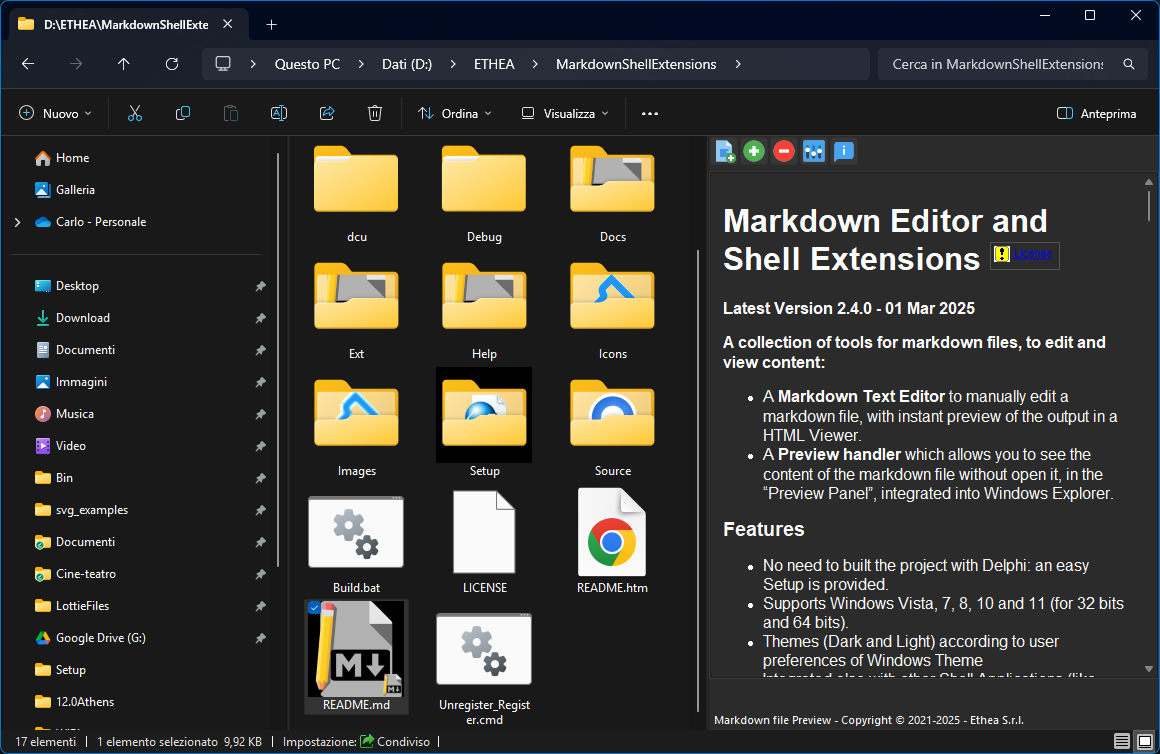
Preview of markdown content directly into Windows Explorer (with the internal HTML viewer: math formulas as images, mermaid diagrams as text)
No need to built the project with Delphi: an easy Setup is provided.
Supports Windows 10 and 11 (for 32 and 64 bit Platoforms).
Themes (Dark and Light) according to user preferences of Windows Theme, with the VCL styles: Light: Sky, Windows Modern, Windows11 Impressive Light, Windows11 Modern Light, Windows11 Polar Light; Dark: Glow, Windows Modern SlateGray, Windows11 Impressive Dark, Windows11 Modern Dark, Windows11 Polar Dark
Integrated also with other Shell Applications (like XYplorer)