
Markdown Help Viewer 
Latest Version 3.1.4 - 03 Nov 2026
An integrated help system based on files in Markdown format (and also html), for Delphi and Windows applications
A "Setup" of the pre-built "Markdown Help Viewer" ready to use.
A unit (MarkdownHelpViewer.pas) to add the interface to Delphi Help System of your Delphi Application (from XE6 version to latest)
Two VCL Visual Components to automatically show Markdown files formatted in HTML: TEdgeMarkdownViewer (from Delphi 12, based on Microsoft Edge WebView2, with math formulas and mermaid diagrams) and TMarkdownViewer (from XE6 to Delphi 11, based on HTMLViewer)
A simple demo to show how to integrate the Help in your application, as exaplained here...
For editing and prepare the Help manual of your application we suggest to use the Editor contained into "Markdown Shell Extensions" project.
► Features
Supports Windows 10 and 11 (for 32 and 64 bits platforms).
Themes (Dark and Light) according to user preferences of Windows Theme, with the VCL styles: Light: Sky, Windows Modern, Windows11 Impressive Light, Windows11 Modern Light, Windows11 Polar Light; Dark: Glow, Windows Modern SlateGray, Windows11 Impressive Dark, Windows11 Modern Dark, Windows11 Polar Dark
Auto-detect Index file in the working folder
Very easy to integrate into Delphi Application, also in "embedded" mode.
Automatic check and download when a new version is available
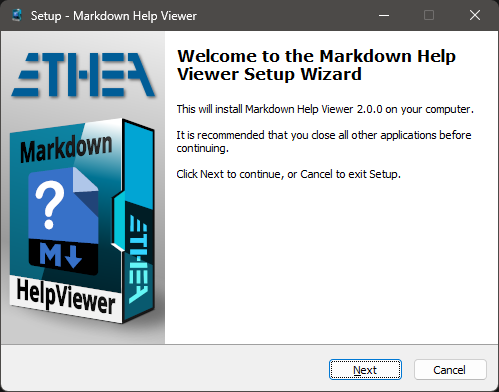
► Setup using the Installer
Click to download the MarkDownHelpViewerSetup.exe located also in the Release area. The Installer works both for 32 and 64 bit system.
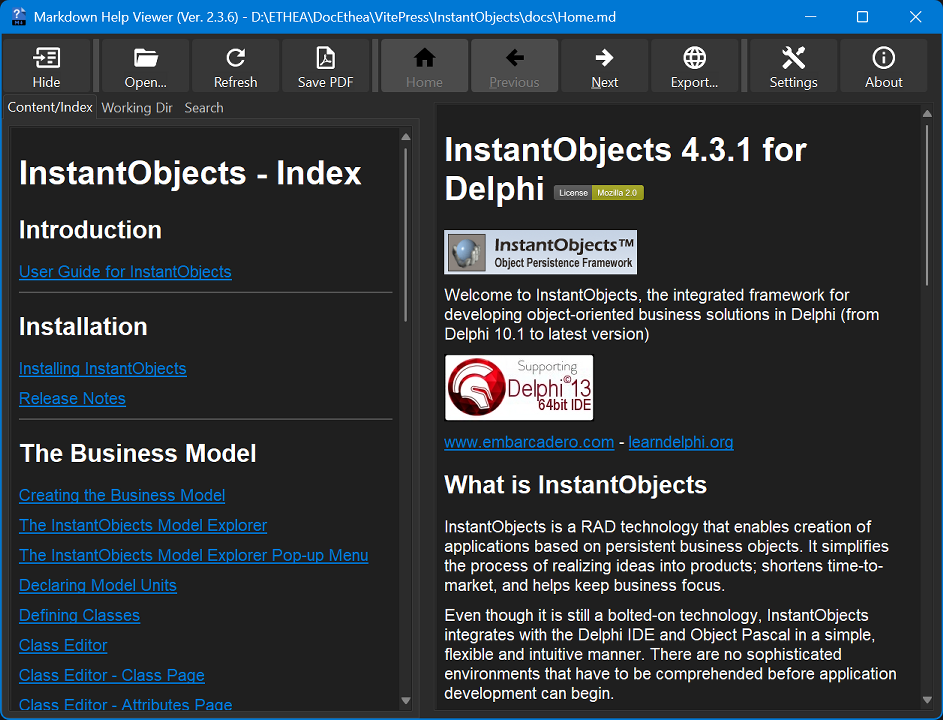
► Markdown Help Viewer in action
A useful Viewer for instant preview of Markdown formatted content help files (with auto-detection of Windows-Theme):
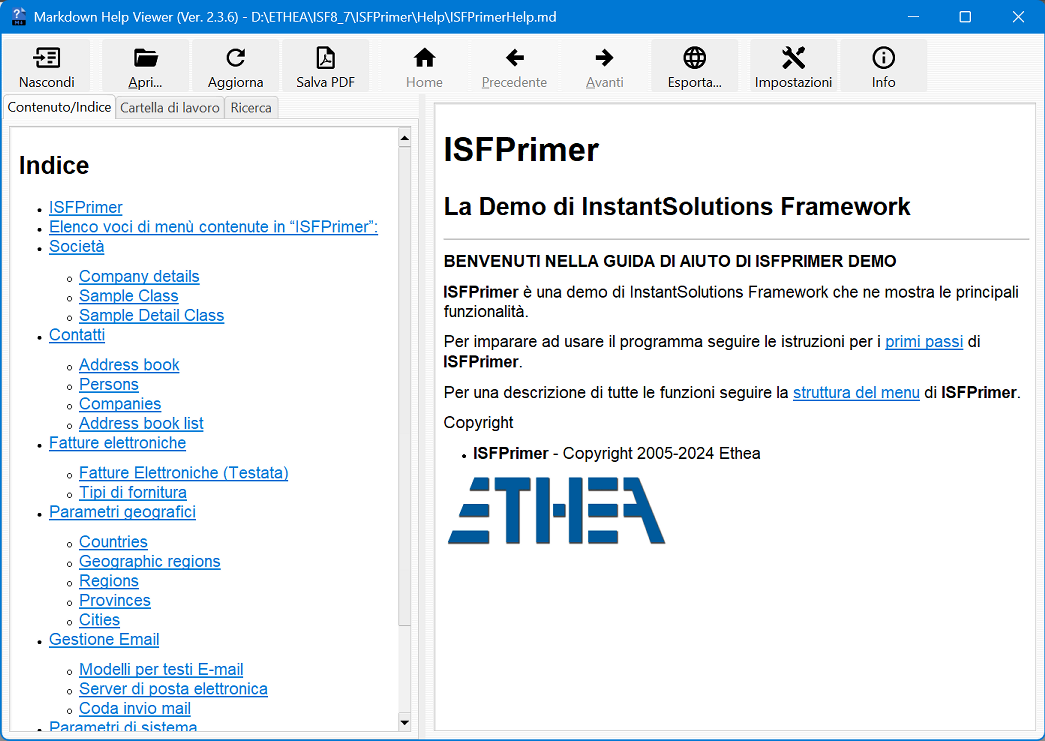
The Viewer is "localized" for some languages. In this example the GUI with Italian language:
► Step to activate this Help into MarkdownHelpViewerDemo Application
Use MarkdownHelpViewer.pas (located into AppInterface folder) in dpr:
MarkdownHelpViewer in '..\..\AppInterface\MarkDownHelpViewer.pas',then specify the default file of the help:
Application.HelpFile := ExtractFilePath(Application.ExeName)+'..\Help\Home.md';If you have installed the viewer using the provided Setup, the installation folder of the Viewer is registere into:
HKEY_CLASSES_ROOT\Applications\MDHelpViewer.exe\Shell\Open\Command so the interface can launch the viewer automatically.
If you don't want to use the provided Setup you can register the location of the Viewer built by yourself and deployed to a specific location, for example:
{$IFDEF WIN32}
  RegisterMDViewerLocation(ExtractFilePath(Application.ExeName)+
    '..\..\Bin32\MDHelpViewer.exe');
{$ELSE}
  RegisterMDViewerLocation(ExtractFilePath(Application.ExeName)+
    '..\..\Bin64\MDHelpViewer.exe');
{$ENDIF}
► Rules to open the correct file using HelpContext or HelpTopic
To test the application you can lauch the Home.md help using the menu About/Help: in the OnClick handler invoke the help:
procedure TfmMain.HelpMenuItemClick(Sender: TObject);
begin
  Application.HelpKeyword('home');
end;
In any Delphi component, you can define HelpType (htKeyword or htContext) and the specify HelpKeyword (string) or HelpContext (Integer).
When the user press "F1" inside the application, the HelpSystem is invoked with HelpKeyword or HelpContext.
Then the interface searches in the same folder of default file (specified into Application.HelpFile) the specific file using those rules:
► Rules of precedence
- first search a file named as the Keyword or the Context with any markdown extension (eg. 1000.md, MainForm.md)
- Then, try the Help Name and the Keyword (eg.Home1000.md, HomeMainForm.md)
- At least, try the Help Name and the Keyword with underscore (eg.Home_1000.md, Home_MainForm.md)
► Markdown Help Viewer in depth
Everything about "MarkDown Help Viewer", its features and how to make the most of it, is explained in the Markdown Help Viewer in depth page.
► Other libraries from Ethea
► Third party libraries
- Delphi Markdown
Copyright (c) 2011+, Health Intersections Pty Ltd. All rights reserved. - VCL Styles Utils
Portions created by Rodrigo Ruz V. are Copyright © 2012-2023 Rodrigo Ruz V. (Mozilla Public License 1.1) - SynEdit (PyScripter fork)
Portions created by Martin Waldenburg are Copyright © 1998 Martin Waldenburg (Mozilla Public License 1.1) - Skia4Delphi
Copyright © 2021-2025 Skia4Delphi Project (MIT License) - Image32 Library
Copyright © 2019-2025 Angus Johnson (Boost Software License) - OpenSSL Library: Cryptography and SSL/TLS Toolkit
Copyright © 1998-2018 The OpenSSL Project. All rights reserved. - Synopse/SynPDF
Copyright © Synopse: all rights reserved. - HtmlToPdf
Copyright © Muzio Valerio. - HTMLViewer
Copyright (c) 1995 - 2008 by L. David Baldwin
Copyright (c) 1995 - 2023 by Anders Melander (DitherUnit.pas)
Copyright (c) 1995 - 2023 by Ron Collins (HtmlGif1.pas)
Copyright (c) 2008 - 2009 by Sebastian Zierer (Delphi 2009 Port)
Copyright (c) 2008 - 2010 by Arvid Winkelsdorf (Fixes)
Copyright (c) 2009 - 2023 by HtmlViewer Team - KaTeX
Copyright (c) 2013-2020 Khan Academy and other contributors (MIT License) - Mermaid
Copyright (c) 2014-2022 Knut Sveidqvist (MIT License)
► External projects
To simpilfy compilation of projects they are added into ext folder
Related links: embarcadero.com - learndelphi.org
Markdown Editor and Shell Extensions
Latest Version 3.1.5 - 03 Nov 2026
A collection of tools for markdown files, to edit and view content:
A Markdown Text Editor to manually edit a markdown file, with instant preview of the output (Microsoft Edge WebView2: math formulas and mermaid diagrams as on GitHub).
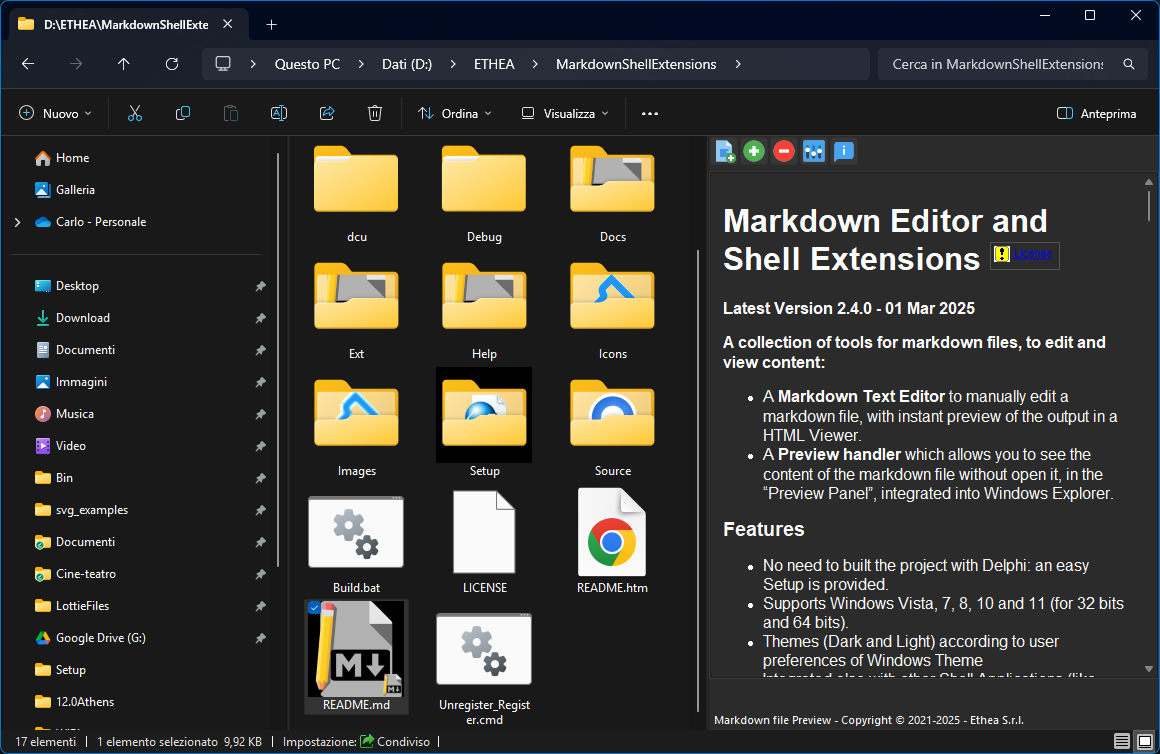
A Preview handler which allows you to see the content of the markdown file without open it, in the "Preview Panel", integrated into Windows Explorer.
► Features
No need to built the project with Delphi: an easy Setup is provided.
Supports Windows Vista, 7, 8, 10 and 11 (for 32 bits and 64 bits).
Themes (Dark and Light) according to user preferences of Windows Theme, with the VCL styles: Light: Sky, Windows Modern, Windows11 Impressive Light, Windows11 Modern Light, Windows11 Polar Light; Dark: Glow, Windows Modern SlateGray, Windows11 Impressive Dark, Windows11 Modern Dark, Windows11 Polar Dark
Integrated also with other Shell Applications (like XYplorer)
► Delphi: integration with MarkDown Help Viewer
- For Delphi developers: use this tool to prepare and integrate a Help System in your application, using the "MarkDown Help Viewer" project.
- Use the Markdown Text Editor to edit your help files and use the Markdown Help Viewer to show them.
► Setup using the Installer
Click to download the MDShellExtensionsSetup.exe located also in the Release area. The Installer works both for 32 and 64 bit system.
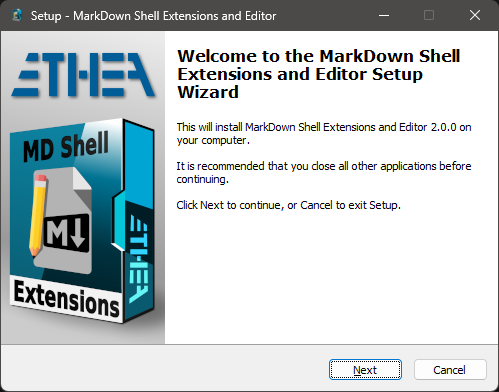
For a clean Setup close all the windows explorer instances which have the preview handler active or the preview handler was used (remember the dll remains in memory until the windows explorer was closed).
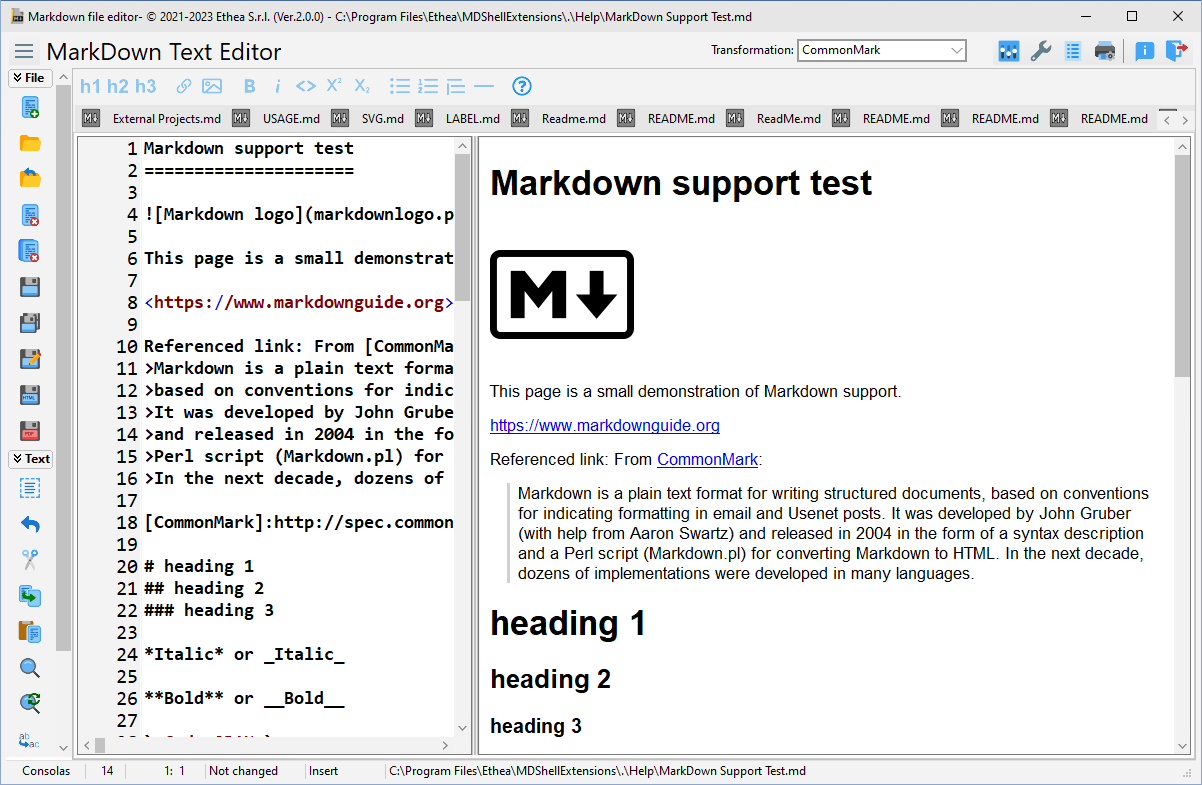
► Markdown Text Editor
A useful Text editor with instant preview of Markdown formatted content:
► Manual Build and Installation (only for Delphi developers)
How to build the projects with Delphi and how to manually register the Shell Extensions is explained in the Manual Build and Installation page.
► Preview Panel in action
In Windows 10 with Dark theme:
► Manual Build and Installation (only for Delphi developers)
If you have Delphi 12, you can manually build the projects using:
\Source\MDShellExtensionsGroup.groupproj
or the command: Build.bat (defining location of your Delphi environment)
Warning: To simplyfy build of the projects, some third parties libraries are located into ext folder
To manually install the SVGShellExtensions.dll follow these steps:
Close all the windows explorer instances which have the preview handler active or the preview handler was used (remember the dll remains in memory until the windows explorer was closed).
If you have already used the installer uninstall the components from system.
To install manually the dll run the
Unregister_Register.cmd(run-as-administrator): notice that you must change the path into cmd file.
► Credits
Many thanks to Rodrigo Ruz V. (author of theroadtodelphi.com Blog) for his wonderful work on delphi-preview-handler from which this project has used a lot of code and inspiration.
► Other libraries from Ethea
► Third party libraries
- Delphi Markdown
Copyright (c) 2011+, Health Intersections Pty Ltd. All rights reserved. - Delphi Preview Handler
The Initial Developer of the Original Code is Rodrigo Ruz V.
Portions created by Rodrigo Ruz V. are Copyright © 2011-2023 Rodrigo Ruz V. - VCL Styles Utils
Portions created by Rodrigo Ruz V. are Copyright © 2012-2023 Rodrigo Ruz V. (Mozilla Public License 1.1) - SynEdit (PyScripter fork)
Portions created by Martin Waldenburg are Copyright © 1998 Martin Waldenburg (Mozilla Public License 1.1) - Skia4Delphi
Copyright © 2021-2025 Skia4Delphi Project (MIT License) - Image32 Library
Copyright © 2019-2025 Angus Johnson (Boost Software License) - OpenSSL Library: Cryptography and SSL/TLS Toolkit
Copyright © 1998-2018 The OpenSSL Project. All rights reserved. - Synopse/SynPDF
Copyright © Synopse: all rights reserved. - HtmlToPdf
Copyright © Muzio Valerio. - HTMLViewer
Copyright (c) 1995 - 2008 by L. David Baldwin
Copyright (c) 1995 - 2023 by Anders Melander (DitherUnit.pas)
Copyright (c) 1995 - 2023 by Ron Collins (HtmlGif1.pas)
Copyright (c) 2008 - 2009 by Sebastian Zierer (Delphi 2009 Port)
Copyright (c) 2008 - 2010 by Arvid Winkelsdorf (Fixes)
Copyright (c) 2009 - 2023 by HtmlViewer Team - KaTeX
Copyright (c) 2013-2020 Khan Academy and other contributors (MIT License) - Mermaid
Copyright (c) 2014-2022 Knut Sveidqvist (MIT License) - dzlib
Copyright (c) Thomas Mueller
► External projects
To simpilfy compilation of projects they are added into ext folder
Related links: embarcadero.com - learndelphi.org
License
Licensed under the Apache License, Version 2.0 (the "License");
Unless required by applicable law or agreed to in writing, software distributed under the License is distributed on an "AS IS" BASIS, WITHOUT WARRANTIES OR CONDITIONS OF ANY KIND, either express or implied. See the License for the specific language governing permissions and limitations under the License.