
The sample applications
What comes with the library is not a form with two buttons: it is the Windows 10 CRM demo that Embarcadero publishes, with HelpChatAI inside it and a manual of its own — in both frameworks. Everything on this page is in the repository and in the installer, under CRM Demo.
| Project | Delphi | What it is | |
|---|---|---|---|
| VCL | CRM Demo\VCL\project\VCL_CRMDemo.dproj | 10.4 → 13 | The whole application: the seven pages, the lead and proposal windows, all three actions |
| FMX | CRM Demo\FMX\project\FMX_CRMDemo.dproj | 12 → 13 | The same application over the same data: the FireMonkey half of the library in a real one |
They share one data module, one SQLite database and one manual, in CRM Demo\common and CRM Demo\Help. Only the forms differ.
No key? It still runs
The applications work without an API key: the assistant says the key is missing and everything else behaves as always. Select the docsearch provider and the same manual is searched offline; claude needs a key in %APPDATA%\HelpChatAI\helpchatai.json — see Providers.
The VCL one
CRM Demo\VCL\project\VCL_CRMDemo.dproj shows the VCL controls at work — the split view, the relative and card panels, the calendar view, LiveBindings over an encrypted FireDAC/SQLite database, the styles — and HelpChatAI answering about all of it.
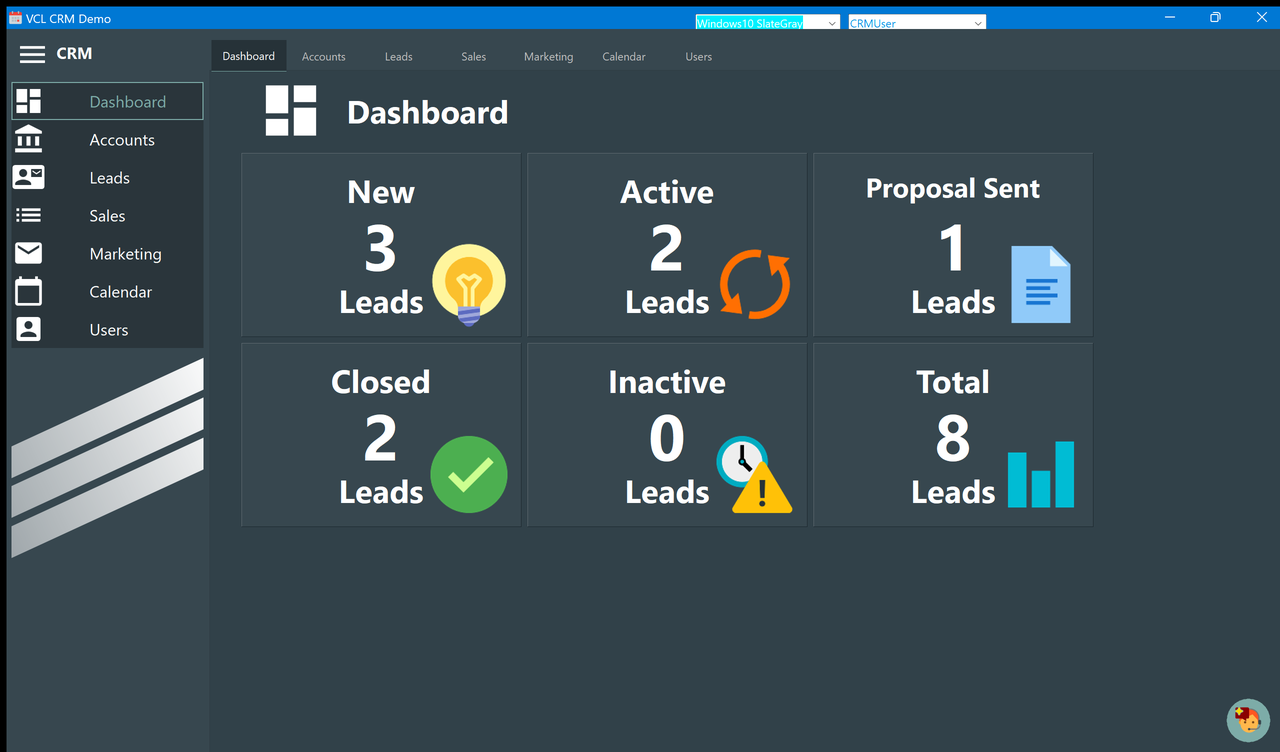
The application is a small CRM: a dashboard of counters, a board of leads in four statuses, the accounts behind them, the proposals sent, a mailing list and a calendar.
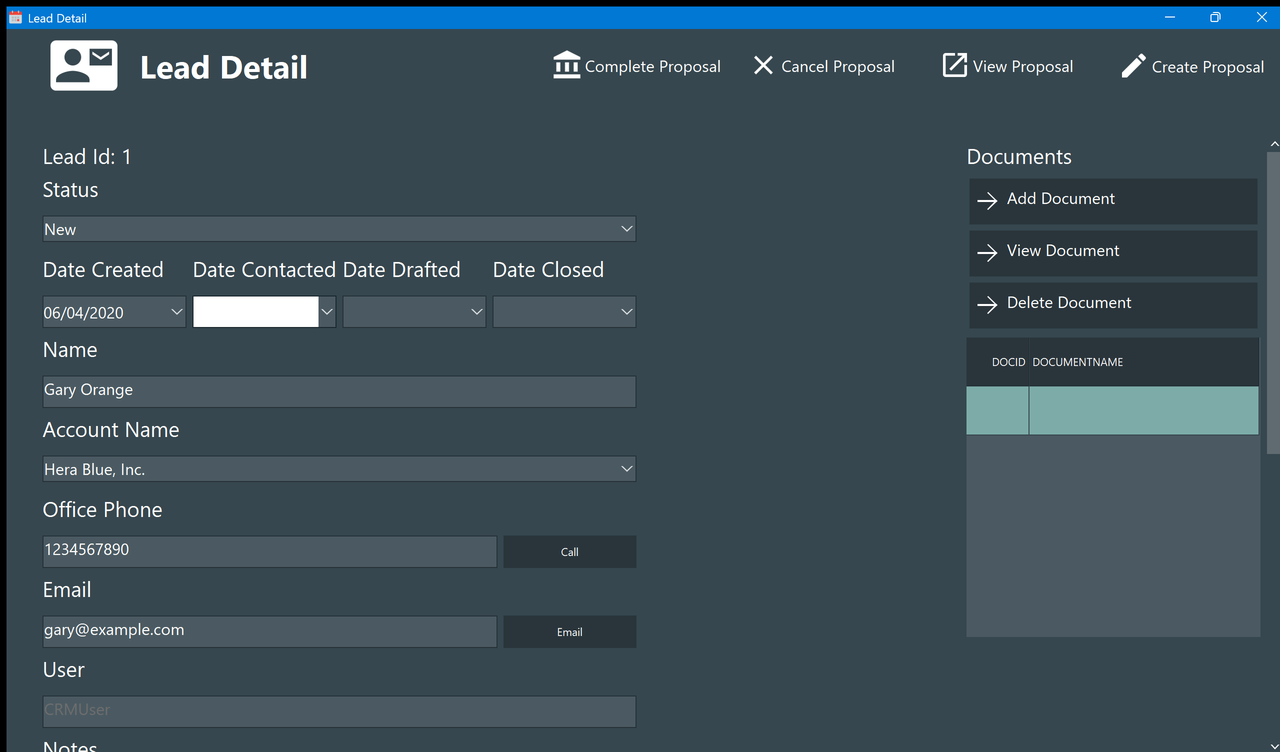
Each screen has a page of the manual behind it, and the detail windows have one too — this is the one F1 opens from the lead detail:
It is in the repository for its manual: sixteen pages and fourteen screenshots in English, under CRM Demo\Help, written from the source of the application — a second corpus to index, larger than the Italian one above and in another language, and the kind of documentation a real product actually has. Home.md is its first page and Index.md lists the rest, which is the shape the index builder likes.
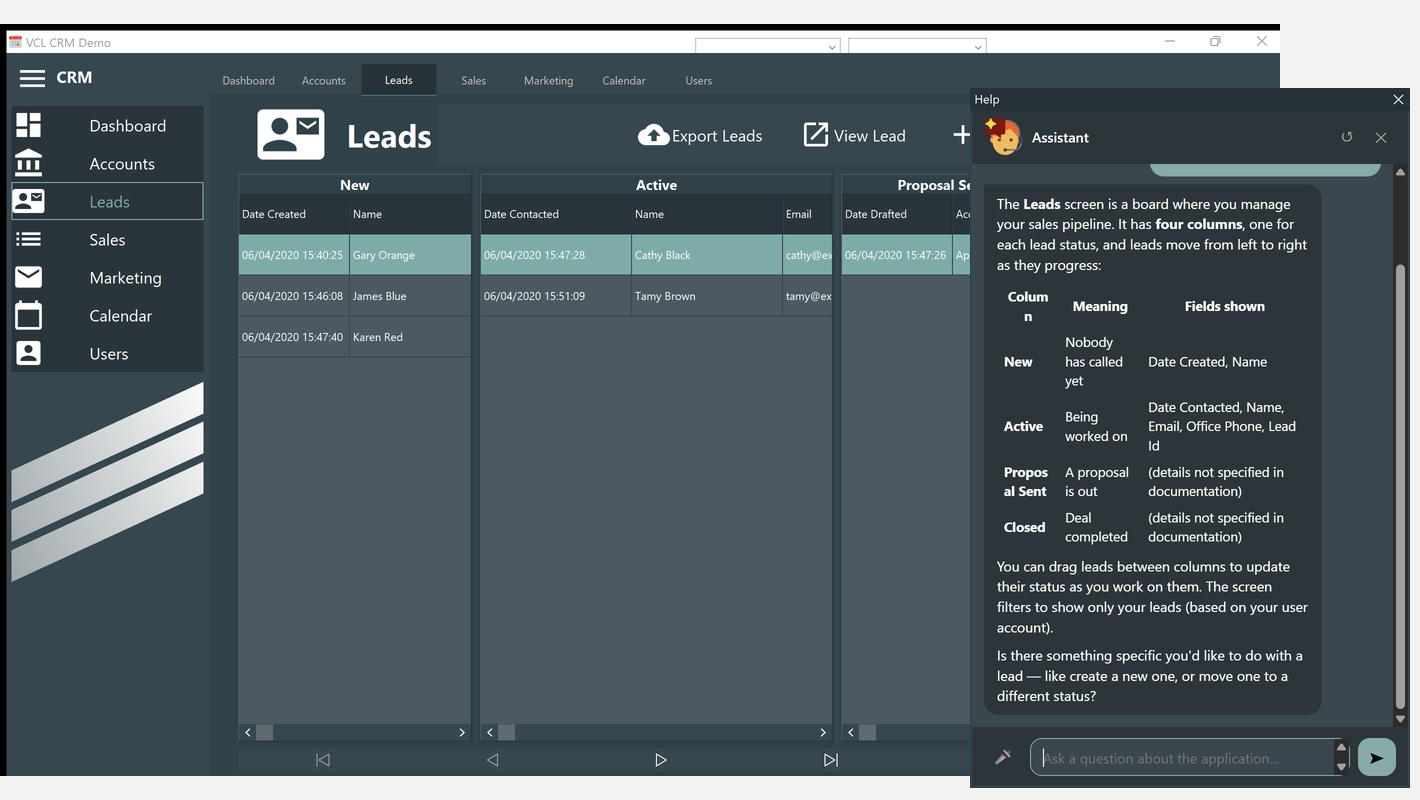
The chat is in it, and it is the whole component: a TVclHelpChatAI on the main form, the claude provider grounded on that manual, and three actions. F1 anywhere opens the assistant already asking about the screen in front of you, the round button in the corner opens it with no question, and asking it to do something makes it do it.
| Ask it | What happens |
|---|---|
| "open the Marketing screen" | open_screen switches page. No confirmation: it changes nothing |
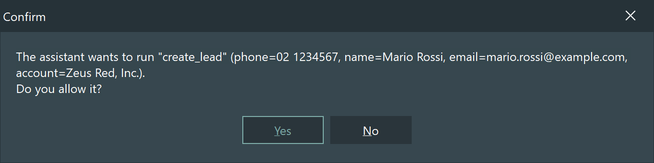
| "create a lead for Mario Rossi of Zeus Red, Inc., phone 02 1234567, email mario.rossi@example.com" | create_lead asks first, then creates the lead and opens its detail window |
| "prepare a proposal for Gary Orange: 12 hours of consulting at 150 each and 4 licenses at 480 each" | draft_proposal asks first, then fills the draft — customer, line items, total — and leaves Preview and Save Proposal to the user |
What the integration is made of
In the order it matters:
| What | Where |
|---|---|
| The component, the provider and the index | HelpChat on the main form, four properties in the DFM |
| The key | Nothing in the application: Claude.ApiKey in %APPDATA%\HelpChatAI\helpchatai.json, the shared file every HelpChatAI application of that user reads first |
| The providers actually registered | HelpChatAI.Provider.Claude and .DocSearch in the uses of uMainForm — a provider exists only if its unit is linked. docsearch is there so a helpchatai.json next to the executable can take the demo offline without recompiling |
| Which page describes which screen | HelpType = htKeyword and HelpKeyword on the seven tab sheets and on the three windows |
| The screen when the focus is outside the page | OnGetContext forces the active tab: the side menu is not inside the TPageControl, so from there the chain would reach the form instead |
| What the assistant may do | RegisterHelpActions in uMainForm: three Actions.Add, the two that write with AConfirm = True |
| The index | HelpIndexBuilder --source="CRM Demo\Help" --toc=Index.md, and the result versioned next to the manual |
Two of those rows are the ones to copy in your own application: point the builder at the folder of your manual and give your screens a HelpKeyword that matches the title of the page describing them; then register as actions the handful of things you are willing to let the assistant do, and let it ask before each one that writes.
Without a key it still opens
The assistant says the key is missing and the application works as always. Put { "Claude": { "ApiKey": "sk-ant-..." } } in %APPDATA%\HelpChatAI\helpchatai.json, or switch Settings.Provider to docsearch for the offline search on the same manual.
The copy in this repository is not quite the original: it fixes a crash on machines whose regional settings use the comma as decimal separator, and several size calculations that ignored the monitor scaling and left columns truncated at 150% or 175%. CRM Demo\Help\ToDo.md lists what was corrected and what is still open.
The FireMonkey one
CRM Demo\FMX\project\FMX_CRMDemo.dproj exists for one reason: until it was written, nobody had ever run the FireMonkey half of the library inside a real application. It is the whole application — the seven pages, the lead, proposal and proposal draft windows, the same bind sources of the same data module, and the same three actions — with TFmxHelpChatAI on the main form and a HelpKeyword on every TTabItem. Delphi 12 and later, because TFmxHelpChatAI starts there.
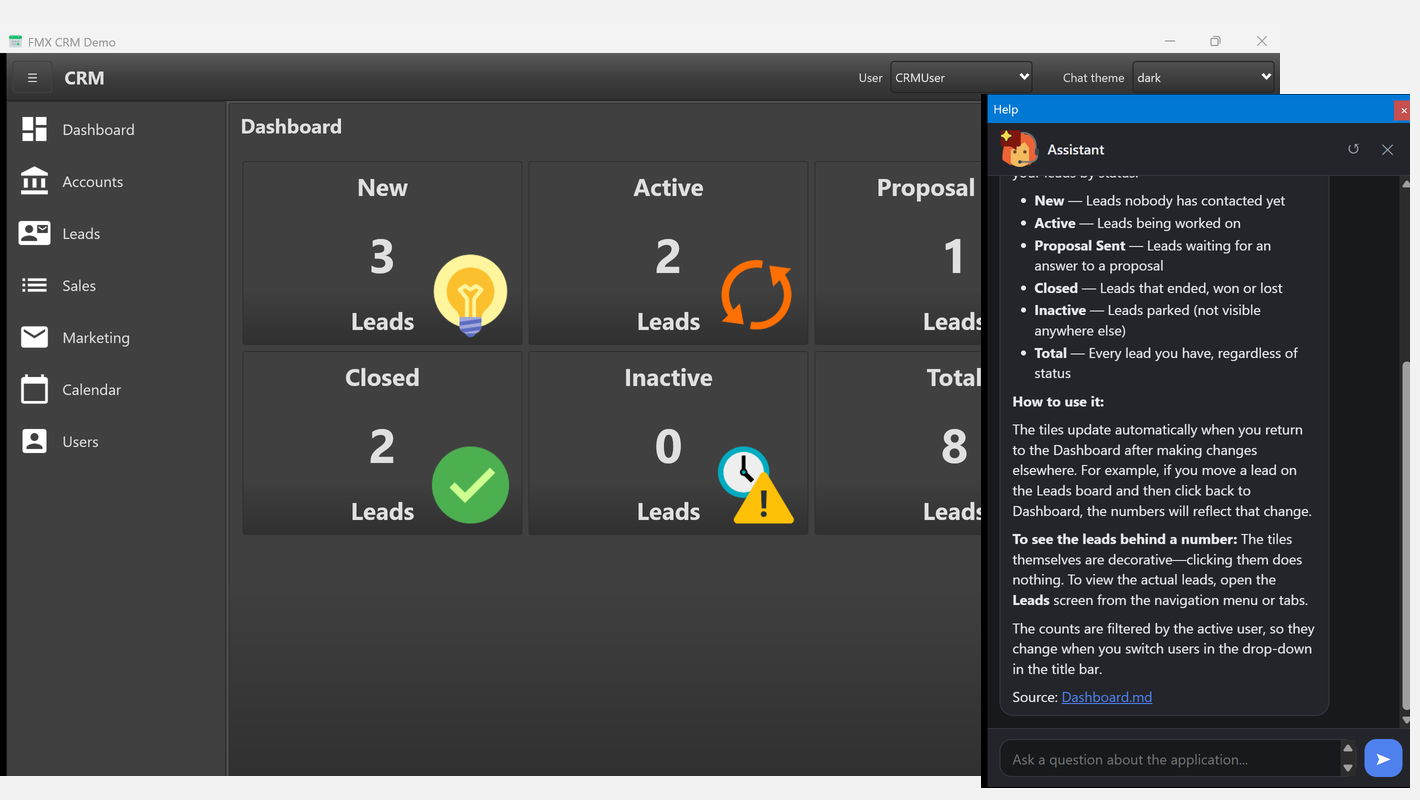
It found two defects on its first run, and that is what a sample application is for:
- the FireMonkey bubble was placed outside the window the first time the form was resized. FireMonkey computes the anchor rules once, against the parent the control has at that moment, and the component was setting
AnchorsbeforeParent— so they were computed against a parent of size zero; - a relative
DocIndexFilewas resolved against the current directory instead of the executable, so the documentation index was found or not depending on who started the application. A shortcut, the IDE and Explorer set three different ones.
What FireMonkey does differently there is worth copying if you are porting something:
| VCL | FireMonkey |
|---|---|
TSplitView, CloseStyle = svcCompact | a docked TMultiView inside a layout whose width the button changes — see below |
TPageControl / TTabSheet | TTabControl / TTabItem, TabPosition = None |
TCardPanel / TCard | the same TTabControl without tabs |
TRelativePanel | Align plus margins, or a TVertScrollBox — the resize handlers of the VCL demo simply do not exist |
TTitleBarPanel | nothing: the two drop-downs go in a TToolBar |
TCalendarView | TCalendar |
TDateTimePicker with a blanked format | TDateEdit with IsEmpty |
MessageDlg returning the button | TDialogService.MessageDialog answering in a callback |
WebBrowser.Document.Write | TWebBrowser.LoadFromStrings |
TImageCollection + TVirtualImageList + TVirtualImage | one multi-resolution TImageList read by TGlyph |
VCL styles, linked by Custom_Styles | a .style file, loaded at run time — the demo ships the stock Dark of Delphi |
Three things that cost a run
F1 in a window that is not the host. The component chains the host form's OnKeyDown by itself; every other window asks it, which is what HandleKeyDown is for. The keyword cannot come from the form, because help properties live on TStyledControl and a form has none — so each unit declares its own as a constant and OnGetContext reads it from Screen.ActiveForm.
A date that is null must be asked of the field, not of the control. A null never reaches a TDateEdit as a zero: it leaves the control as it was, which is why all four dates of a new lead showed the date it was created. IsEmpty set from Field.IsNull or (Field.AsDateTime = 0) is the FireMonkey answer to the four OnAssignedValue handlers that blank the format of a VCL picker.
No mode of TMultiView is a TSplitView. Panel is permanent and hides the MasterButton you give it; Drawer and NavigationPane slide over the content and close again at the first click outside. A side menu that stays open until its button says otherwise is therefore a docked Panel inside a TLayout whose width the button changes — which is exactly what CloseStyle = svcCompact does. The icons of its items are TGlyph children of each TListBoxItem and not the item's ImageIndex, because that one is sized by the style of the TListBox and ignores how big the image is.
Building them from a command line
CRM Demo\BuildAllDemos.ps1 builds both with every Delphi it finds under C:\BDS\Studio, for Win32 and Win64 — twelve builds — and prints a table of what passed:
.\BuildAllDemos.ps1                                  # the whole matrix, Release
.\BuildAllDemos.ps1 -Framework FMX -DelphiVersion D13
.\BuildDemo.ps1 -Framework VCL -DelphiVersion D11 -Config Debug
.\BuildDemoD10.4.ps1                                 # one version, the short way
A Delphi version that is not installed is reported as SKIP, and the FireMonkey demo below Delphi 12 as N/A — it is not a failure, the component does not exist there. Both demos compile the library from source, so nothing has to be installed in the IDE first.
The test suite
Not a demo, but worth knowing about: Test\Delphi13\HelpChatAITests.dproj is a DUnitX console suite of 246 tests covering the engine, the index scoring, the Markdown safety, the SSE parsing, the documentation pages, both transports over real HTTP on 127.0.0.1, and the actions from a real worker thread.
Test\Bin\Win32\HelpChatAITests.exe --exitbehavior:ContinueIt runs without network and without an API key.