
Markdown Processor for Delphi (Lib, Component, MarkDownToHTML.exe cmd).
A Markdown Processor Library for Delphi, to process/convert markdown files to HTML.
A Useful utility: MarkDownToHTML.exe to transform any markdown file to HTML









www.embarcadero.com - learndelphi.org
A Pascal (Delphi) library that processes markdown text/files to HTML.
Documentation
Follow the Project Site to know all the markdown tools and the Delphi components: Markdown Processor, Markdown Text Editor and Markdown Help Viewer.
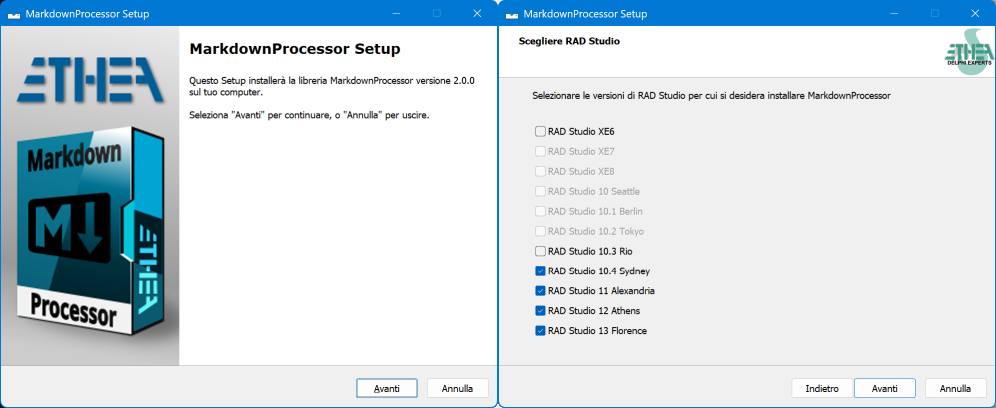
Setup for automatic installation of the Library/Component and Utilities
A ready-to-use "Installer" is located in the Release area: Download the Installer.
The Installer automatically detects your Delphi versions (from XE6 to 13 Florence), installs the sources, builds and installs the packages with the TMarkdownToHTML component and adds the source paths. It also installs the MarkDownToHTML.exe utility, 32 or 64 bit.
To install manually, open Packages\<Delphi version>\MarkdownProcessor.groupproj, build the runtime (MarkdownProcessor) and install the design-time (dclMarkdownProcessor) packages, or run Packages\BuildAllPackages<Delphi version>.ps1 (for example BuildAllPackagesD13.ps1).
Installation with DPM (Delphi Package Manager)
The library is also published on delphi.dev as the package EtheaDev.MarkdownProcessor (Delphi XE6 to 13, Win32 and Win64): you can install it with DPM, the Delphi Package Manager, as an alternative to the Setup. From the IDE, right click on your project in the Project Manager and choose Manage DPM Packages, or from the command line:
dpm install EtheaDev.MarkdownProcessor <path of your project>.dprojDPM downloads the package, builds it for the Delphi version and the platforms of your project and adds it to the project. The package contains the library and the TMarkdownToHTML component; the MarkDownToHTML.exe utility is installed only by the Setup.
Using the MarkDownToHTML.exe utility
With MarkDownToHTML.exe you can transform a markdown file to HTML using different markdown dialects or StyleSheet.
run MarkDownToHTML.exe help processfile for a complete help.
The utility uses the same default extensions as the TMarkdownToHTML component: the ones of the dialect plus the legacy extensions (GitHub-style heading ids, {#id}, subscript, superscript, insert, mark, smart typography, wiki links, video).
Look into Cmd\MarkdownToHTML\Test\MarkDownToHTML_Test.cmd for examples
Basic Informations for Delphi users
This is a Pascal (Delphi) library that processes markdown to HTML. At present the following dialects of markdown are supported:
GitHub (
mdGitHub, the default dialect): what github.com renders, GFM plus math, alerts, mermaid and graph diagrams.GitHub Flavored Markdown 0.29 (
mdGFM): CommonMark plus tables, task list items, strikethrough, extended autolinks and disallowed raw HTML, all the 24 examples of the specification pass (see https://github.github.com/gfm/)CommonMark 0.31.2 (
mdCommonMark): complete support, all the 652 examples of the specification pass (see https://spec.commonmark.org/0.31.2/)The Daring Fireball dialect (
mdDaringFireball) (see https://daringfireball.net/projects/markdown/)Enhanced TxtMark dialect (
mdTxtMark) (translated from https://github.com/rjeschke/txtmark)
mdGitHub, mdCommonMark and mdGFM run on a new engine available from 2.0 version (block parser, inline parser and HTML renderer written after the parsing strategy of the CommonMark specification) that can also return a read-only syntax tree.
mdDaringFireball and mdTxtMark keep the original engine, unchanged.
Optional syntax of the new engine, enabled one by one with Config.Extensions (mdGitHub enables GFM + math + alerts + mermaid, mdGFM the five GFM extensions, mdCommonMark none):
| Extension | Syntax |
|---|---|
mexTables, mexTaskLists, mexStrikethrough, mexAutolinks, mexTagFilter | GFM extensions |
mexMath | $x$, $$x$$, $$ blocks, ```math (KaTeX/MathJax ready HTML) |
mexAlerts | GitHub alerts: > [!NOTE], [!TIP], [!IMPORTANT], [!WARNING], [!CAUTION] |
mexSubscript, mexSuperscript, mexInsert, mexMark | ~x~, ^x^, ++x++, ==x== |
mexSmartTypography | -- --- ... (C) (R) (TM) << >> and curly quotes |
mexHeadingAttributes, mexAutoHeadingIds | # Title {#id}, GitHub-style heading ids |
mexWikiLinks | [[...]], rendered by Config.specialLinkEmitter |
mexMermaid | ```mermaid written as <pre class="mermaid"> for mermaid.js |
mexVideo | : an image of a video file (.mp4, .m4v, .webm, .ogv, .mov) written as <video controls> |
Math is written for KaTeX/MathJax by default; for a viewer without JavaScript (such as HTMLViewer) set Config.MathRendering := mmrCodeCogsImage to get <img> from latex.codecogs.com. Mermaid diagrams need mermaid.js in the page (e.g. WebView2); elsewhere the <pre> shows their source.
Upgrading from a previous 1.x version: read docs/MIGRATION.md.
The TMarkdownToHTML component
| Component | Description |
|---|---|
 TMarkdownToHTML | Non-visual component (unit MarkdownProcessorComponents.pas, palette page Markdown) that holds the options of the processor (ProcessorDialect, Extensions, AllowUnsafe, MathRendering, CssStyle) and converts MarkdownContent into HtmlContent every time the content or an option changes. By default it uses the GitHub dialect and enables all the legacy extensions (subscript, superscript, insert, mark, smart typography, heading ids, wiki links, video). |
Properties, methods and examples: TMarkdownToHTML Component.
Using the Library with Delphi
The library can be used in two ways:
- with the TMarkdownToHTML component (unit
MarkdownProcessorComponents.pas): drop it on a form, set its options in the Object Inspector and read the HTML; the conversion is repeated automatically when the content or an option changes; - with the TMarkdownProcessor class (unit
MarkdownProcessor.pas): create the processor of the dialect you want, configure it and callProcess.
With the component:
MarkdownToHTML.MarkdownContent.Text := MarkdownText;
LHTMLText := MarkdownToHTML.HtmlContent.Text;
With the class:
md := TMarkdownProcessor.CreateDialect;   // mdGitHub, or pass the dialect
try
  md.Config.Extensions := md.Config.Extensions + [mexMark];  // optional syntax
  LHTMLText := md.Process(markdown);           // an HTML fragment, not a full page
finally
  md.Free;
end;
Safe mode is the default (AllowUnsafe = False): set it to True only with trusted content.
The complete guide (dialects, extensions, math and mermaid, syntax tree, hooks, safe mode) is in the online documentation: Markdown Processor and TMarkdownToHTML Component.
Conformance tests
The DUnitX test project (Delphi 13, Win32 and Win64) is in the Tests folder: run Tests\RunTests.cmd. It checks the official CommonMark and GFM examples, the math, alerts, extensions and safe mode corpora, pathological inputs, and that the output of the legacy dialects does not change. The results are in Tests/CONFORMANCE.md.
Delphi projects Examples
This library is used in two projects:
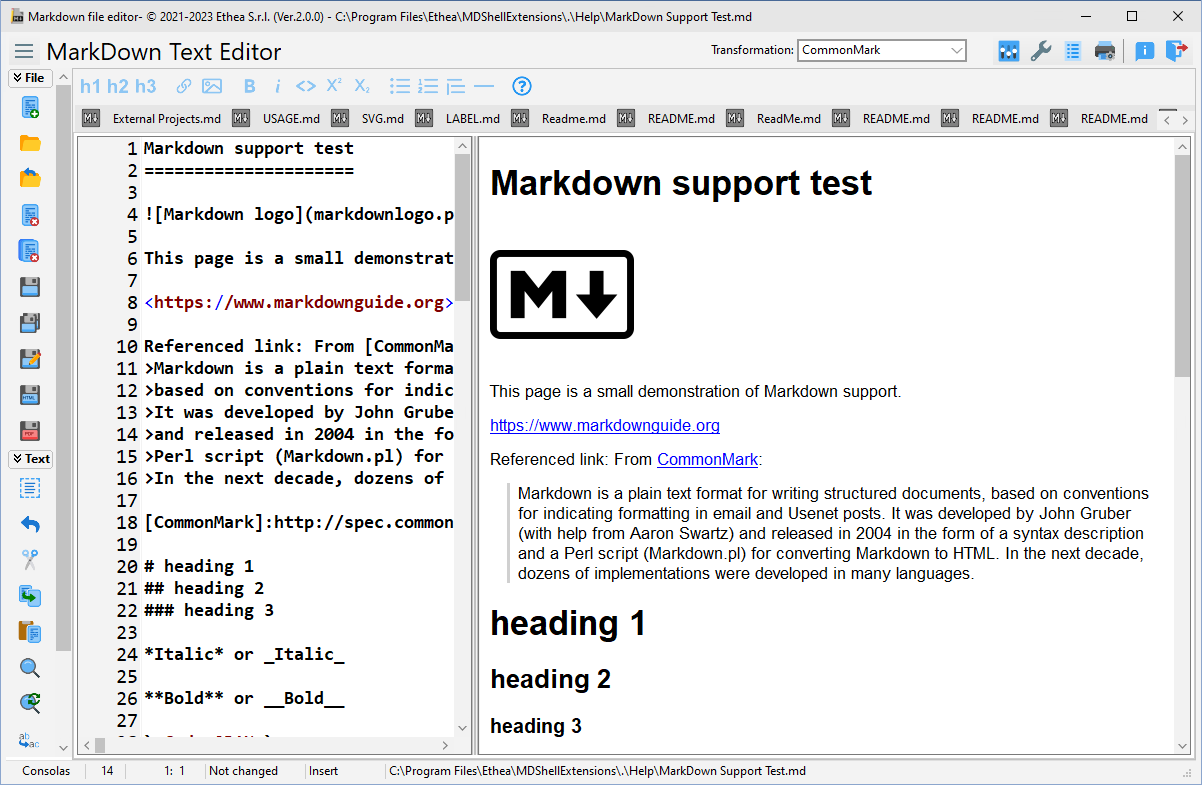
A collection of tools for markdown files, to edit and view content, with an advanced Editor:
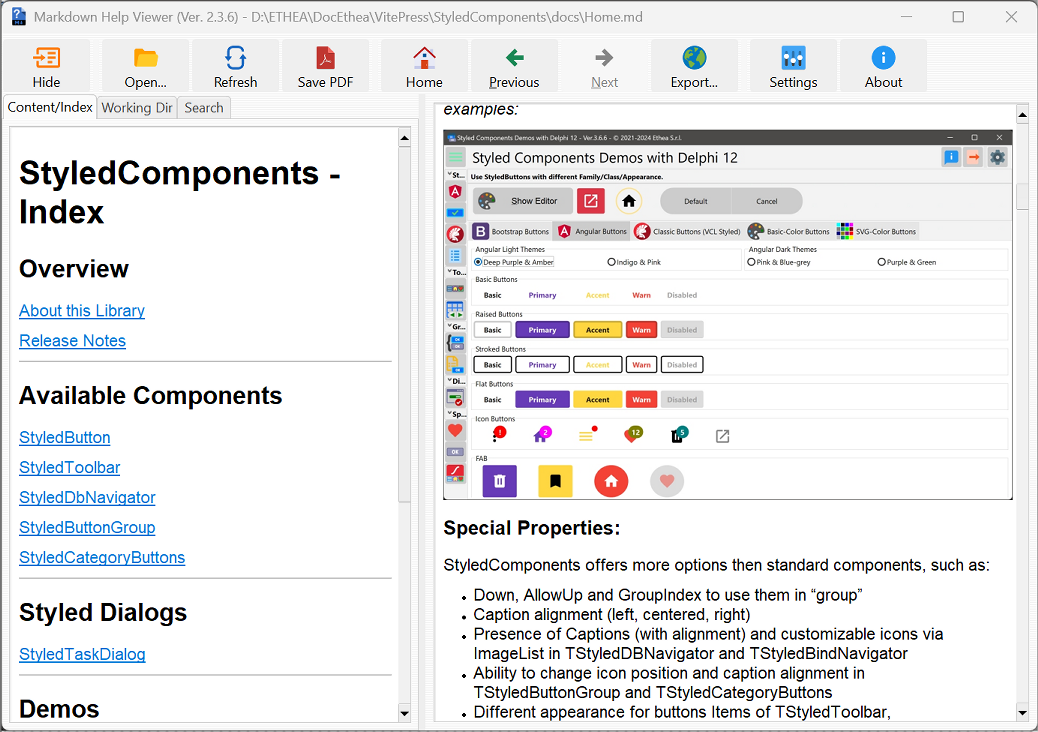
An integrated help system based on files in Markdown format (and also html), for Delphi applications:
Demo
The VCL demo in Demo\MarkdownProcessorDemo converts the sample document TestFile\MarkDown Support Test.md (or any Markdown file) with the component: you can change the dialect and the legacy extensions and open the result in the browser, with math formulas and mermaid diagrams.
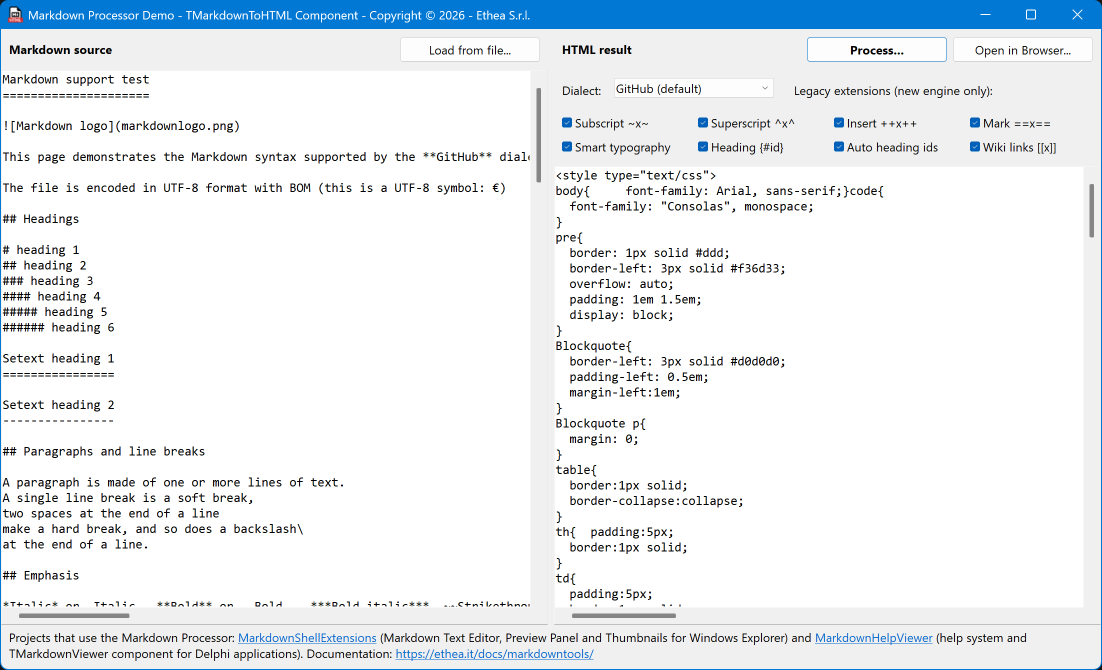
More details: Markdown Processor Demo. Complete documentation of the library: Markdown Processor.
Release Notes
31 Oct 2026: ver. 2.1.2
- Math as image (
mmrCodeCogsImage, used by HTMLViewer and by MarkDownToHTML.exe): the formulas are requested at 110 dpi (\dpi{110}), the size of the text; latex.codecogs.com returns images at 300 dpi by default, three times larger than the text MarkDown Support Test.md: new section "Image formats", with the same image in JPEG, PNG, animated GIF, SVG and WebP
All the release notes: README on GitHub
License
Copyright (c) Ethea S.r.l.
Licensed under the Apache License, Version 2.0 (the "License");
you may not use this file except in compliance with the License.
You may obtain a copy of the License at
http://www.apache.org/licenses/LICENSE-2.0
Unless required by applicable law or agreed to in writing, software distributed under the License is distributed on an "AS IS" BASIS, WITHOUT WARRANTIES OR CONDITIONS OF ANY KIND, either express or implied. See the License for the specific language governing permissions and limitations under the License.
Contributors
MarkdownProcessor implementation is a fork of FPC-markdown by Miguel A. Risco-CastilloFPC-markdown
FPC-markdown implementation is a fork of Grahame Grieve pascal port Delphi-markdown
MarkDownToHTML.exe is a CLI based on the project:
Italian Delphi Day 2020: Una CLI che i tuoi utenti ameranno
by Marco Breveglieri
Go to Slides and Demos page...
It also uses CommandLineParser
by Vincent Parret, licensed under the Apache License, Version 2.0 (the "License");