
SVG Editor and Shell Extensions




A collection of extensions tools for SVG files, integrated into Microsoft Windows Explorer (for Windows 10 and 11) and a useful SVG Text Editor:

Related links: embarcadero.com - learndelphi.org
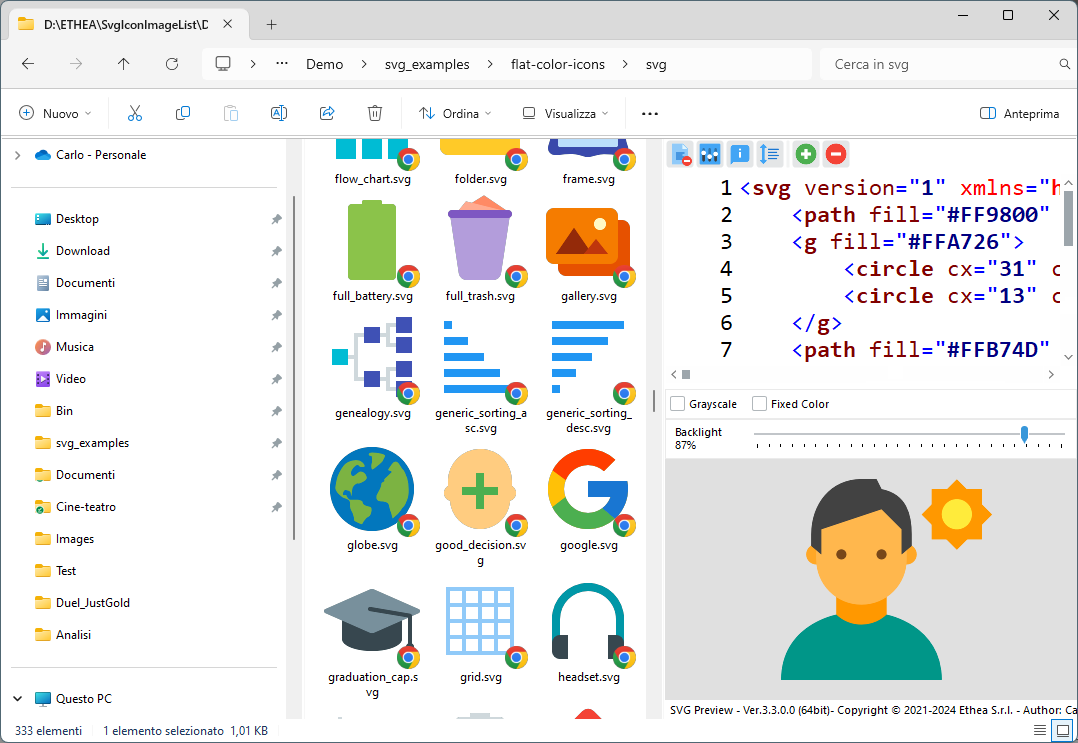
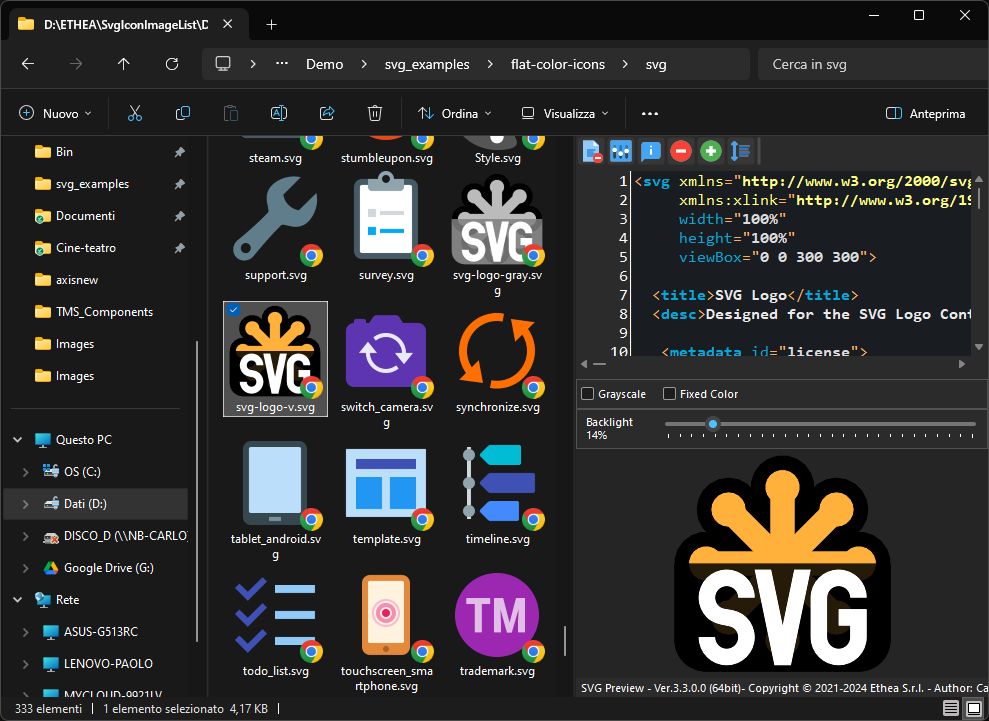
A Preview handler which allows you to see the SVG image and text without open it, in the "Preview Panel".
A Thumbnail handler which allows you to see the SVG image into Windows Explorer.
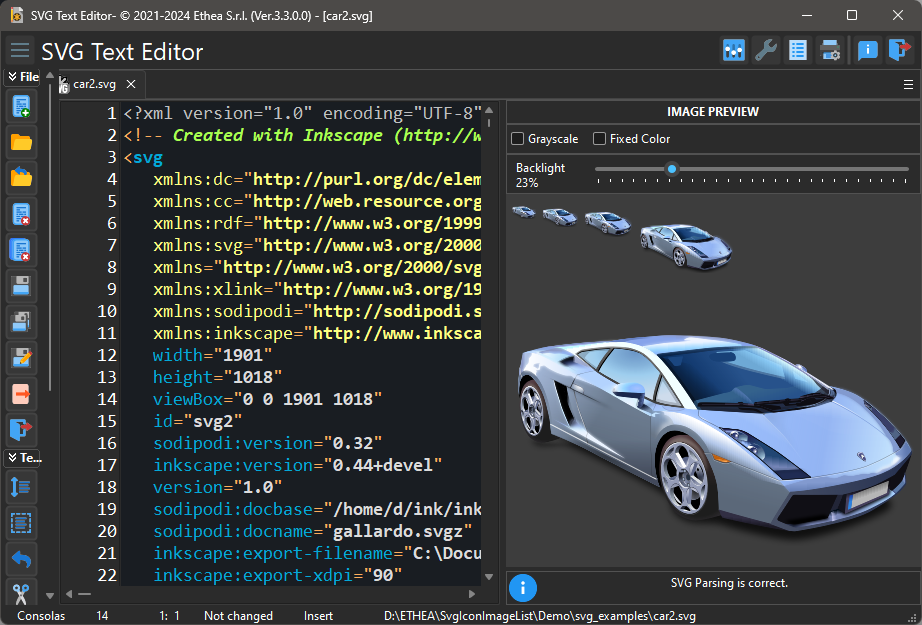
An SVG-XML Text Editor to manually edit and preview the text of SVG files.
Documentation
Follow the Project Site to know all the SVG tools: SVG Text Editor, Shell Extensions (Preview Panel, Thumbnails and Context menu) and the SVGToPNG command-line tool.
Features
Supports Windows 10 and 11 (for 32 bits and 64 bits).
Themes (Dark and Light) according to user preferences of Windows Theme
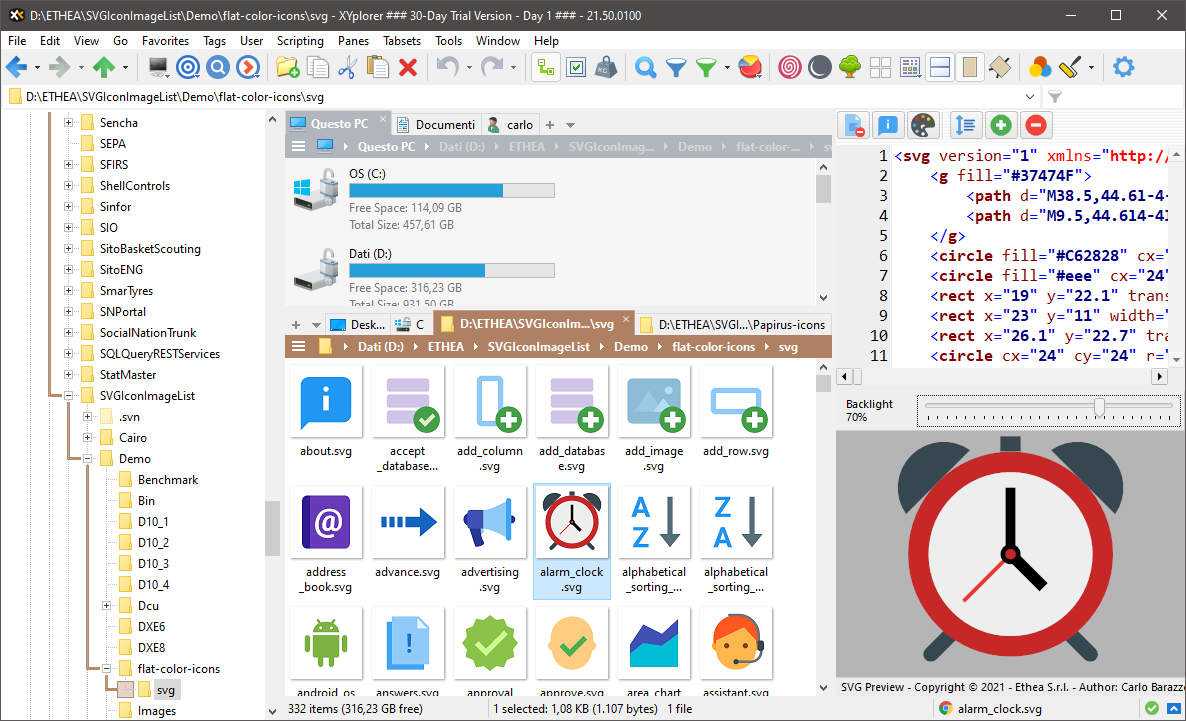
Integrated also with other Shell Applications (like XYplorer)
Setup using the Installer
Click to download the SVGShellExtensionsSetup.exe located also in the Release area. The Installer works both for 32 and 64 bit system.
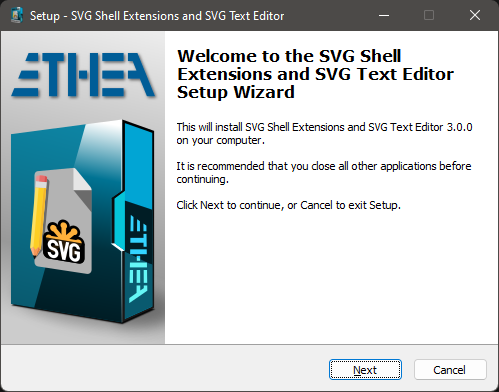
For a clean Setup close all the windows explorer instances which have the preview handler active or the preview handler was used (remember the dll remains in memory until the windows explorer was closed).
Preview Panel and Thumbnails in action
In Windows 11 with Light theme:
In Windows 11 with Dark theme:
SVG Text Editor
A useful Text editor with preview of SVG Image:
Color palette: under the editor a panel shows all the colors used by the SVG, with the number of occurrences of each one. Colors are found in the presentation attributes (fill, stroke, stop-color, flood-color, lighting-color, color, solid-color), in style attributes and in <style> blocks, written as hex (#rgb, #rgba, #rrggbb, #rrggbbaa), rgb(), rgba(), hsl(), hsla() or color names; the same color written in different ways is shown once.
- Click on a color to highlight all its occurrences in the text, then move between them with
Alt+Right/Alt+Leftor with the arrow buttons of the palette. - When the caret is on a color value, the corresponding color is marked in the palette.
- Double-click on a color to replace the color value under the caret (keeping its notation and opacity), or to insert it at the caret position as
#RRGGBB. - Right-click on a color to replace all its occurrences with another color (one single undo), to select all its occurrences with multiple carets, or to copy its value.
- Add your own colors to the "Custom" section with the
+button (color picker) or from the context menu: they are kept for all files and shared with the custom colors of the color picker. - The hint of each color shows its value, the properties using it and its opacities.
- The palette can be hidden in the Settings ("Show color palette under the editor").
Automatic updates
The SVG Text Editor checks if a new version is available on GitHub, then downloads and installs it:
- Automatic check: at startup, once every n days (7 by default), in background; it can be disabled or its interval changed in Settings - Updates.
- Manual check: with the "Check for updates" button of the About dialog.
- When a new version is available the editor asks to download it: the About dialog shows the progress of the download (that can be stopped), then the editor starts the Setup and closes itself.
COMMAND LINE TOOLS

SVGToPNG is a command-line utility for batch converting SVG files to PNG images.
It supports:
- Wildcard patterns for batch processing (e.g.
*.svg) - Multiple output sizes in a single run (e.g.
16,32,48,64,128,256) - Optional fixed color, grayscale and opacity settings
Usage:
SVGToPNG convert -in:<InputPattern> -size:<Sizes> <options>
Options:
 -color|-c:<color>            Fixed color to apply (e.g. clBlack, #FF0000) ((Optional))
 -grayscale|-g:<grayscale>    Convert to grayscale ((Optional))
 -in|-i:<in>                  SVG input file or wildcard pattern (e.g. *.svg) ((Required))
 -opacity|-a:<opacity>        Opacity value from 0.0 to 1.0 ((Optional))
 -out|-o:<out>                Output folder for generated PNG files ((Optional))
 -size|-s:<size>              PNG sizes separated by comma (e.g. 16,32,48,64) ((Required))
Examples:
  SVGToPNG convert -in:"C:\icons\*.svg" -size:32
  SVGToPNG convert -in:"C:\icons\home.svg" -size:16,32,48,64 -out:"C:\output"
  SVGToPNG convert -in:"*.svg" -size:256 -grayscale
Support for XYplorer
As requested by many users of popular shell alternative, the new version supports XYplorer for Thumbnails and Preview Panel: follow the configuration guide...
Manual Build and Installation (for Delphi developers)
If you have Delphi 12 or 13, you can manually build the project:
Warning: To build the DLL you need also other open-source projects
To build SVGToPNG Tool you can use BuildSVGToPNG.cmd in the Tools/SVGToPNG/Project/ folder.
To manually install the SVGShellExtensions.dll follow these steps:
Close all the windows explorer instances which have the preview handler active or the preview handler was used (remember the dll remains in memory until the windows explorer was closed).
If you have already used the installer uninstall the components from system.
To install manually the dll run the
Setup\Register64bit.bat(run-as-administrator).If you wanto to uninstall the dll you use the
Setup\UnRegister64Bit.batWhen it's registered, you can continue to change code and rebuild the dll (beware to close all Explorer instances).
Release Notes
03 Nov 2026: ver. 3.5.3
- SVG Text Editor and preview: they use Ethea SynEdit 3.0.0 (https://github.com/EtheaDev/SynEdit), the EtheaDev fork of pyscripter/SynEdit with every unit under the
SynEdit.scope
All the release notes: README on GitHub
Credits
Many thanks to Rodrigo Ruz V. (author of theroadtodelphi.com Blog) for his wonderful work on delphi-preview-handler from which this project has used a lot of code and inspiration.
License
Licensed under the Apache License, Version 2.0 (the "License"); Unless required by applicable law or agreed to in writing, software distributed under the License is distributed on an "AS IS" BASIS, WITHOUT WARRANTIES OR CONDITIONS OF ANY KIND, either express or implied. See the License for the specific language governing permissions and limitations under the License.
Copyright © 2021-2026 Ethea S.r.l.
Credits
Author: Carlo Barazzetta
Custom icons: Ariel Montes
Source project: https://github.com/EtheaDev/SVGShellExtensions
Other libraries from Ethea
Third party libraries
- Delphi Preview Handler
The Initial Developer of the Original Code is Rodrigo Ruz V.
Portions created by Rodrigo Ruz V. are Copyright © 2011-2023 Rodrigo Ruz V. - VCL Styles Utils
Portions created by Rodrigo Ruz V. are Copyright © 2012-2023 Rodrigo Ruz V. (Mozilla Public License 1.1) - SynEdit (PyScripter fork)
Portions created by Martin Waldenburg are Copyright © 1998 Martin Waldenburg (Mozilla Public License 1.1) - Image32 Library
Copyright © 2019-2025 Angus Johnson (Boost Software License)