
Support for XYplorer
As requested by many users of this popular alternative shell, the Preview Panel and the Thumbnails work also in XYplorer.
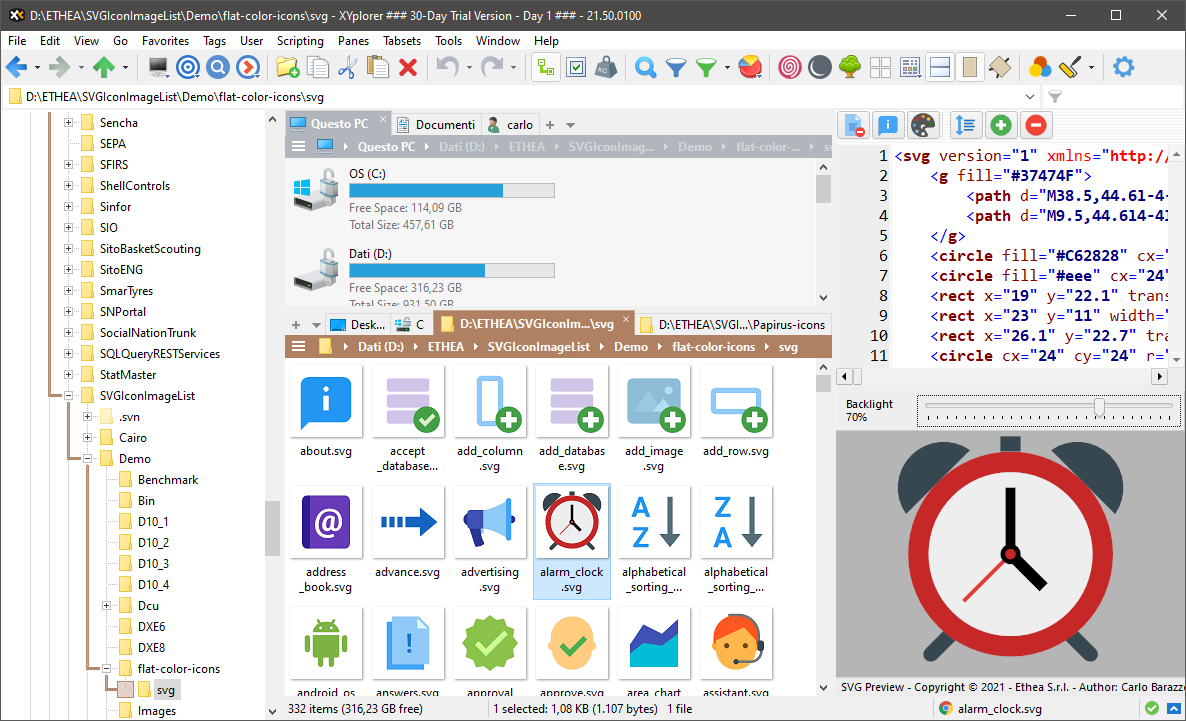
Configuration
To use the SVG Preview handler in XYplorer:
- Open the Configuration of XYplorer and select Preview - Previewed Formats.
- Check the category User-Defined Preview Handlers.
- Add (or edit) the extension
svg, followed by the GUID of the SVG Preview handler, separated by a greater-than sign (>):
svg>{742ADF0E-3C4D-4F46-9E91-236BF0194C21}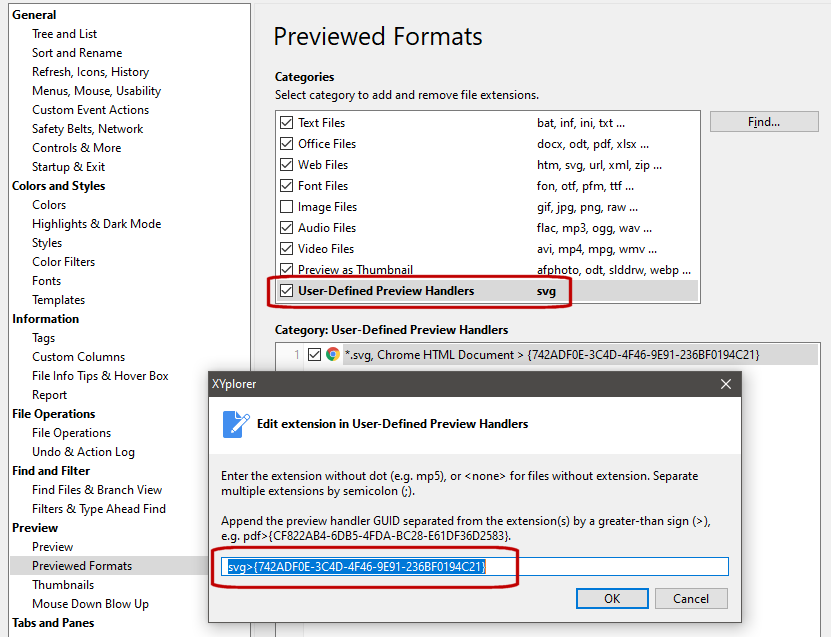
INFO
{742ADF0E-3C4D-4F46-9E91-236BF0194C21} is the GUID of the 64 bit Preview handler. For the 32 bit version of XYplorer use {203BA25A-6765-4537-B7F9-5A617EC5E193}.
For more details see the configuration guide in the Wiki of the project.