Context menu and Export to PNG
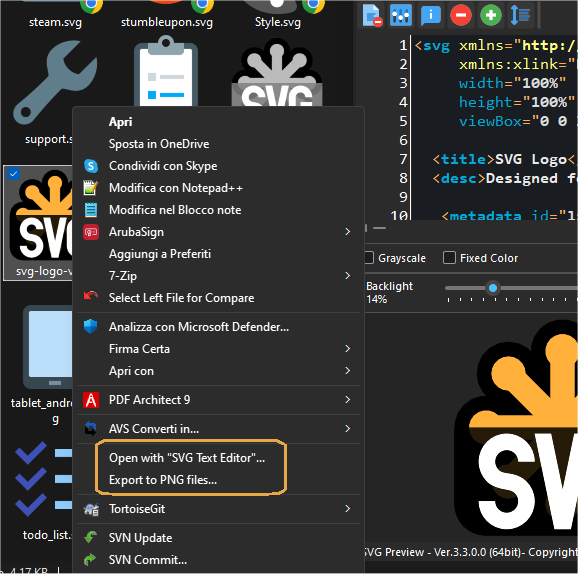
Right-clicking an SVG file in Windows Explorer, the context menu shows two commands:
- Open with "SVG Text Editor"...: opens the file in the SVG Text Editor;
- Export to PNG files...: converts the SVG file to PNG images.
Export to PNG files
The "Export SVG to PNG files" dialog creates many PNG images of the SVG at once, one for each selected size:
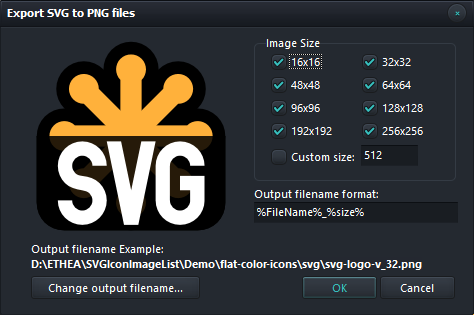
- Image Size: select the sizes to create (from 16x16 to 256x256) and optionally a Custom size.
- Output filename format: the name of the files to create, where
%FileName%is the name of the SVG file and%size%is the size of the image (e.g.%FileName%_%size%createssvg-logo-v_32.png). - Change output filename...: chooses the folder and the name of the files to create.
The same dialog is available also in the SVG Text Editor ("Export to png..." command).
To convert many SVG files at once, use the SVGToPNG command-line tool.