
Animation Viewer

The Animation Viewer is a standalone program to play the animation files in their own window, with the same player of the Preview Panel:
- Lottie animations (.json, .lottie);
- static and animated GIF (.gif) and WebP (.webp);
- Telegram stickers (.tgs).
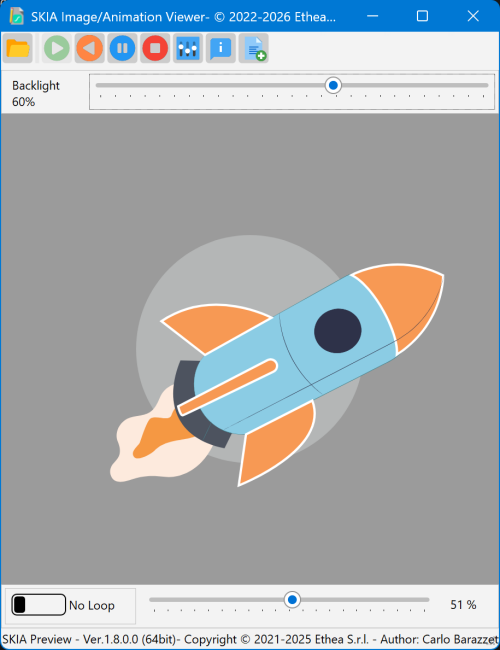
How to open a file
- from the context menu of a Lottie file in Windows Explorer, with Open with "Animation Viewer"... (see Context menu);
- with the Open button of the toolbar of the viewer;
- passing the name of the file on the command line:
AnimationViewer.exe "<file name>".
Play controls
The toolbar and the bottom of the window have the same controls of the Preview Panel (see Play controls):
- Play, Play inverse, Pause and Stop;
- Loop and the slider to move the animation to any frame;
- Backlight, the brightness of the background behind the animation;
- for Lottie files, the button to show the JSON text of the animation;
- the Settings and the About dialog.
The Animation Viewer is installed by the Setup, also in the compact installation.