
SKIA Shell Extensions and Lottie Editor Features
SKIA Shell Extensions
A collection of extensions integrated into Windows Explorer, to see and play image and animation files without opening them.
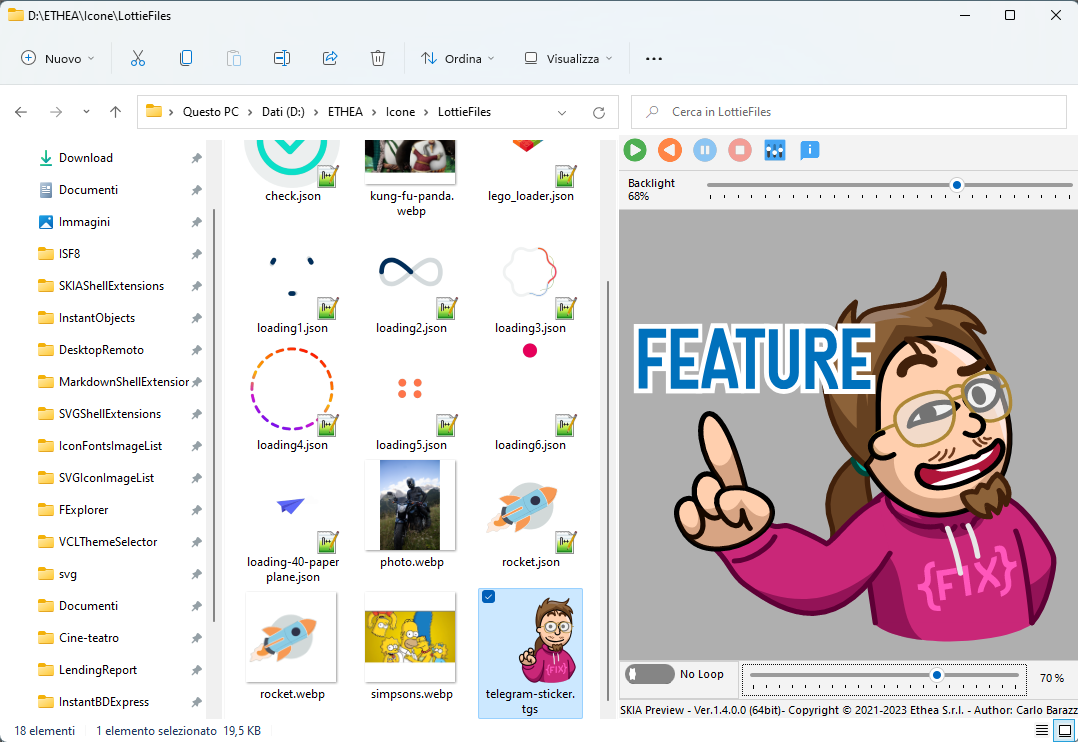
Preview of the animation directly in the Preview Panel of Windows Explorer, with play controls and, for Lottie files, the JSON text.
Thumbnails of the files in every view of Windows Explorer.
Context menu to open a Lottie file with the Lottie Text Editor or with the Animation Viewer.
Supported files: Lottie animations (.json, .lottie), static and animated GIF (.gif) and WebP (.webp), Telegram stickers (.tgs).
No need to build the project with Delphi: an easy Setup is provided.
Supports Windows 10 and 11 (for 32 and 64 bit platforms).
Themes (Dark and Light) according to user preferences of Windows Theme, with the VCL styles: Light: Sky, Windows Modern, Windows11 Impressive Light, Windows11 Modern Light, Windows11 Polar Light; Dark: Glow, Windows Modern SlateGray, Windows11 Impressive Dark, Windows11 Modern Dark, Windows11 Polar Dark.
Lottie Text Editor
A useful Text editor with preview of the Lottie animation:
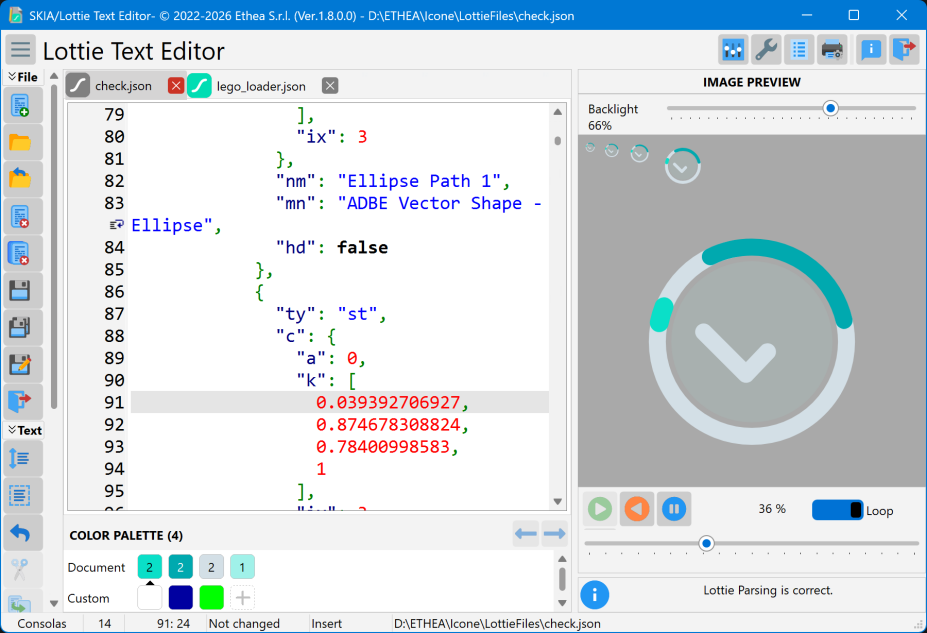
Edit the text of more Lottie files at the same time, with JSON syntax highlighting.
Instant preview of the animation, with play, play inverse, pause, stop, loop and manual control.
Color Palette with all the colors used by the animation: find and replace colors, keeping the notation of the file.
Reformat the JSON text, Search and Replace, Print and Print Preview.
Single instance: opening a file reuses the running editor; optional restore of the last session.
Animation Viewer
A standalone player for the animation files, with the same controls of the Preview Panel.