Routing
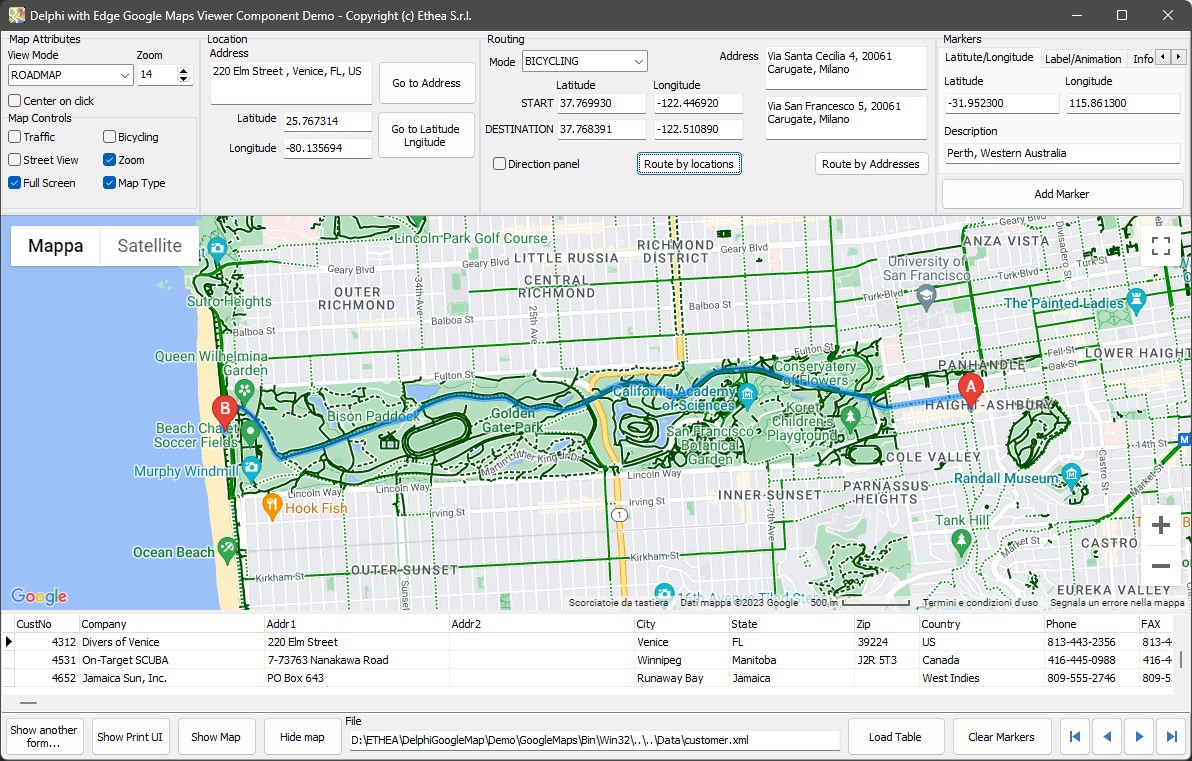
The component asks the Google directions service for a route and draws it on the map, with the markers A and B at its ends. The route can be between two addresses or between two positions.
By addresses
pascal
EdgeGoogleMapViewer.MapStartAddress := 'Via Santa Cecilia 4, 20061 Carugate, Milano';
EdgeGoogleMapViewer.MapDestinationAddress := 'Via San Francesco 5, 20061 Carugate, Milano';
EdgeGoogleMapViewer.RouteByAddresses;
By positions
pascal
EdgeGoogleMapViewer.MapStartLatitude := 37.7699298;
EdgeGoogleMapViewer.MapStartLongitude := -122.4469157;
EdgeGoogleMapViewer.MapDestinationLatitude := 37.7683909;
EdgeGoogleMapViewer.MapDestinationLongitude := -122.5108945;
EdgeGoogleMapViewer.RouteByLocations;
Both calls show the map when it is hidden.
Travel mode
pascal
EdgeGoogleMapViewer.MapRouteModeId := rmBICYCLING;rmDRIVING (the default), rmWALKING, rmBICYCLING or rmTRANSIT.
The directions panel
With MapShowDirectionsPanel set to True (or ShowDirectionsPanel(True) on the map that is on screen) the turn-by-turn directions appear in a panel next to the map: the distance, the time and every step, localized by Google.
pascal
EdgeGoogleMapViewer.MapShowDirectionsPanel := True;
EdgeGoogleMapViewer.RouteByAddresses;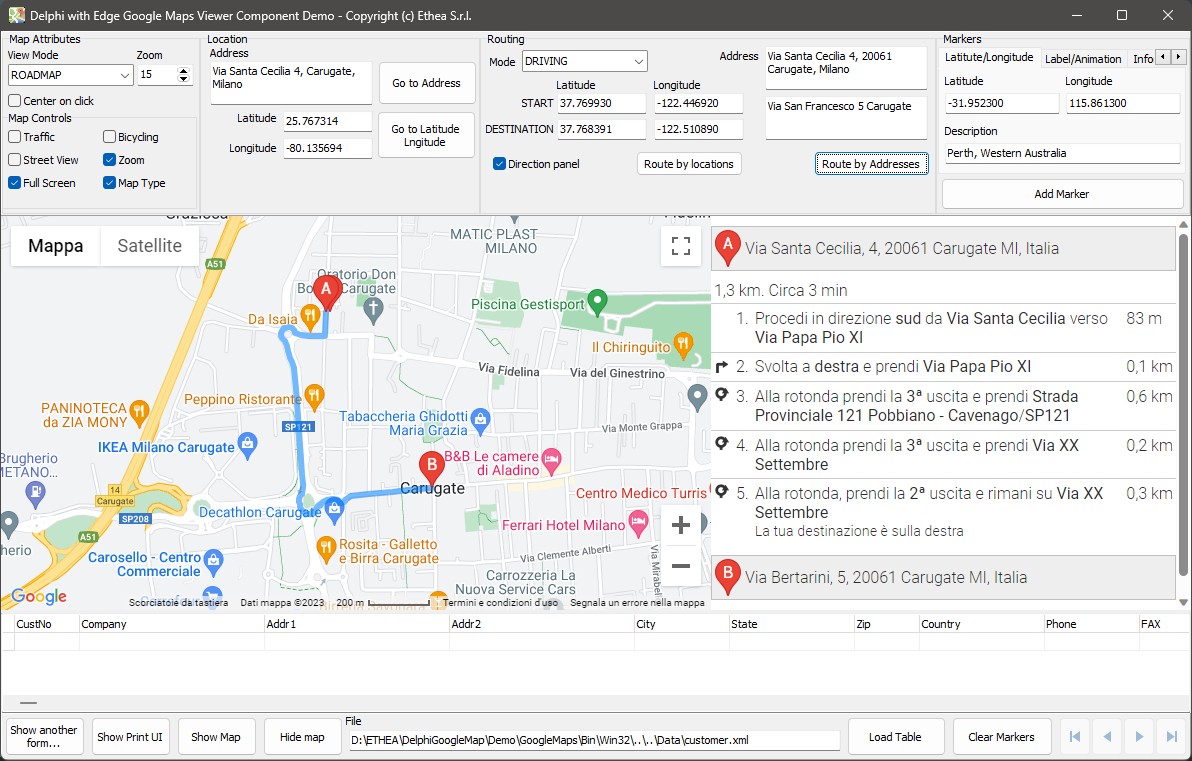
Layers on a route
The traffic and bicycling layers of the map work on a route too: a hybrid view with the traffic layer is a good way to choose the time to leave.