Markers
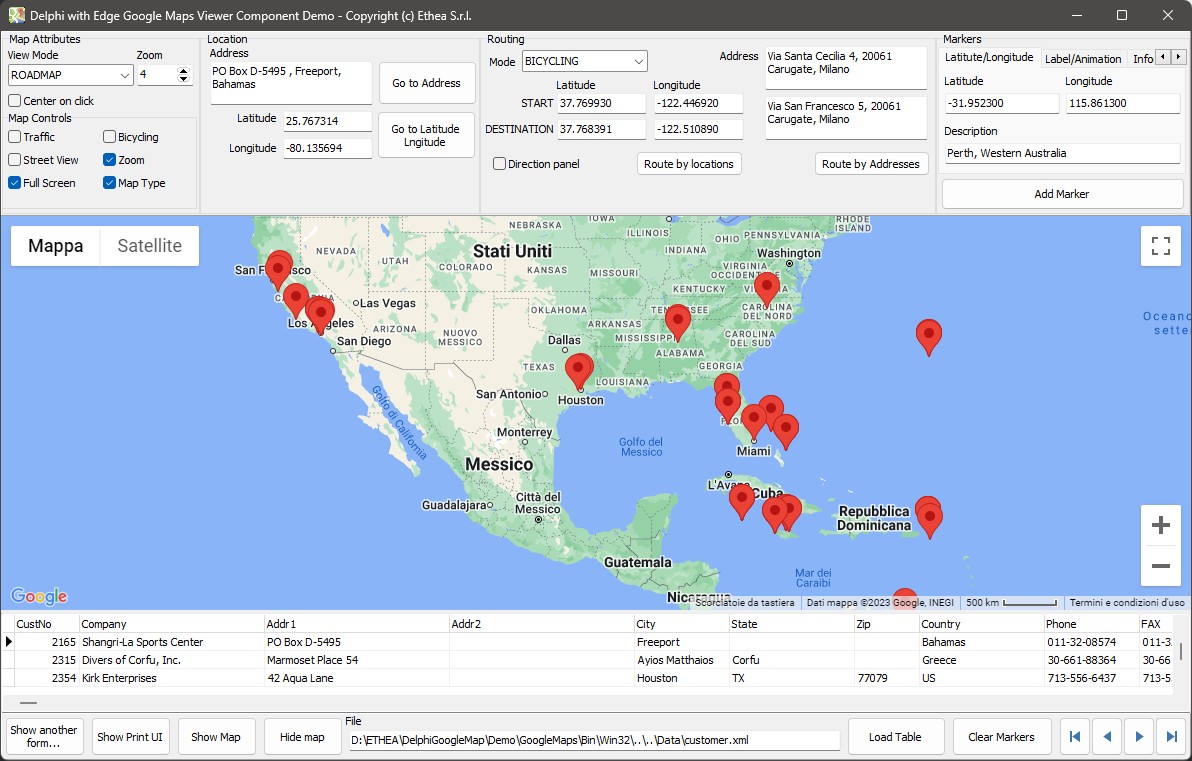
A marker is a pin on the map with a text, and, if you want, a label, an animation and an info window that opens on a click.
var
  Position: TLatLng;
begin
  Position.Latitude := -31.9523;
  Position.Longitude := 115.8613;
  EdgeGoogleMapViewer.PutMarker(Position, 'Perth, Western Australia');
end;
PutMarker
procedure PutMarker(LatLng: TLatLng; ADescription: string;
  AAnimation: TGoogleMarkerAnimationId = maNONE; ALabel: string = '';
AInfoWindowContent: string = ''; ACustomMarkerJSON: string = '');| Parameter | |
|---|---|
ADescription | The text of the marker (its title) |
AAnimation | maNONE, maBOUNCE or maDROP |
ALabel | A short text drawn on the marker |
AInfoWindowContent | HTML shown in a window when the user clicks the marker. If you give neither this nor an info title, the window shows the description |
ACustomMarkerJSON | A marker of your own drawing, see below |
A second overload adds AInfoTitle, the bold header of the info window, between ADescription and AAnimation:
EdgeGoogleMapViewer.PutMarker(Position, 'Perth', 'Perth, Western Australia', maDROP,
  '', '<p>The capital of <b>Western Australia</b>.</p>');
The map uses the new AdvancedMarkerElement of Google Maps and falls back to the classic Marker when the new one is not available, and whenever the marker has an animation, a label or a custom drawing.
Markers by address
PutMarkerByAddress looks the address up with the Google geocoding service and puts the marker where it is, so you do not need its coordinates:
EdgeGoogleMapViewer.PutMarkerByAddress('Via Santa Cecilia 4, Carugate, Milano',
  'Our office', '<p>Open from 9 to 18</p>');
The calls are throttled by the component (batches of 5, with 300 ms between them) so that a loop that adds many markers does not exceed the rate Google allows.
Custom markers
ACustomMarkerJSON is a JSON object that describes a Google Maps Symbol: an SVG path, the colours, the stroke and the scale. DefaultCustomMarkerJSON returns an example you can start from:
{
  "path": "M 0,0 C -2,-20 -10,-22 -10,-30 A 10,10 0 1,1 10,-30 C 10,-22 2,-20 0,0 z M -2,-30 a 2,2 0 1,1 4,0 2,2 0 1,1 -4,0",
  "fillColor": "#00D800",
  "fillOpacity": 1,
  "strokeColor": "#000",
  "strokeWeight": 2,
  "scale": 1
}EdgeGoogleMapViewer.PutMarker(Position, 'Here', maNONE, '', '',
EdgeGoogleMapViewer.DefaultCustomMarkerJSON);Removing and hiding
| Call | |
|---|---|
ClearMarkers | Removes every marker |
HideMarkers | Hides them, keeping them |
ShowMarkers | Shows them again |
Text and HTML
The description, the label and the info window content are passed to the page as properly escaped JavaScript strings, so a quote or </script> in a customer's name is harmless. The info window content is HTML: if it comes from your users, escape it yourself before you use it.