The demo
The demo shows every feature of the component at work: a form with the map in the middle, the parameters above and a table of customers below. It is the quickest way to see what a call does, and its code is the model for yours. It is in the repository, under Demo\GoogleMaps.
| Project | Delphi | What it is |
|---|---|---|
Demo\GoogleMaps\GoogleMapsTest.dproj | 10.4.2 → 13 | The demo, VCL, 32 and 64 bit |
Open it, build (32 or 64 bit) and run. WebView2Loader.dll has to be next to the executable: the copies are in Demo\GoogleMaps\Bin\Win32 and Bin\Win64.
You need a Google API key
The map does not show without one. The demo registers its key in the initialization section of MainForm.pas through TEdgeGoogleMapViewer.RegisterGoogleMapsApiKey: put your own there (see Quick Start) before you run it.
What is on the form
| Area | What it does | Methods and properties |
|---|---|---|
| Map Attributes | View mode, zoom, "Center on click", the map controls (traffic, bicycling, street view, zoom, full screen, map type), light or dark colour scheme | MapTypeId, MapZoom, ShowTraffic, ShowBicycling, ShowStreetViewControl, MapShowZoomControl, MapShowTypeControl, MapShowFullScreenControl, MapColorScheme |
| Location | Goes to an address or to a latitude / longitude | GotoAddress, GotoLocation |
| Routing | Start and destination as addresses or coordinates, travel mode, directions panel | RouteByAddresses, RouteByLocations, MapRouteModeId, MapShowDirectionsPanel |
| Drawing | Tabs for markers, circles, polylines, polygons and the distance between two points | PutMarker, PutMarkerByAddress, PutCircle, PutPolyline, PutPolygon, ComputeDistanceBetween |
| Buttons below | Another form with a second map, print panel, show and hide the map, load the customers | ShowPrintUI, ShowMap, HideMap |
The tour
Go to an address
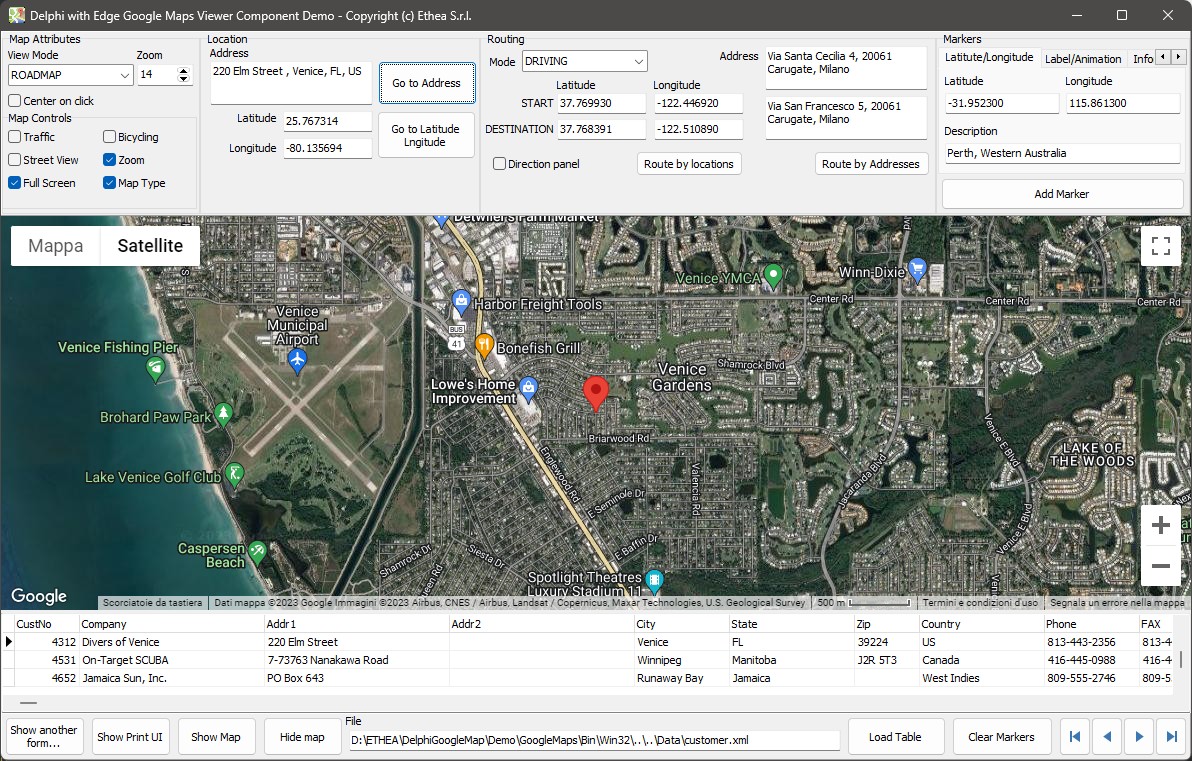
Type an address and click Go to Address: the map moves there and puts a marker.
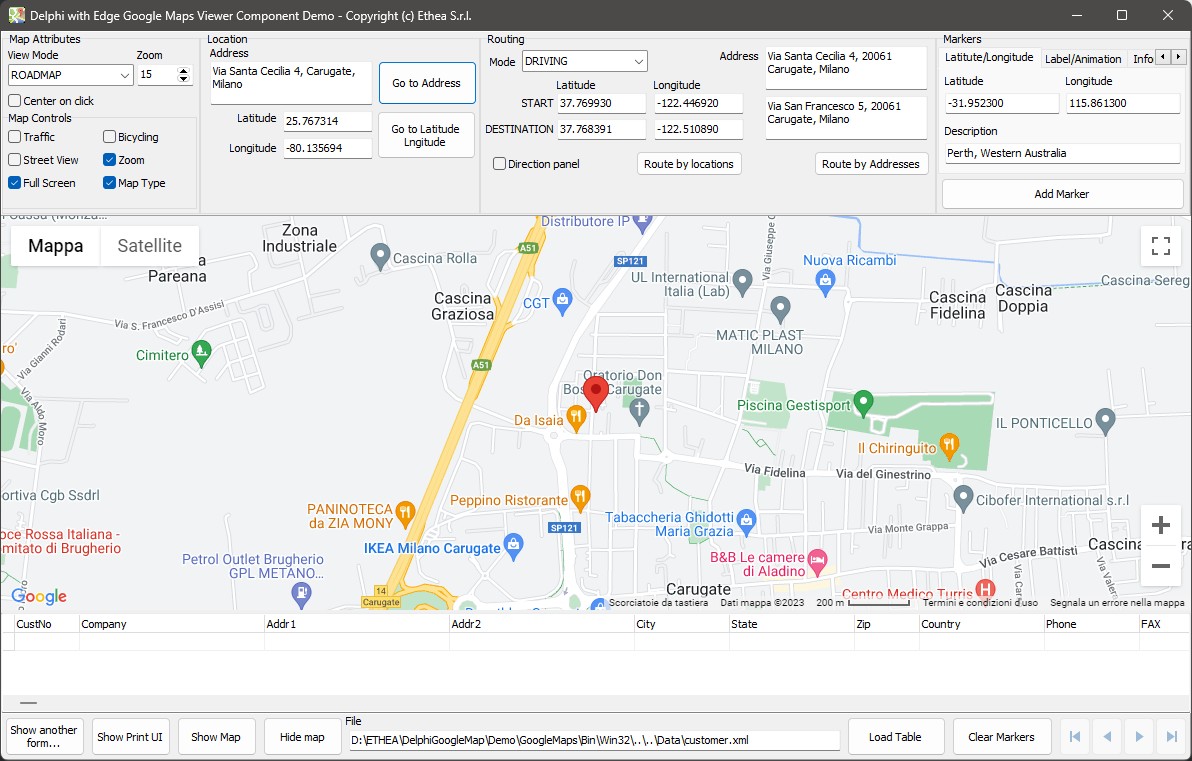
EdgeGoogleMapViewer.GotoAddress(MemoAddress.Lines.Text);Go to a latitude and longitude
Type the coordinates (25.767314 / -80.135694) and click Go to Latitude Longitude.
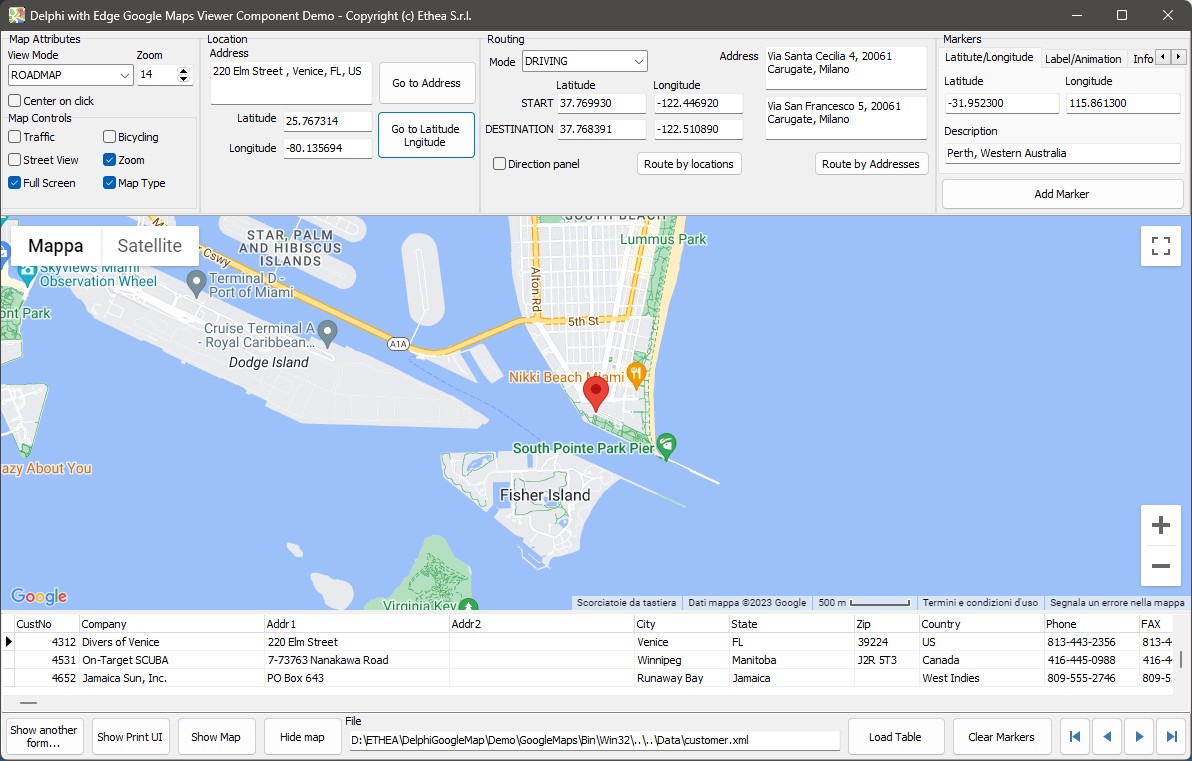
Location.Latitude := TEdgeGoogleMapViewer.TextToCoord(Latitude.Text);
Location.Longitude := TEdgeGoogleMapViewer.TextToCoord(Longitude.Text);
EdgeGoogleMapViewer.GotoLocation(Location);
Route by bicycle, on the road map
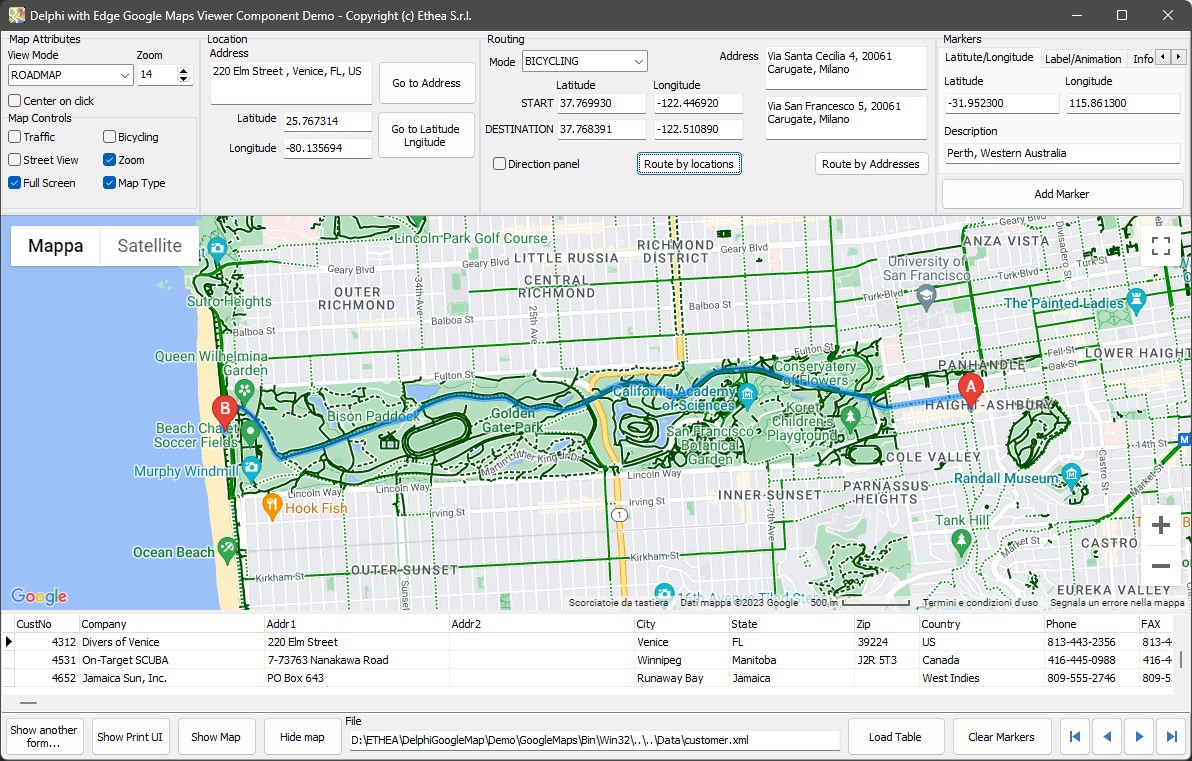
Select the mode BICYCLING and the view ROADMAP, then Route by locations.
Route by addresses, hybrid view with traffic
Select the view HYBRID, activate Traffic and click Route by Addresses.
Route with the directions panel
Check Direction panel and click Route by Addresses: the steps appear next to the map.
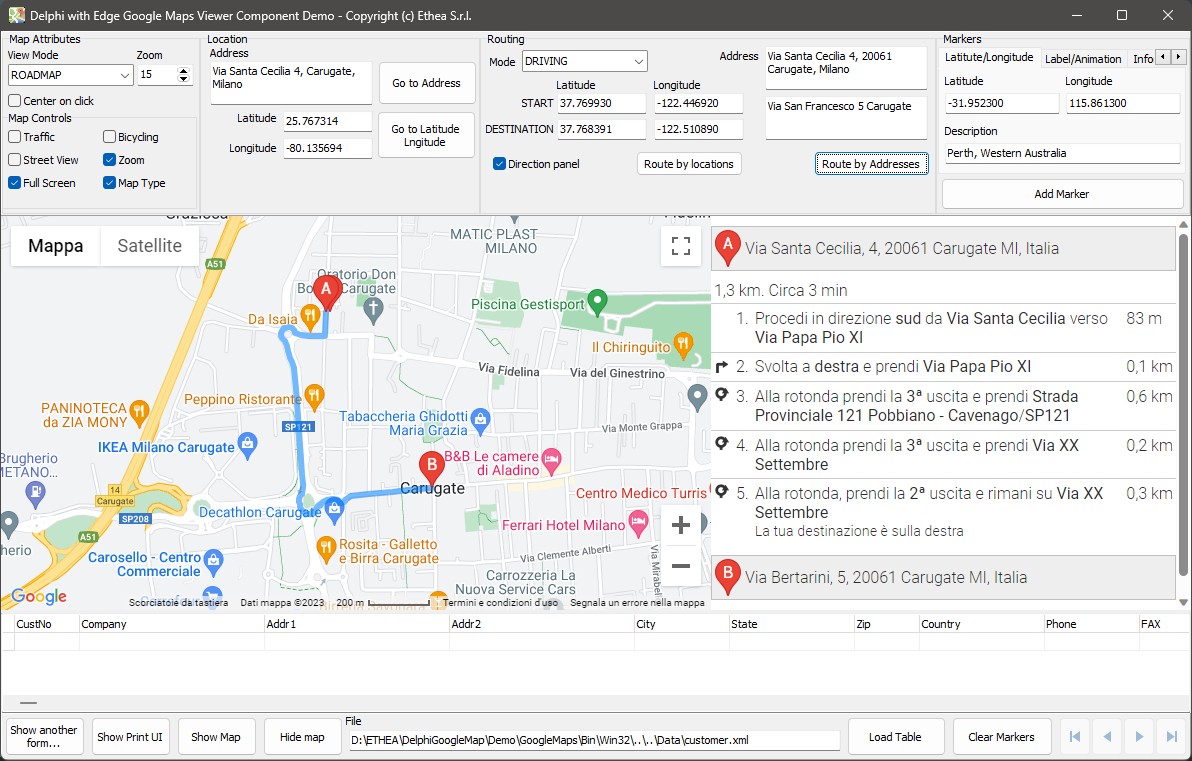
EdgeGoogleMapViewer.MapShowDirectionsPanel := CheckBoxDirectionPanel.Checked;
EdgeGoogleMapViewer.MapStartAddress := StartAddressMemo.Lines.Text;
EdgeGoogleMapViewer.MapDestinationAddress := DestinationAddressMemo.Lines.Text;
EdgeGoogleMapViewer.RouteByAddresses;
The print panel
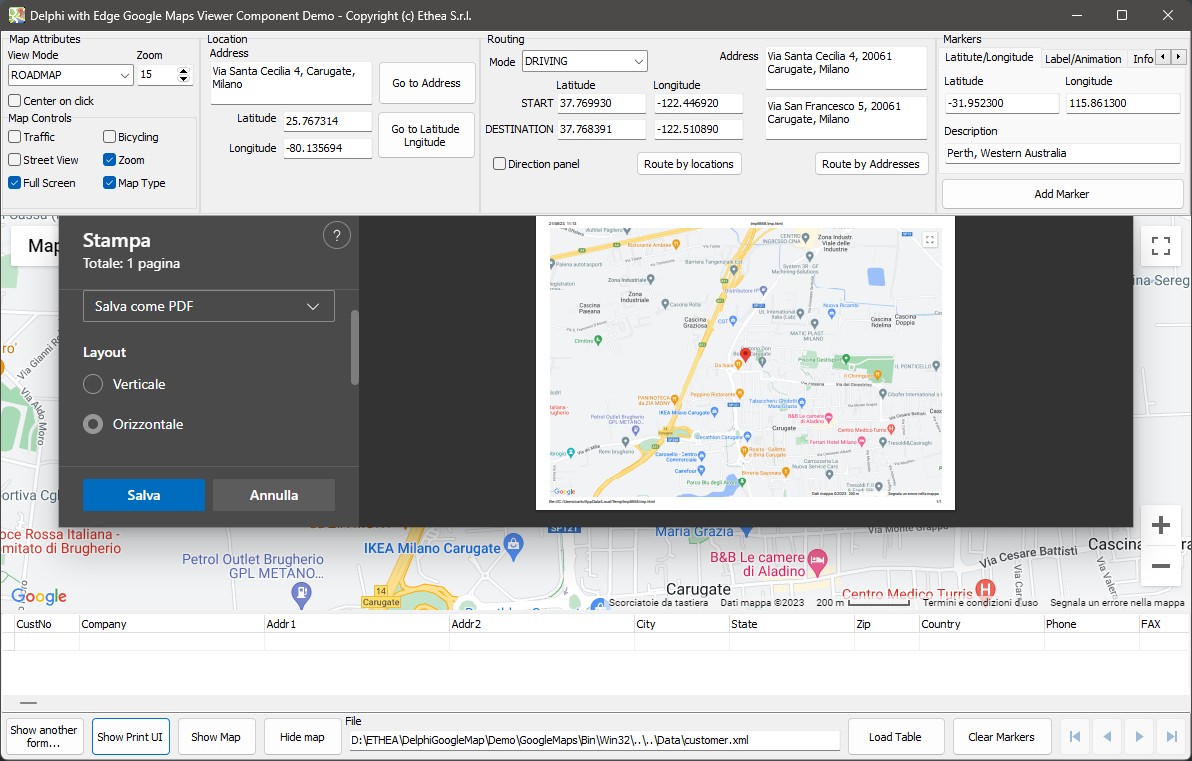
Show Print UI opens the print panel of the browser inside the form.
Markers from a table of customers
Load Table reads Data\customer.xml into a client dataset shown in the grid. For every record the grid scrolls to, the address is built from the fields and the map goes there; zoom out to see them all.
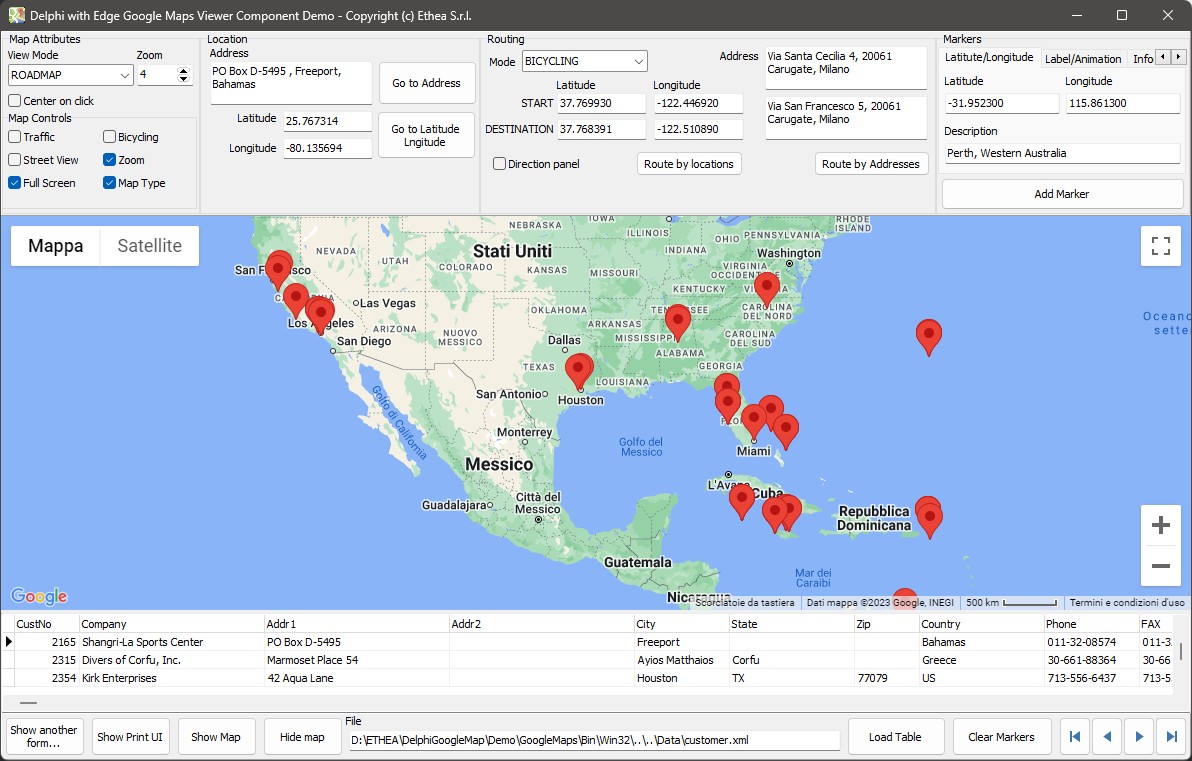
procedure TformMain.cdsCustomersAfterScroll(DataSet: TDataSet);
begin
  // ... Address is built from Addr1, Addr2, City, State and Country ...
  MemoAddress.Lines.Text := Address;
  if EdgeGoogleMapViewer.MapVisible then
    EdgeGoogleMapViewer.GotoAddress(Address);
end;
What is not in the screenshots
The pictures above come from an earlier version of the demo. Since version 2.0 it also has the Color Scheme selector (light and dark maps), the By Address tab of the markers (PutMarkerByAddress), the Custom Marker tab and the tabs of the circles, polylines and polygons with their style: see Markers and Circles, lines and polygons.
A second map
Show another form... opens SecondaryForm, with its own viewer: the component can be on several forms at once, and they share the key and the temporary folder registered at start.