
VCL TControlList with SVGIconImageCollection
Embarcadero, in 10.4.2 version, has introduced in the VCL library a new flexible and virtualized list control: TControlList
The idea behind this control is to offer a new modern looking VCL control offering custom UI configuration and a high performance control, which can be used with very long lists. This list represents a single selection list and all items are visually of the same height and width.

for more information read this article...
TControlList and SVGIconImageCollection Demo
The TSVGIconImageCollection component inherits from TImageCollection, so you can use it with the TVirtualImage component.
By placing a TVirtualImage inside a TControlList it is possible to use SVG icons with this new component.
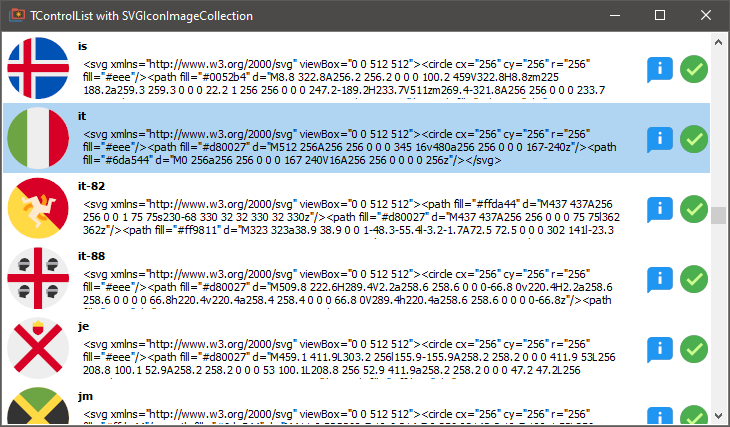
A simple Demo is available which shows how it works into:
SVGIconImageList\Demo\D10_4\SVGIconImageCollectionIntoControlList.dpr
the demo shows how to set the image at run-time into the ControlListBeforeDrawItem event handler:
procedure TControlListMainForm.ControlListBeforeDrawItem(AIndex: Integer; ACanvas: TCanvas;
  ARect: TRect; AState: TOwnerDrawState);
begin
  VirtualImage1.ImageIndex := AIndex;
  Label2.Caption := SVGIconImageCollection.SVGIconItems[AIndex].Name;
  Label1.Caption := SVGIconImageCollection.SVGIconItems[AIndex].SVGText;
end;